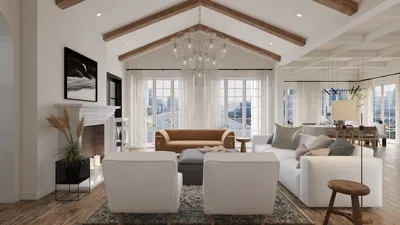



Having designed numerous media walls for various clients as well as for my own residences, I've found that the most effective designs harmoniously integrate proportion, lighting, acoustics, and storage while maintaining a distinct visual rhythm. An intentionally created media wall does more than just support a screen; it influences how we gather, relax, and entertain. Before embarking on a DIY media wall project, I meticulously plan viewing distances, eye levels, cable pathways, and speaker placements, ensuring no wood is cut prematurely.
Maintaining the proper eye level and viewing distance is essential for comfort. Research by Steelcase highlights that extended periods of poor posture can lead to musculoskeletal strain and decreased concentration. To alleviate neck strain, it's best to position the center of the screen at seated eye level—generally around 42 to 48 inches from the finished floor, which is ideal for standard sofas. The WELL v2 standard also advocates for visual comfort and glare control through appropriate lighting and contrast levels. In living rooms, you should aim for ambient lighting of approximately 150 to 300 lux with adjustable task lighting, ensuring direct downlights do not reflect on the screen. Blues can promote calmness while warm tones can invigorate, as noted in Verywell Mind's examination of color psychology, making them essential considerations when selecting backlighting and paint colors.
While aesthetics are important, storage is equally essential. Gensler's workplace studies suggest that clutter leads to a higher cognitive load. In living rooms, effective storage solutions such as concealed cable management, ventilated spaces for equipment, and appropriately sized drawers can shift focus from chaos to content. I ensure that power and data cables are routed on one side of the wall and maintain a minimum clearance of 2 to 3 inches behind devices to facilitate airflow, incorporating a service hatch for devices like set-top boxes or routers.
Floating Minimalist Media Wall
Creating a floating cabinet with a mounted TV lends a clean, airy aesthetic to the space. I typically dimension the cabinet to be 12 to 16 inches deep to accommodate power sources, soundbars, and small subwoofers while elevating it 6 to 8 inches above the floor to create a shadow effect below. Integrated LED strips, set between 2700 and 3000K, provide a warm illumination under the cabinet without interfering with the screen. I ensure all wiring is managed through a recessed box just behind the panel, keeping HDMI and power cables routed vertically inside the stud bay. To achieve visual harmony, align cabinet divisions with the TV's width while maintaining a margin of 6 to 10 inches on either side.
Built‑In Grid with Acoustic Panels
In larger spaces, constructing a full-height built-in grid with shelves and closed compartments not only frames the screen but also enhances sound absorption. I combine perforated MDF doors with acoustic felt behind the speaker zones to minimize echo without turning the room into a recording studio. It's important to leave a clearance of 3 to 4 inches around speakers. In the open shelving areas, varying shelf widths (for instance, 10, 14, and 18 inches) helps to maintain visual interest and stability, ensuring heavier items are placed lower. The acoustic guidelines from WELL v2 recommend reducing reverberation, and including soft textures such as felt, fabric-wrapped panels, or textured rugs in front of the media wall can enhance clarity.
Stone or Slab Feature with Hidden Channels
Utilizing a large-format porcelain or engineered quartz slab can infuse drama into the design. I typically use 6 to 12 mm porcelain panels fixed to a plywood substrate with hidden vertical channels for cabling. It's crucial to align seams with the edges of the screen and to incorporate a removable access panel behind the TV. To combat reflections from polished surfaces, side-wash lighting such as wall sconces with shielded optics is preferable over overhead fixtures. For a textured finish, consider using fluted wood or ribbed gypsum panels which can add character and diffuse reflections.
Warm Wood + Ambient Backlighting
Incorporating wood tones into your design adds an element of comfort. Utilizing walnut or white oak veneer within a straightforward frame conveys a sense of luxury without excessive complexity. I often create a recessed 1-inch channel behind the TV perimeter to house LED strips for bias lighting, which helps to decrease perceived contrast and eye strain during evening hours. Matching the LEDs to a color temperature of 2700 to 3500K and ensuring a high CRI (90+) retains the integrity of color representation. Incorporating a narrow reveal, such as 3/8 inch, around the panels will create a shadow line that enhances detail.
Asymmetrical Composition for Artful Balance
Symmetry isn't always necessary in design. Often, I position the TV to one side and balance it with vertical storage or a tall sculpture niche on the opposite side. Proportion is key: allow the TV and the opposing feature to share a common height reference, while maintaining consistent margins—for instance, all vertical gaps measuring 2 inches. Using a single accent color or material in two areas can unify the composition. To visualize asymmetry before construction, employing a digital room layout tool can be quite beneficial.
Fireplace + TV: Layered Zones
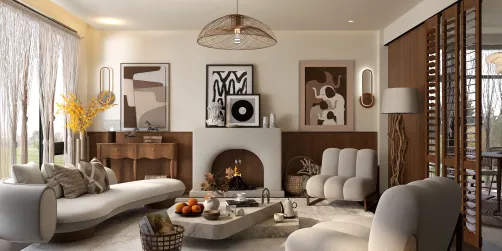
When combining a fireplace with a TV, careful attention to heat and glare management is crucial. If the TV is positioned above the firebox, check the manufacturer’s specifications and create a mantle that projects further to mitigate heat impact. Alternatively, recessing the TV in a niche to the side can alleviate neck strain during prolonged viewing. I recommend using matte finishes adjacent to the fireplace to prevent glare and ensuring that cable paths are distanced from high-heat areas. A low, stone hearth may serve dual functions, providing additional seating while disguising a subwoofer or power bricks for easy access.
Compact Apartment Media Wall
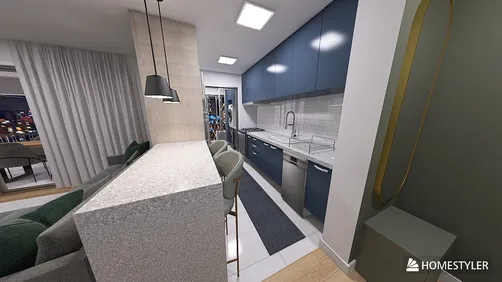
In compact living areas, focusing on slim storage solutions and multifunctional surfaces is vital. A cabinet depth of 10 to 12 inches with flip-up doors can effectively store devices without extending too far into the space. If seating is within 8 to 10 feet, a 55 to 65-inch screen typically suits the area; ensuring it's mounted at eye level and angled slightly downward if the sofa is lower than standard height. Utilizing light wood tones, soft neutral colors, and a single accent color creates a serene visual environment. It is advisable to avoid overhead lighting that impacts the screen, opting instead for side sconces or backlighting for glare-free viewing.
Cable Management, Ventilation, and Access
Effective cable organization is crucial for the ease of future upgrades. I organize power cables on one side and signal cables on the other, employing braided sleeves for a neat appearance. It’s important to maintain a 2 to 3 inch space behind devices for airflow, perforate the undersides of enclosed shelves for passive ventilation, and install a low-noise fan if stacking high-wattage equipment. Having hinged or removable panels behind the TV simplifies upgrades. Always label cables for future convenience—your future self will appreciate it.
Lighting That Respects Screens
Layered lighting is essential for effective media walls. Ambient lighting should reach around 150 to 300 lux while task lighting in seating areas can reach 300 to 500 lux for reading purposes. Incorporating dimmable circuits ensures the beams do not hit the screen, while bias lighting behind the TV softens contrast. For wall-washing effects, choose asymmetric optics that enhance materials without creating hotspots. The WELL v2 visual comfort guidelines focus on user control and glare reduction—both achievable with smart dimmers and strategically positioned fixtures.
Material Choices and Sustainability
The choice of materials significantly influences mood and upkeep. Durable laminates or engineered wood veneers are resistant to warping, while felt and fabric panels enhance acoustic properties. Porcelain and quartz materials are excellent for areas near fireplaces due to their heat resistance. Where possible, opt for low-VOC finishes and specify FSC-certified plywood for cabinetry. I further enjoy utilizing removable fabric covers over speaker zones for seasonal changes without requiring structural revisions.
Proportion, Scale, and Viewing Angles
The size of the TV and the distance from the seating should dictate the scale of the media wall. Surround the screen with consistent margins—typically between 6 to 12 inches—to give it a purposeful appearance. The center of the screen should align with seated eye level; for multi-row seating, consider tilt mounts to achieve optimal sightlines. If your sofa is particularly deep, verify your view by marking eye level on the wall from your usual seating position before making any installations.
Step‑by‑Step DIY Outline
1) Measure the distance from seating to eye level to choose the screen size. 2) Sketch the layout incorporating clear margins and designated storage areas. 3) Plan all power and data routes, confirming the breaker capacity. 4) Construct a basic frame and test-fit the TV and speakers. 5) Complete the finishes and lighting installations, labeling cables as you go. 6) Calibrate brightness and sound, adjusting dimmers for optimal viewing without glare.
Trusted References for Comfort and Performance
For insights on ergonomic practices related to comfort, the WELL v2 framework provides comprehensive guidance on lighting, acoustics, and user control mechanisms. Additionally, the choice of colors can impact both mood and perceived brightness; Verywell Mind’s discussion on color psychology serves as a useful reference when selecting accents that promote relaxation or energy.
FAQ
Q1: What’s the ideal TV height for comfortable viewing?
A1: The ideal height for mounting the TV is so that the center of the screen aligns with seated eye level—generally between 42 and 48 inches from the floor for standard sofa heights. This positioning minimizes neck flexion, making viewing more comfortable.
Q2: How do I avoid screen glare?
A2: Prevent screen glare by positioning lights away from the screen, using matte finishes around the TV, and implementing bias lighting behind the screen. Aim for ambient lighting levels of 150 to 300 lux and utilize dimmers for further control over lighting.
Q3: What screen size is appropriate for an 8 to 10 foot viewing distance?
A3: A screen size between 55 to 65 inches is well-suited for that viewing distance, allowing it to fit comfortably without overwhelming the space. To confirm your choice, mark the width of the screen on the wall and assess sightlines from your preferred seating area.
Q4: How deep should a media cabinet be?
A4: A cabinet depth of 12 to 16 inches typically accommodates soundbars, subwoofers, and necessary cable management. For smaller rooms, a depth of 10 to 12 inches is effective for slim devices and neat routing.
Q5: Is ventilation necessary for enclosed equipment?
A5: Yes, ventilation is important. Aim for 2 to 3 inches of clearance behind devices, create perforations in cabinet undersides for passive airflow, and consider quiet fans if you're housing high-wattage equipment.
Q6: What color temperature is optimal for media walls?
A6: Warm-white LEDs in the range of 2700 to 3000K foster a cozy atmosphere while minimizing harsh contrast. Ensure a high CRI (90+) for accurate color representation in displayed artwork and surrounding materials.
Q7: Is it feasible to combine a fireplace and TV on the same wall?
A7: It is certainly possible, but careful management of heat and reflections is essential. Employ a deeper mantle to deflect heat or locate the TV in a side niche. Select matte materials near the fireplace to mitigate glare during viewing.
Q8: How should I configure cables for straightforward upgrades?
A8: Separate power and signal paths, add an access panel behind the TV, label all cables clearly, and allow for a service loop to facilitate the addition of new devices without major reinstallation efforts.
Q9: What is a straightforward DIY layout to begin with?
A9: A floating cabinet with a flush-mounted TV and bias lighting is a manageable starting point. Aim for a symmetrical layout, conceal cables in a recessed box, and evaluate your lighting choices prior to the final installation.
Q10: How can material selection enhance acoustics?
A10: Integrating felt-lined panels, fabric-wrapped segments, rugs, and bookshelves can effectively dampen reverberation. Positioning sound-absorbing materials near speaker zones can enhance sound clarity and quality.
Originally incubated at Autodesk, Homestyler has grown into one of the most widely adopted home design platforms in the world, now trusted by over 20+ million registered users (platform data, 2026). Whether you're a homeowner exploring ideas or a professional designer delivering client-ready renders, Homestyler brings industry-leading 3D technology to your fingertips — no experience required.
Homestyler is your go-to online home design platform, perfect for anyone looking to transform their space. With its user-friendly design tool, stunning 3D renderings, and a wealth of DIY video tutorials, you can effortlessly create and visualize your dream interiors. Start designing today!
Desain sekarang Gratis