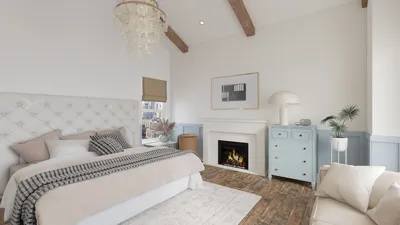


Creating breathtaking interior renders in 3ds Max with Vray requires a deep understanding of the optimization of render settings. This guide will outline the necessary configurations to help you achieve superior quality results.
Let's start by discussing the foundational aspects of Vray settings that are pivotal for effective interior rendering. The overall quality of your output is highly influenced by your chosen settings, which can significantly alter the final image. Focus on these critical areas:
Render Settings Overview
1. **Image Sampler**: The image sampler is fundamental for determining the quality of your render. For interior environments, it's advisable to utilize the 'Adaptive DMC' sampler with elevated Min and Max Subdivs settings (e.g., Min: 1, Max: 16) to mitigate noise production.
2. **Global Illumination**: Activating Global Illumination will enhance realism in your lighting. Opt for the 'Brute Force' method for interior scenes, as it yields more precise outcomes, especially when dealing with intricate lighting interactions.
3. **Environment Settings**: Incorporate HDRI images for environment illumination to elevate realism. Adjust the intensity and color mapping options to be consistent with the lighting requirements of your scene.
Advanced Settings
4. **Vray Materials**: Implement premium quality materials with realistic reflection and refraction attributes. Give special attention to glossiness and bump maps to add realism to surfaces.
5. **Camera Settings**: Properly configure the camera exposure to ensure your scene is adequately illuminated. Utilize a physical camera, setting the ISO, shutter speed, and f-stop appropriately.
Post-Processing
6. **Render Elements**: Think about rendering various elements (such as reflections, shadows, and light passes) separately to gain better control during post-processing.
7. **Color Corrections**: After rendering, leverage the Vray frame buffer for applying color corrections and enhancements, which enables you to refine the final image without re-rendering.
Final Tips
8. **Test Renders**: Conduct test renders at lower resolutions with expedited settings to save time while adjusting your scene.
9. **Save Presets**: When you discover an optimal balance in your settings, save these as presets to expedite future projects.
By gaining expertise in these settings, you will significantly enhance the quality of your interior renders using Vray in 3ds Max. For those looking for an efficient way to visualize home designs, consider exploring the capabilities of Homestyler. Happy rendering!
FAQ
Q: What resolution is optimal for interior renders? A: A standard resolution for high-quality interior renders is 1920x1080 for presentations, while a higher resolution (like 4K) might be preferable for prints or detailed visualizations.
Q: How can I effectively minimize noise in my renders? A: Adjusting the adaptive sampler settings and ensuring proper lighting alongside material configurations can help reduce noise effectively.
Discover the premier home design software that meets your needs!
Design Now for FREE
































