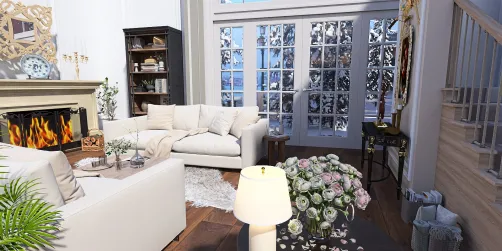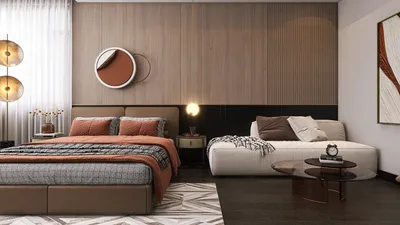
Are you striving to craft breathtaking interior renders that elegantly highlight compact spaces? Homestyler provides powerful tools that enable interior designers like you to realize your creative visions. This article will discuss strategies to optimize your use of Homestyler for producing interiors that captivate and motivate.
Understanding Homestyler for Interior Design
Homestyler is a sophisticated 3D rendering software tailored for architects and interior designers. With its intuitive interface and comprehensive features, it facilitates the quick creation of high-quality visual presentations. Whether designing a small studio apartment or a snug home office, Homestyler can significantly elevate your design showcases.
Key Features of Homestyler
To maximize your experience with Homestyler, let’s examine some of its standout features:
Techniques for Effective Interior Renders
Here are several methods to assist you in creating visually striking interior renders using Homestyler:
Utilizing open floor plans fosters a perception of spaciousness, a factor that is essential in small spaces. Illustrating the seamless flow between rooms can enhance the allure of your renders.
Integrate multi-purpose furniture within your designs. This approach not only conserves space but also reflects functionality and aesthetics, making your renders more relatable.
Enhance the use of windows and skylights in your visualizations. Natural light can significantly uplift the atmosphere of your interiors, instilling warmth and a welcoming feel.
Styling Tips for Realistic Renders
For those finishing touches on your renders, keep these styling tips in mind:
Conclusion
Producing stunning interior renders with Homestyler transcends merely using the software; it's about effectively leveraging its features to showcase your design concepts. By concentrating on open layouts, multi-purpose furniture, and natural illumination, you can create visuals that resonate deeply with your audience.
FAQ
A: Homestyler offers user-friendly functionality, realistic material options, and advanced lighting features, making it perfect for generating striking interior visuals.
A: To enhance the authenticity of your renders, incorporate realistic materials, leverage natural lighting, and focus on styling nuances.
Welcome to the No.1 Home Design Software