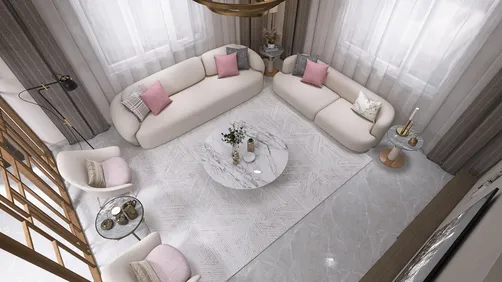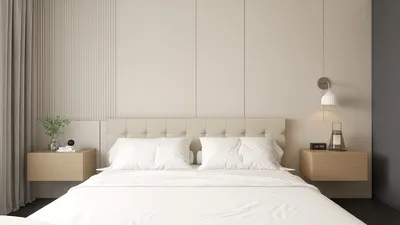
Interior rendered elevations play a pivotal role in contemporary interior design, offering a visual interpretation of a space's vertical features. These illustrations aid both designers and clients in understanding how various components will integrate within a room. Whether it's a compact apartment or a large residence, mastering the art of creating effective interior rendered elevations can significantly elevate your design experience, especially when utilizing tools like Homestyler.
What Are Interior Rendered Elevations?
Interior rendered elevations are two-dimensional illustrations that display the vertical surfaces of a room, encompassing walls, windows, doors, and furniture layouts. They provide a precise portrayal of how a space will transform once the design is executed. By integrating colors, textures, and lighting nuances, these renderings offer a realistic glimpse, allowing clients to easily imagine the finalized design.
The Significance of Rendered Elevations in Interior Design
1. **Visualization**: Rendered elevations serve to help clients picture the proposed designs, facilitating informed decision-making.
2. **Communication**: These renderings act as a mutual understanding between designers and clients, ensuring everyone shares a clear vision for the project.
3. **Design Validation**: Through the creation of elevations, designers can evaluate the balance and proportions of elements within a space prior to the physical realization of the design.
Strategies for Crafting Effective Rendered Elevations
1. **Select the Appropriate Software**: Tools like AutoCAD, SketchUp, and particularly Homestyler are excellent for achieving accurate and detailed renderings.
2. **Incorporate Authentic Textures**: Employ textures and materials that closely resemble actual items to produce a more realistic representation.
3. **Experiment with Lighting**: Strategic lighting can profoundly impact the atmosphere of a space; incorporate both natural and artificial light sources in your renderings.
Frequent Challenges in Developing Rendered Elevations
1. **Scale Consistency**: Maintaining accurate scale across all elements can pose difficulties, yet it is vital for precision.
2. **Detail Management**: Finding the right equilibrium between essential details and simplicity is key; excessive detail may overwhelm the observer.
Frequently Asked Questions
Q: What software is most effective for producing interior rendered elevations? A: Top software choices include AutoCAD, SketchUp, and Homestyler, as they equip users with the necessary tools for precise and comprehensive renderings.
Q: How crucial are rendered elevations in the design workflow? A: Rendered elevations are vital as they facilitate client visualization of the design, enhance communication, and confirm design selections.
Discover the No.1 Home Design Software



















![[For my dearest Sabrinik 🧡]](https://hs-designs.homestyler.com/production/design/images/3f463715-5ed6-4c49-9346-16d464510aa6/1714085722568.jpg?x-oss-process=image/resize,w_502,m_mfit/format,webp)