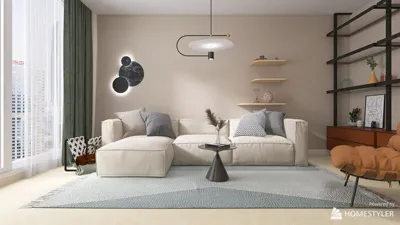
Designing the walls of a hall is essential for establishing its ambiance and character. By applying effective painting techniques, you can achieve a remarkable visual effect that showcases your unique style. Whether your hall is spacious or compact, consider these creative wall design ideas to enhance the look of the space.
Incorporating Vibrant Colors
One of the most straightforward yet impactful methods to create a memorable atmosphere in your hall is by incorporating vibrant colors. A bold shade can instantly invigorate the environment and capture attention. Here are some strategies to consider:
Adding Texture to Walls
Employing textured painting techniques can introduce depth and intrigue to your hall's walls. Consider these suggestions:
Personalizing with Stencils and Murals
For those wanting to infuse a personal flair into their hall, using stencils or murals is an excellent option. This method allows you to integrate designs that truly reflect your personality:
Sophisticated Two-Tone Walls
Two-tone walls present a stylish way to enhance elegance in your hall. Here’s how you can achieve this look:
Creating Patterns with Stripes
Stripes and patterns can serve as striking focal points in your hall. Here are some tips to execute this design:
Common Questions
Q: What should I consider when selecting paint colors for my hall?
A: Think about the atmosphere you wish to create, the dimensions of the space, and the amount of natural light it receives. Light colors can help open up a smaller hall, making it feel more expansive.
Q: What are the best practices for caring for painted walls in my hall?
A: Regularly wipe down the walls with a damp cloth and steer clear of abrasive cleaners. Ensure to touch up any marks or scrapes as necessary.
Enhance your design process further with Homestyler, the number one room design software that simplifies your decorating journey.




















![Design [4]](https://hs-designs.homestyler.com/production/design/images/07c2de3a-88ec-4be8-8910-ff255b795bc2/1731419398293/7841697.jpg?x-oss-process=image/resize,w_502,m_mfit/format,webp)