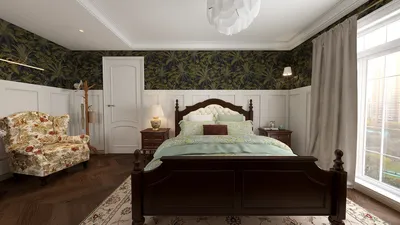
Are you aiming to design breathtaking 3D renders for hotel rooms? Crafting hotel room interiors demands a careful blend of beauty and practicality, especially in compact areas where optimizing space is vital. This guide will provide insights into the fundamental aspects of producing captivating 3D visualizations for hotel rooms, with a focus on layout, lighting, and furnishings, enhanced through the use of Homestyler.
Comprehending Hotel Room Layouts
Successful hotel room design starts with grasping various layouts. Whether you're working on a conventional room, a suite, or a distinctive boutique hotel environment, the layout should promote ease of movement and comfort. Keep in mind these widely used layouts:
The Importance of Lighting in Hotel Room Design
Lighting is essential in shaping the atmosphere of a hotel room. Adequate lighting can elevate the room's visual appeal and create a more welcoming environment. Here are some lighting techniques to explore:
Selecting the Appropriate Furnishings
Furnishings within hotel rooms need to strike a balance between elegance and utility. When choosing furniture, keep the following in mind:
Strategies for Effective 3D Rendering
Once you have established a solid design concept, it’s time to produce your 3D renders. Here are some effective rendering tips:
Common Questions
Q: Which software is most suitable for producing 3D renders of hotel rooms? A: Popular options include SketchUp, 3ds Max, and Blender, each with distinctive features ideal for rendering projects.
Q: What techniques can I use to make a small hotel room appear larger in 3D renders? A: Employ light hues, mirrors, and open layouts to create an illusion of spaciousness.
Welcome to the leading Home Design Software










![[For dear Adelina madee 🤎]](https://hs-designs.homestyler.com/production/design/images/8a07e535-9cbc-4132-a42a-5932dac3a112/1706972286037.jpg?x-oss-process=image/resize,w_502,m_mfit/format,webp)






















