
Homestyler AI Tools have received a series of updates, introducing new generation modes and design options while also improving the overall user experience. These enhancements make the AI tools better suited to different design tasks, helping users explore ideas more efficiently, refine details, and improve their design solutions.
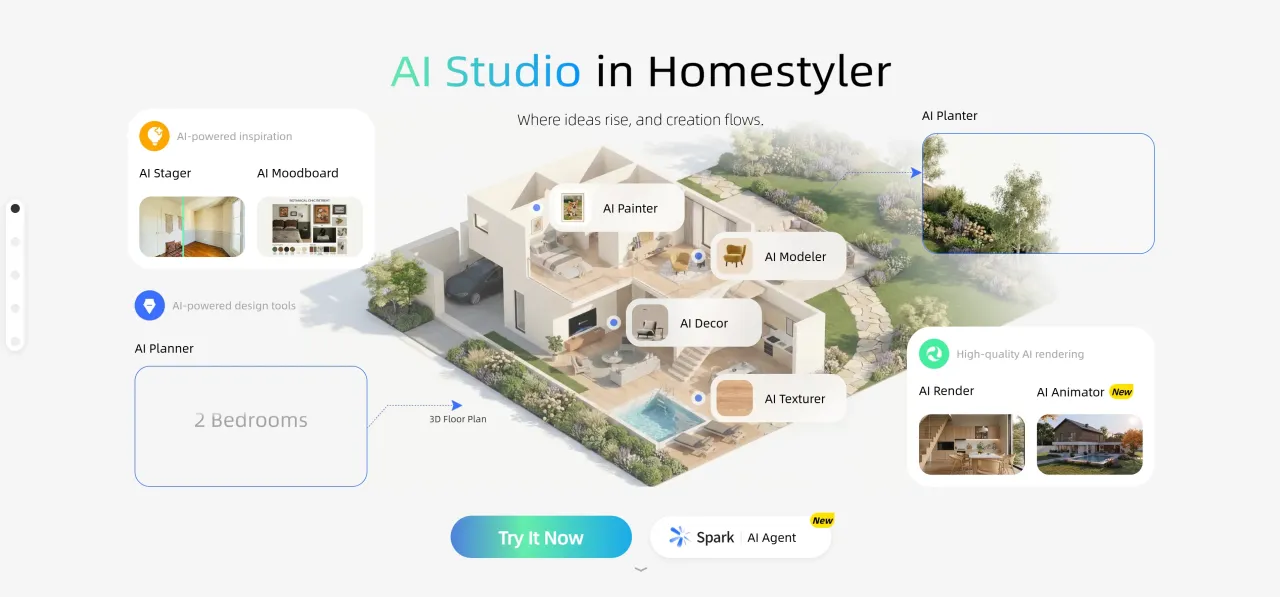
AI Stager Update: Three Modes to Flexibly Support Different Design Needs
This update divides AI Stager into three generation modes: Room Design, Partial Renovation, and Festive Decoration. It also adds text description input, image resolution settings, and output aspect ratio options to help you explore spatial design results more efficiently.
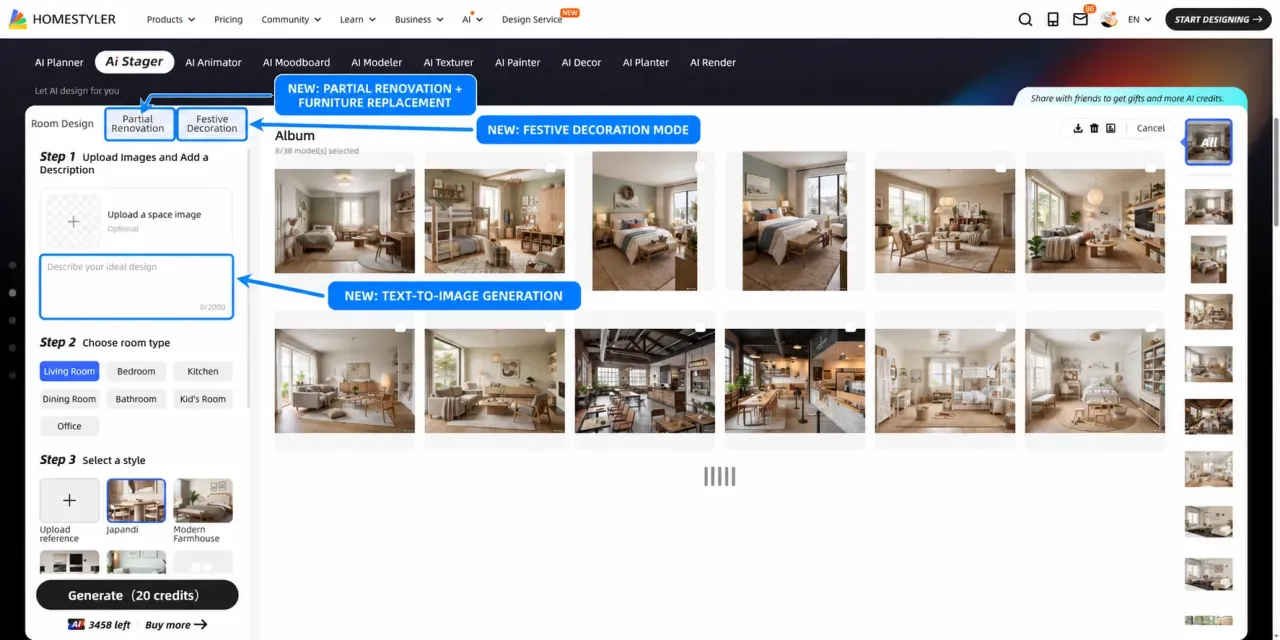
1. Room Design
Building on the existing image-to-image capability, Room Design now includes a text description input box and supports both image-to-image and text-to-image generation.
- Image-to-image: Upload a space image and select a preset style to generate a design. You can also add text descriptions for color schemes, furniture combinations, materials, and more, or upload a style reference image for style transfer.
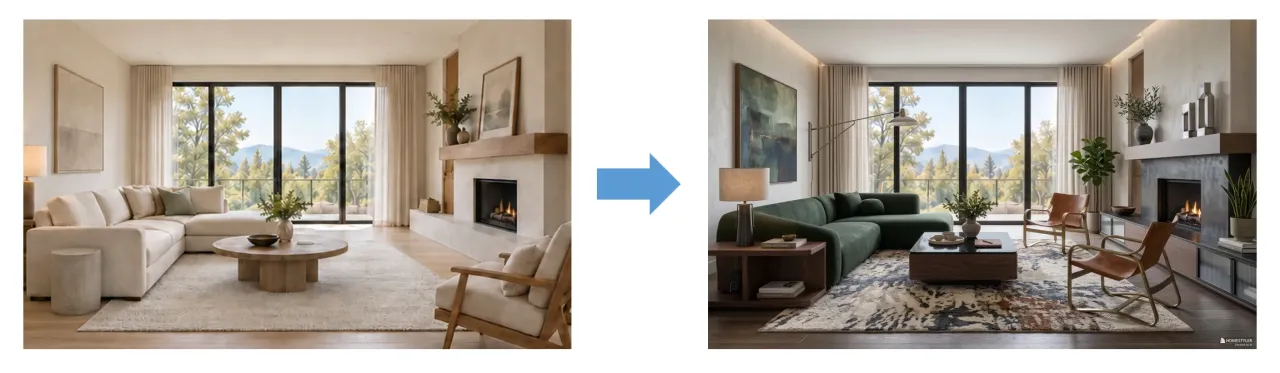
- Text-to-image: Generate a room design directly from text descriptions without uploading a space image.
Example: Create an American-style children's room with pink latex paint on the walls and wooden flooring on the floor.
2. Partial Renovation
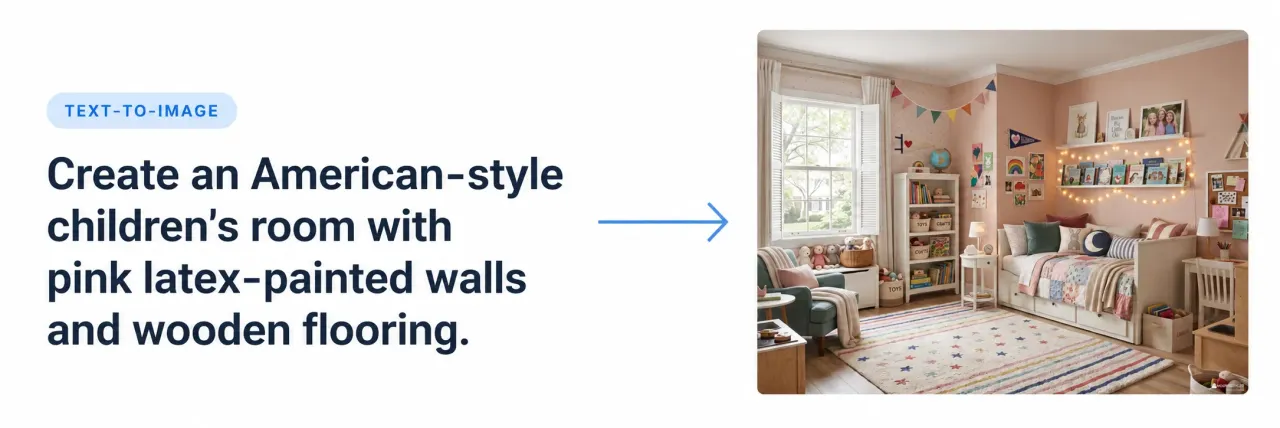
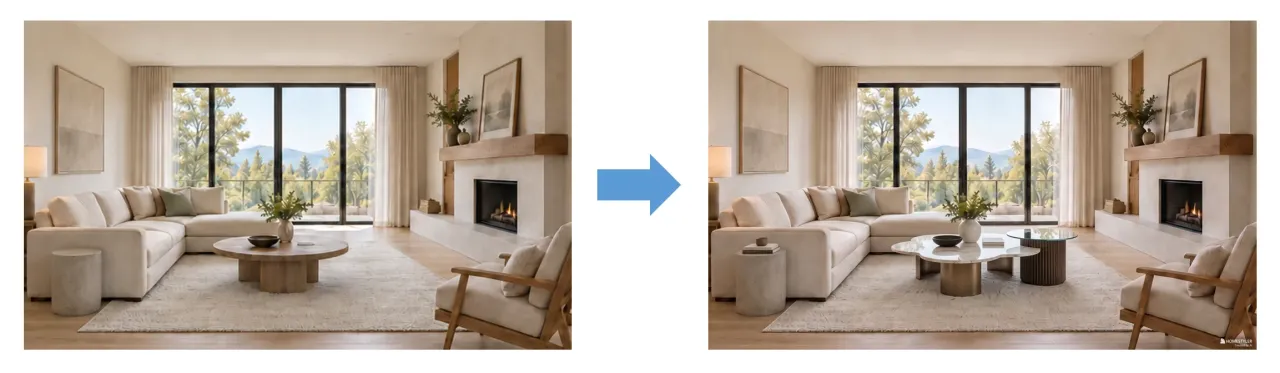
This mode supports replacing specific furniture pieces, allowing you to quickly explore different style and material combinations.
Based on a room image, you can describe your renovation needs with text and optionally upload furniture or material reference images to generate a partial renovation.
Example: Replace the coffee table in the center of the living room with another style while keeping the original room structure and other furnishings unchanged.
3. Festive Decoration
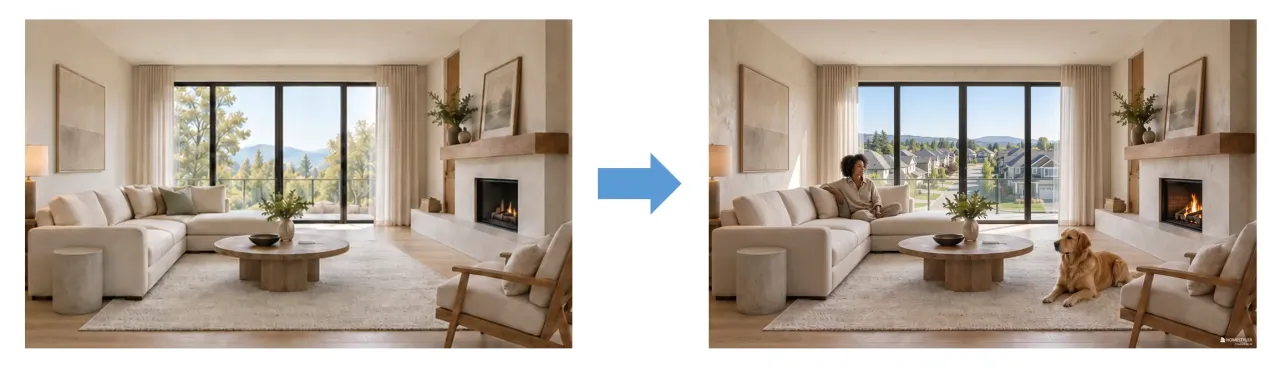
This mode supports adding holiday-themed decorations to indoor and outdoor spaces, generating different lighting and atmosphere effects.
You can input effect descriptions based on a space image, or choose from indoor and outdoor prompt templates. You can further customize lighting ambiance, outdoor scenery, decorative elements, and holiday themes to explore spatial effects that fit your needs.
AI Moodboard Update: Two Generation Modes with More Layout Options
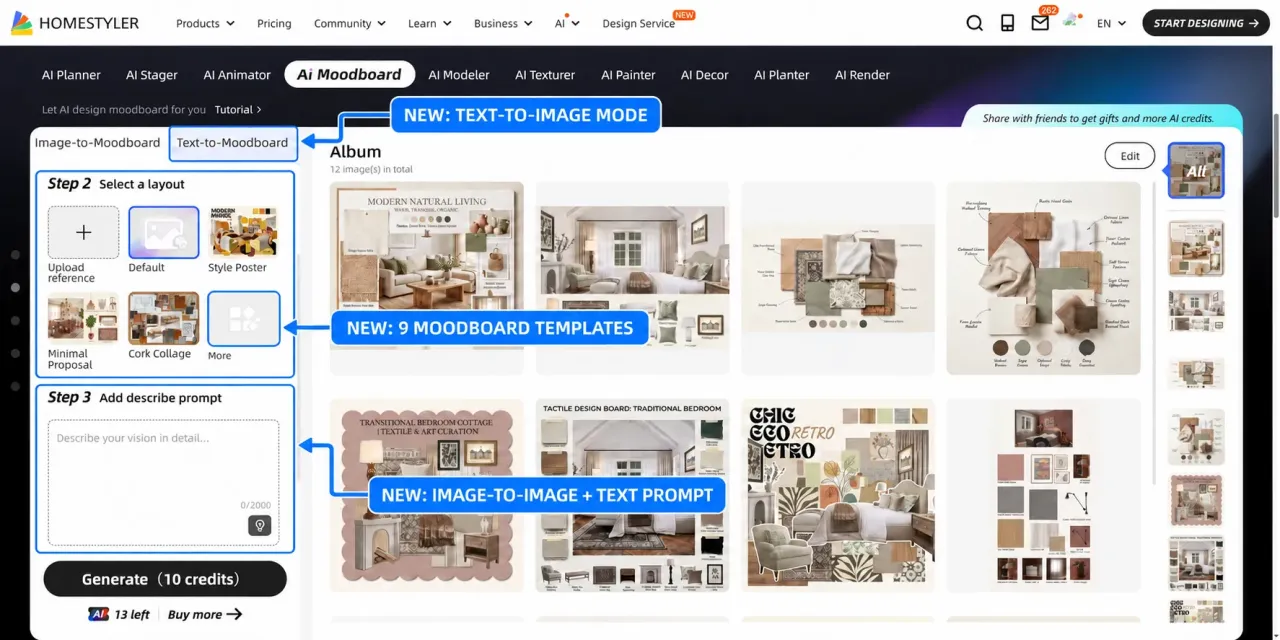
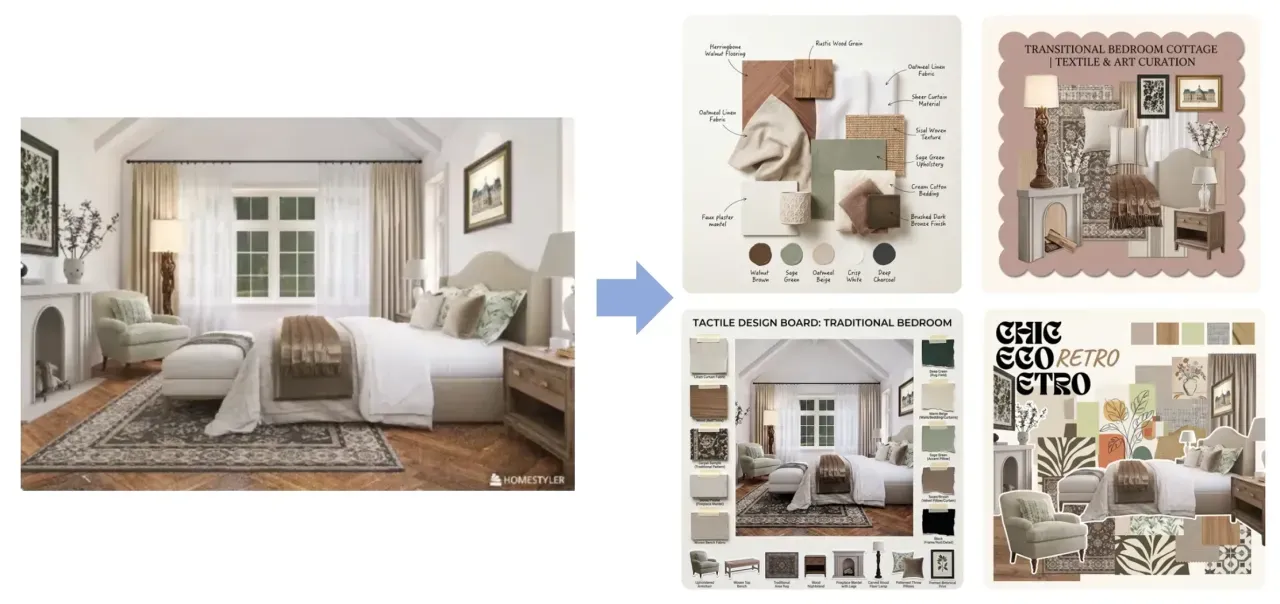
This update divides AI Moodboard into two generation modes: Image-to-Moodboard and Text-to-Moodboard. It also adds9 new layout styles, text description support, and image aspect ratio options. You can now choose the generation method based on your needs, making it easier to organize design inspiration and meet different presentation and communication goals.
1. Image-to-Moodboard: Added Text Description and Aspect Ratio Options
Building on the original reference-image-based generation feature, AI Moodboard now supports text descriptions, allowing you to add design requirements such as style, color, and materials to create moodboards that better match your concept.
At the same time, new aspect ratio options have been added, allowing you to adjust the output format for different presentation scenarios.
2. Text-to-Moodboard: Turn Written Ideas into Visual Concepts
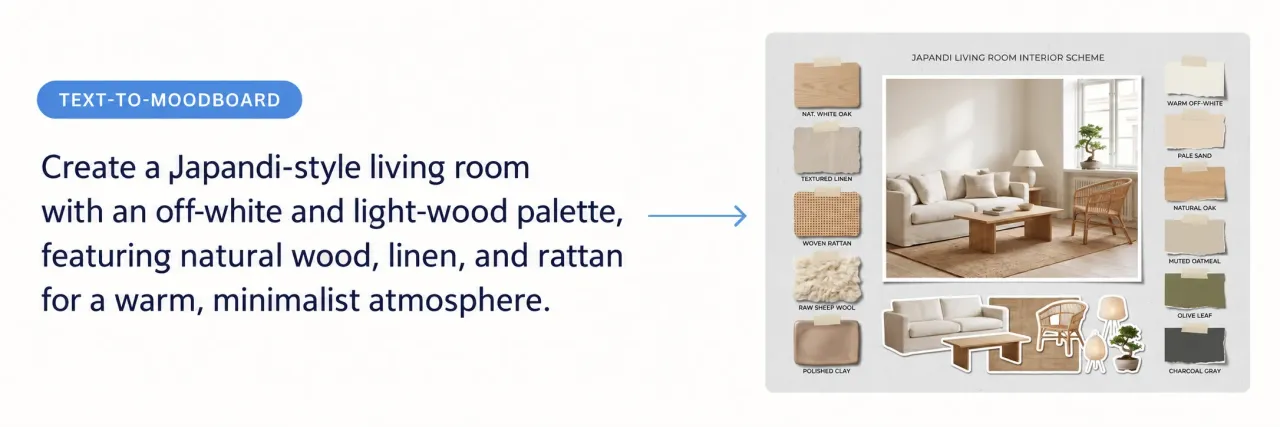
A new text-to-moodboard mode has been introduced. Without uploading any reference image, you can generate a moodboard directly from text descriptions.
By combining your selected layout style with a clear description of the spatial arrangement, along with room type, design style, colors, and materials, you can transform your design ideas into intuitive visual concepts.
3. Layout Styles: 9 New Options Added
Nine new layout styles have been introduced: Default Template, Style Poster, Minimal Proposal, Corkboard Collage, Project Overview, Framed Collage, Mood Grid, Material Board, and Furniture Decor Board, meeting a wide range of design presentation needs.
You can also upload layout reference images for even more flexible moodboard composition options.
AI Render Update
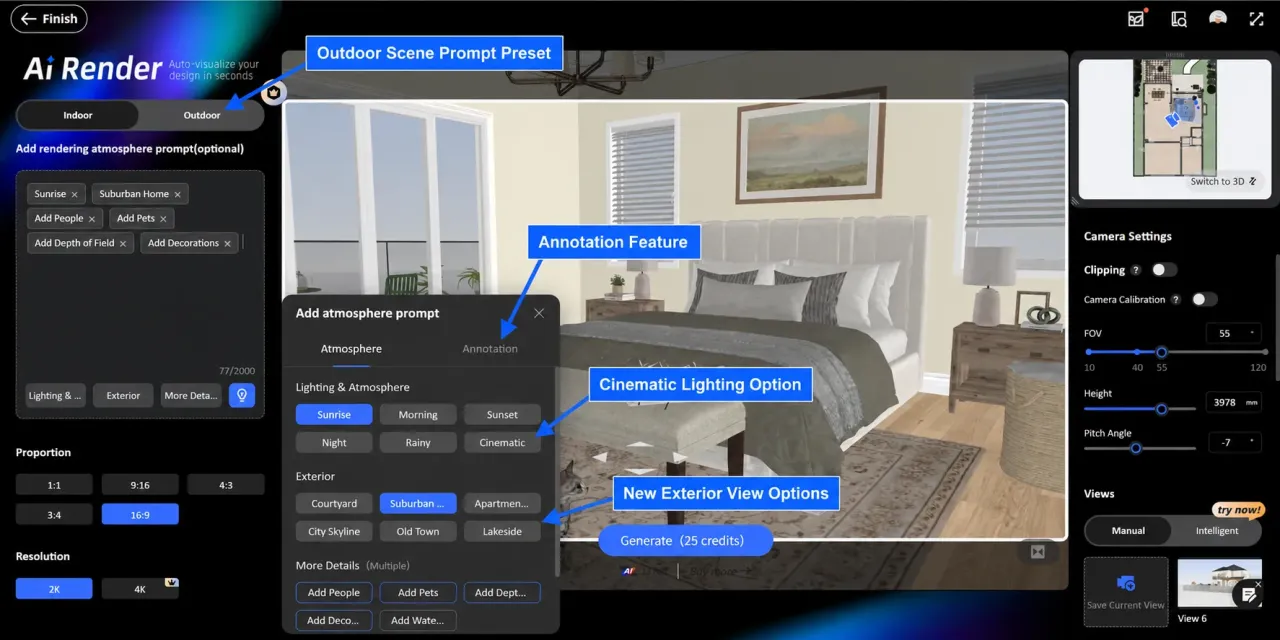
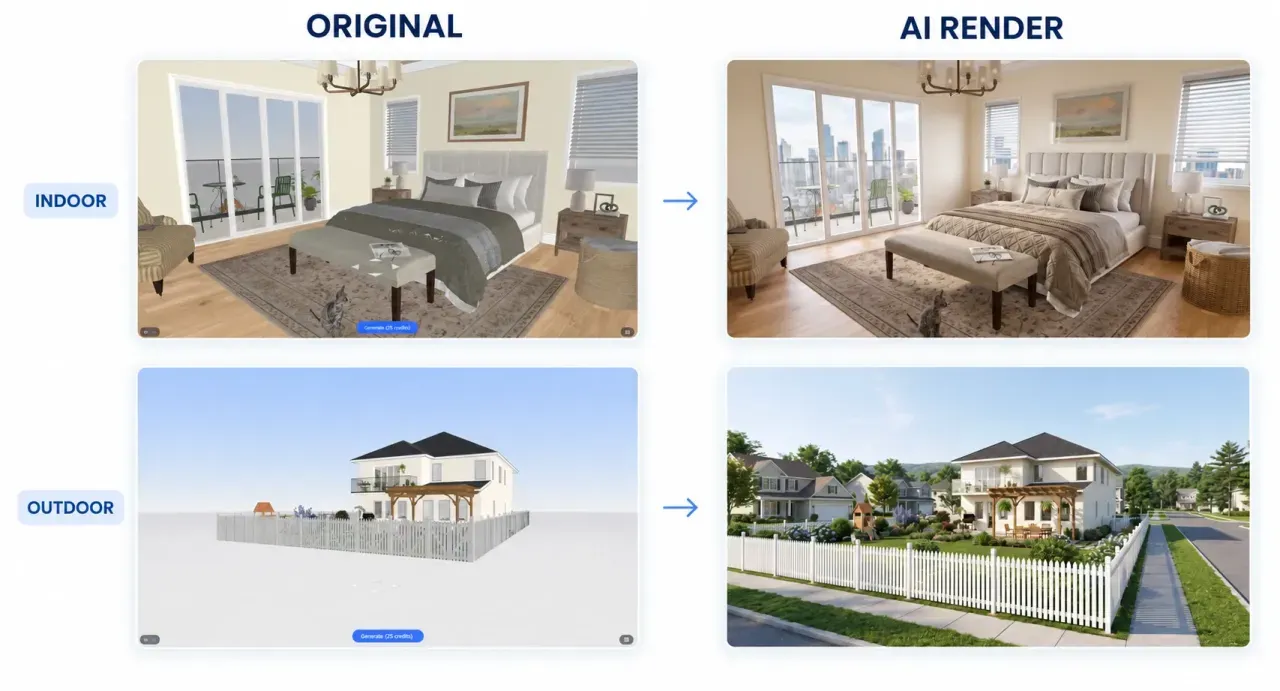
AI Render now introduces a new Outdoor Rendering Mode, supporting outdoor projects such as building exteriors and landscape spaces, with dedicated prompts for both indoor and outdoor use. At the same time, the indoor mode adds a new Lighting & Atmosphere option, outdoor view options, and render annotation features.
1. New Outdoor Rendering Mode
The outdoor mode focuses on architectural forms, sites, vegetation, sky, and surrounding environments, offering multiple atmosphere and environment presets:
- Lighting & Atmosphere option: Dawn, Morning, Dusk, Night, Rainy, Foggy
- Outdoor Views: City Street, Suburban View, Urban Park, Coastal Scenery, Mountain View, Forest Surroundings
- Scene Enrichment Options: Add People, Add Vehicles, Enrich Plants, Add Depth of Field, with support for multiple selections
The outdoor mode also supports the same seasonal and festive atmosphere settings as the indoor mode.
2. Enhanced Indoor Atmosphere Settings
- New "Cinematic Lighting" option: Adds richer indoor lighting and mood effects
- New Outdoor View options: Lets you pair interiors with different window views
3. New Render Annotation Feature
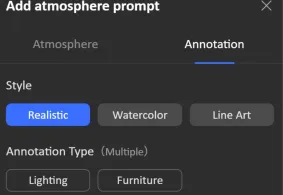
The indoor mode now includes a render annotation feature for displaying design notes related to lighting and furniture directly on renderings.
- 3 Annotation Styles: Realistic, Watercolor, Line Art.
- 2 Annotation Types: Lighting, Furniture, with support for multiple selections
Note: When annotation prompts are used, indoor prompts will be removed.
Make AI a More Powerful Part of the Design Process
This AI tools update not only introduces new features, but also helps AI integrate more naturally into the design process—helping designers start concepts faster, refine details more flexibly, and communicate spatial ideas more efficiently.
Explore Homestyler AI Studio and experience an AI workflow that takes you from inspiration to editable design.


