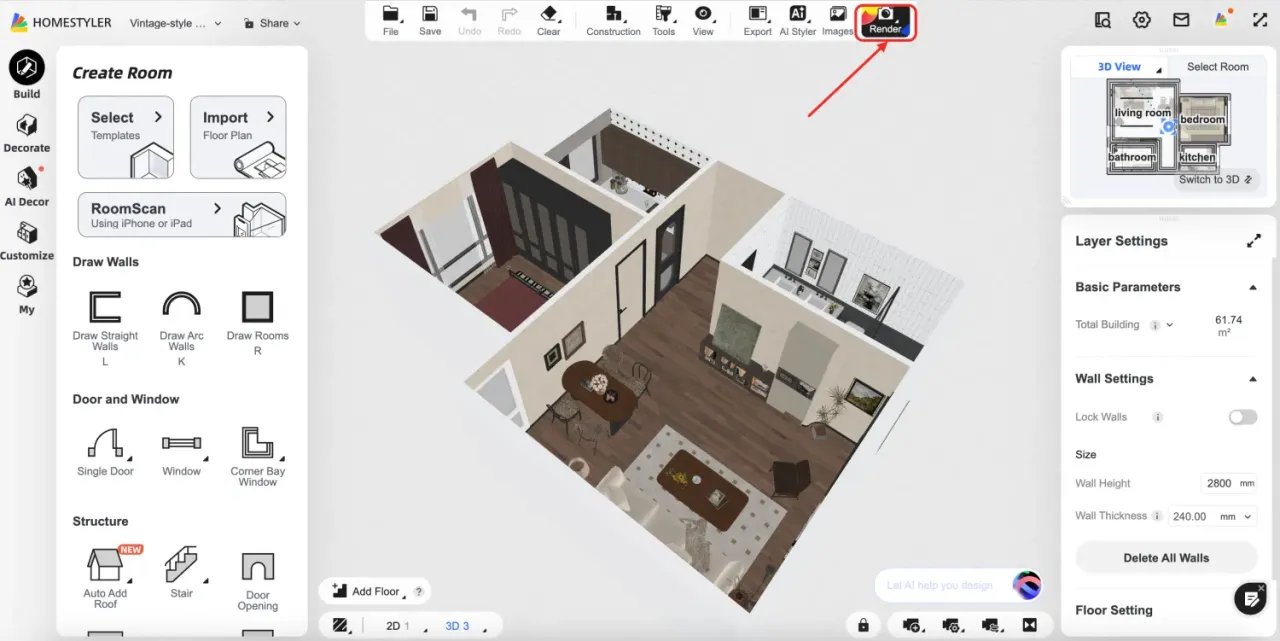
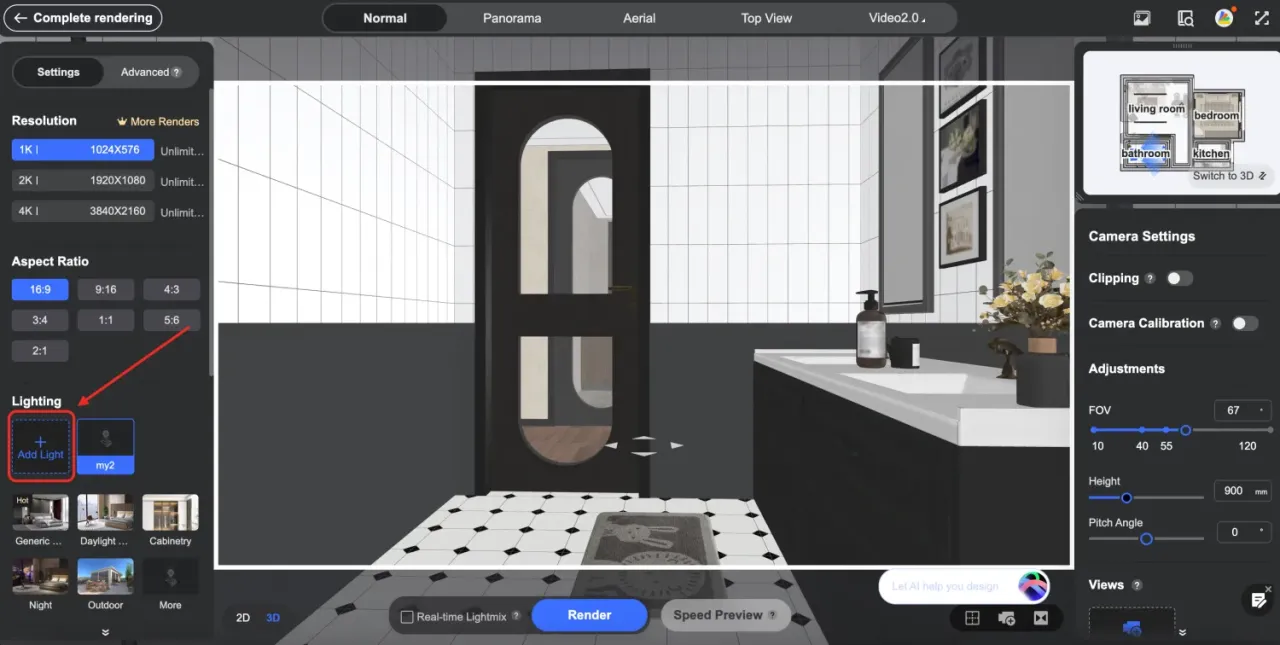
1.Go to the “Render” interface and click on “Add Light.”
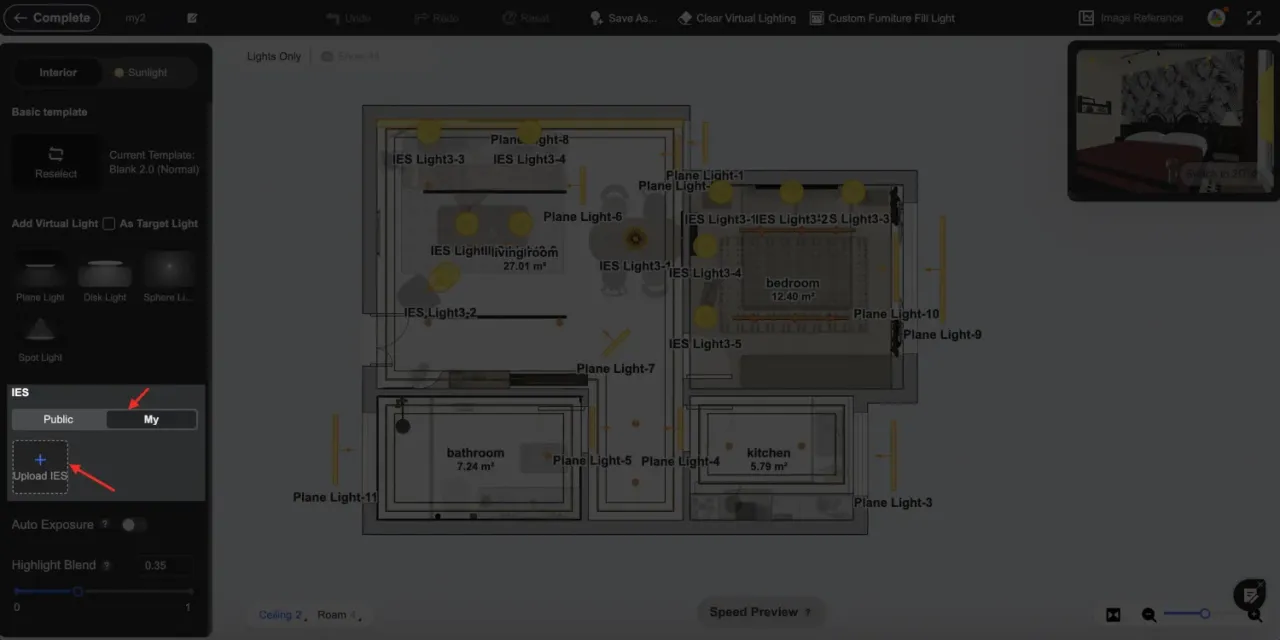
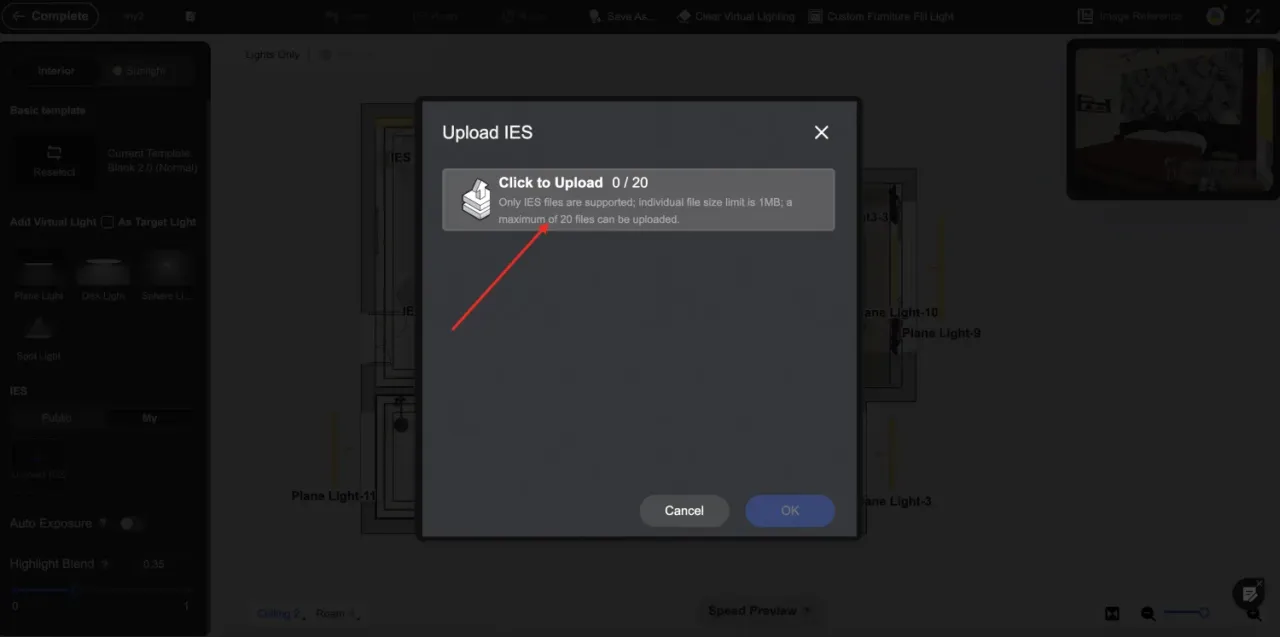
2.Switch to the "My" tab, select "Upload IES," and add the required file to upload.
3.Once the upload is successful, you can select the uploaded IES light sources from the "My" tab for use
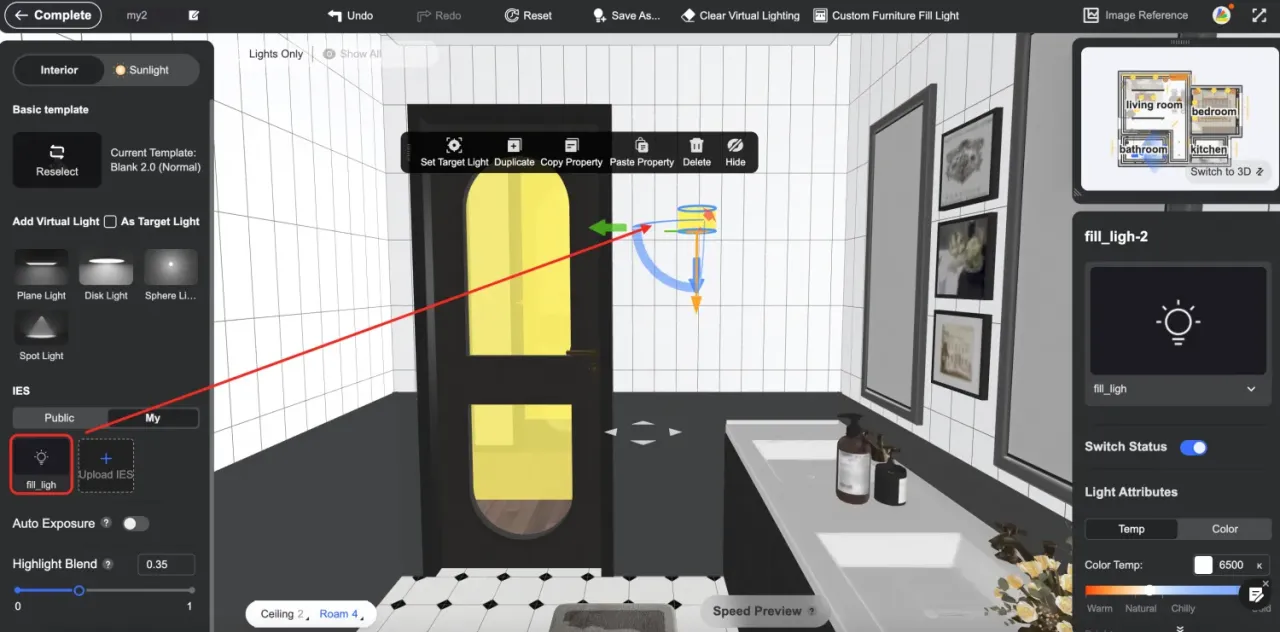

1.Go to the “Render” interface and click on “Add Light.”
2.Switch to the "My" tab, select "Upload IES," and add the required file to upload.
3.Once the upload is successful, you can select the uploaded IES light sources from the "My" tab for use