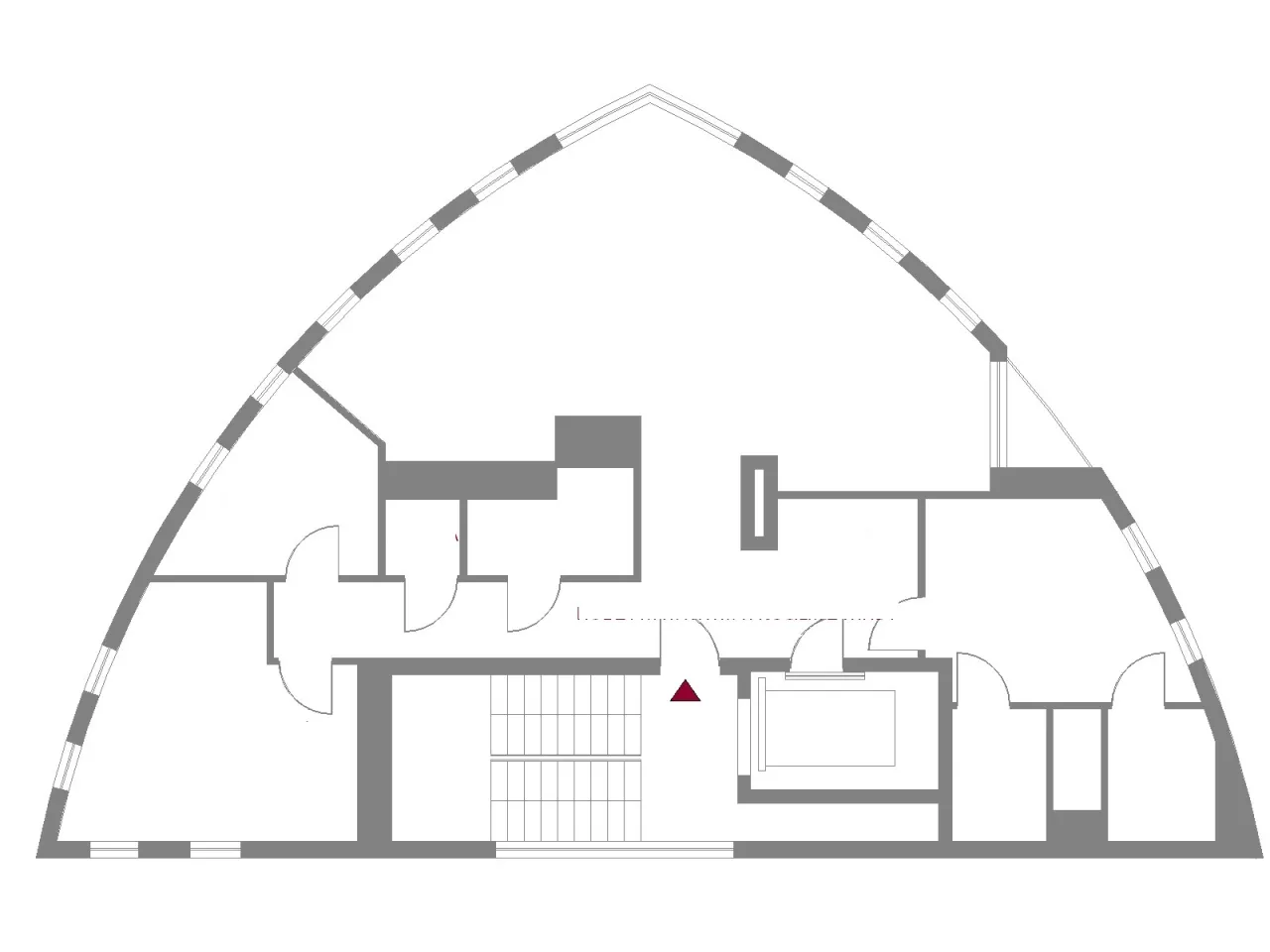
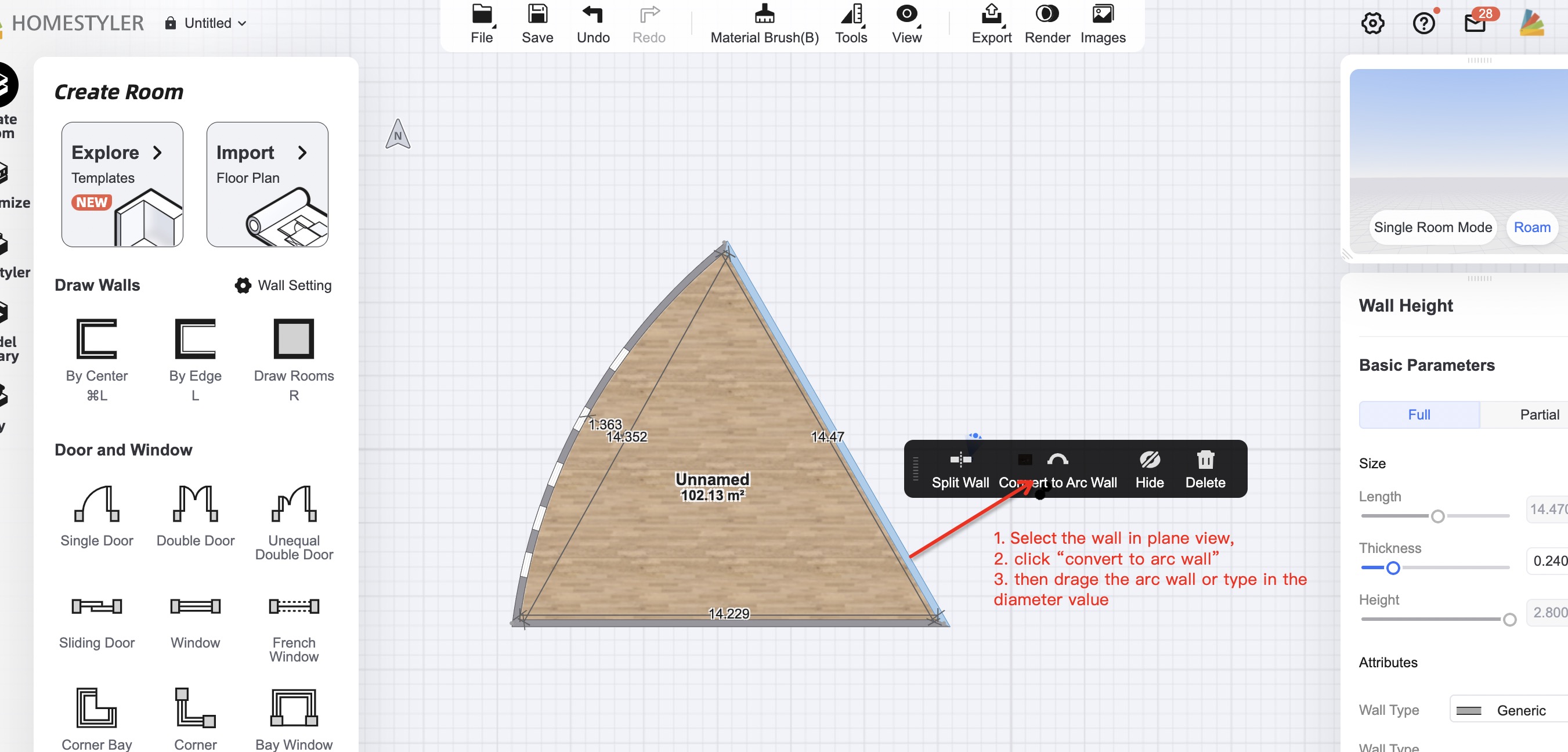
At first, draw your room in triangle shape by tool "Draw wall" - By Edge L. Then click on the left side of triangle and use option "Convert to Arc Wall". Then change the diameter of Arc to smaller. Repeat it on the right side of triangle.
Draw the straight walls, select the wall in the plane view and click "convert to arc wall". Then you can directly drag the arc wall or you can type in the arc radius value. Hope this helps:
At first, draw your room in triangle shape by tool "Draw wall" - By Edge L. Then click on the left side of triangle and use option "Convert to Arc Wall". Then change the diameter of Arc to smaller. Repeat it on the right side of triangle.