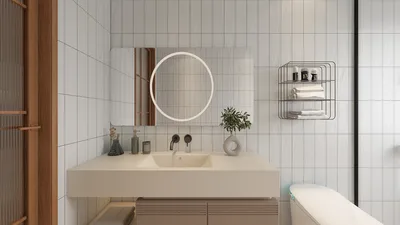
Designing a floor plan and transforming it into a 3D model on your Android device is now simpler than ever. Thanks to the latest innovations in design software, users can visualize their environment in a three-dimensional format right from their smartphones. Whether you are a seasoned professional in design or a home improvement hobbyist, creating a detailed 3D model of your space with Homestyler can greatly assist you in making well-informed decisions. Below are some thoughtful tips to facilitate your journey.
Grasping the Concept of Your Floor Plan
The initial phase of creating a 3D model starts with having a comprehensive and accurate floor plan. This entails taking precise measurements of your area and outlining the layout with key features like walls, doors, windows, and any in-built elements. Accuracy is key!
Selecting the Right Application
Numerous applications on the Android platform can aid you in transforming your floor plan into a 3D representation. It's essential to choose apps that feature intuitive interfaces, robust 3D visualization capabilities, and drag-and-drop functionality for placing furniture. Among the top contenders is Homestyler, known for its user-friendly experience.
Importing Your Floor Plan
Many apps facilitate the leisure of either crafting your floor plan from the ground up or importing a pre-existing one. When you opt for importing, it’s vital to ensure that the dimensions align accurately to prevent inconsistencies in your 3D design. This step is pivotal as it lays the groundwork for your complete design.
Incorporating 3D Features
With your floor plan finalized, it’s time to introduce 3D elements. This phase involves adding walls, windows, furniture, and various other design attributes. Many platforms, including Homestyler, offer an extensive library of 3D models that can be effortlessly dragged into your design. Don't hesitate to play around with different colors and textures to enliven your vision!
Viewing and Sharing Your Design
Upon finalizing your design, utilize the visualization options within the app to examine your model from multiple perspectives. This practice will enable you to spot any necessary adjustments before you settle on the final design. Additionally, most applications, including Homestyler, provide sharing functionalities for presenting your concepts to others or collaborating with a team.
Strategies for a Successful Model
Frequently Asked Questions (FAQ)
Q: Is it possible to create a 3D model without a cost? A: Absolutely, many applications feature free versions with essential tools for crafting 3D models.
Q: Must I have design experience to utilize these applications? A: While having some design insights can be beneficial, the majority of applications are crafted to be approachable for novices.
Q: How precise are the 3D models when compared to actual spaces? A: The fidelity of 3D models predominantly hinges on the accuracy of your floor plan measurements and the functionality of the application employed.
Welcome to Utilizing Free 3D Floor Planning Tools










































