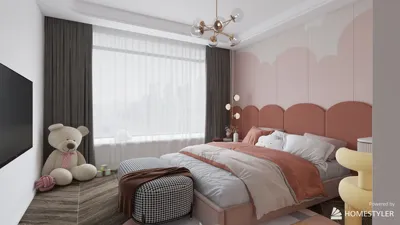


The design of TV walls has transformed significantly, evolving from basic media corners into multifunctional focal points that skillfully blend aesthetics, ergonomics, and daily functionality. With a focus on creating integrated designs, elements such as lighting, acoustics, storage, and viewing ergonomics must work harmoniously together. The goal is to ensure that the screen complements the room instead of overpowering it, making Homestyler a valuable tool for achieving this balance.
Both comfort and functionality are key factors in designing living spaces. Ideally, the seated viewing distance should be approximately 1.5 to 2.5 times the diagonal size of the TV, which contributes to visual comfort. In workplace lounges or shared areas, the WELL v2 standards recommend using layered lighting and glare control to minimize eye strain. An ambient illumination level of around 300 to 500 lux, combined with localized task lighting, helps to maintain a comfortable contrast with the screen. According to research from Steelcase, environments that mitigate visual fatigue promote longer and more enjoyable engagement in shared media spaces, enhancing the use of collaborative or family zones. For more on lighting recommendations and frameworks for visual comfort, refer to WELL v2 at wellcertified.com.
Design Principle 1: Proportions, Viewing Heights, and Sightlines
Position the TV so that the center of the screen aligns with or is slightly below average seated eye level, which is typically around 42 to 48 inches from the ground for most sofas. If a higher mounting position is desired, such as above a fireplace, angling the display downward can help reduce neck strain. Additionally, coordinating wall proportions using ratios such as 3:5 or 2:3 between the screen and surrounding elements like shelving or art can create a more visually engaging composition.
Design Principle 2: Flattering Lighting for the Screen
Effective lighting design minimizes glare, harsh reflections, and eye discomfort. I commonly recommend using indirect cove or wall-wash ambient lighting layered with dimmable accent lighting. For living rooms, opt for warm white light around 2700 to 3000K to maintain a cozy ambiance, while neutral white light around 3500K suits more versatile spaces. The IES guidelines encourage controlling luminance ratios near the screen to maximize comfort, and avoiding bright downlights directly above the display is crucial. A subtle backlight behind the TV can reduce perceived contrast and assist the eyes in adjusting, especially during evening viewings.
Design Principle 3: Achieving Acoustic Comfort and Media Management
A well-designed TV wall prioritizes sound quality alongside visuals. Incorporating soft materials like rugs, upholstered panels, and curtains can help minimize sound reflections. In smaller rooms, situating the TV on a broad wall usually enhances speaker spacing and improves stereo image. Decoupled shelves or using rubber grommets below equipment can mitigate vibration. Organizing cables with conduits and service panels allows for simple maintenance and contributes to a clean aesthetic.
Creative Idea 1: Minimalist Panel Wall with Concealed Storage
Create a serene backdrop utilizing large-format wood veneer or acoustic fabric panels. Incorporate finger-pull doors for hidden media storage, along with channels for cable management, and a slim LED backlight to create a soft ambient glow. The panel grid should align seamlessly with the edges of the TV to maintain visual rhythm. For testing scale and open spaces, employing a room layout tool like Homestyler can effectively simulate viewing distances and cabinet depths.
Creative Idea 2: Floating Console with a Framed Gallery
Combine a wall-mounted TV with a floating credenza to maintain a clean floor space and enhance the room's perceived size. Add a curated gallery frame made of thin metal or timber to visually anchor the display without overwhelming it. A narrow shelf can be included for a soundbar and smart hub. Conceal power raceways behind the credenza with removable panels for convenient access and cable management.
Creative Idea 3: Built-In Niches with Layered Textures
Recess the TV into a dedicated niche, wrapping it with fluted wood, limewash plaster, or fabric-wrapped acoustic panels. Varying the depth (20–60 mm) can create engaging shadows and conceal cable runs. Consider adding two vertical niches for books or decorative items to create visual counterbalance. This method also controls reflections while enriching the tactile quality of the setup.
Creative Idea 4: Integrating the TV into a Fireplace Setup Without Neck Strain
When placing the TV above a fireplace, it's wise to lower the mantle height, incorporate a subtle tilt mount, and position seating appropriately to lessen upward gazes. Explore a double-center arrangement, featuring the TV above and an art niche beside it to provide alternate focal points. Additionally, implementing heat deflectors and adhering to specified clearances by the manufacturer will safeguard electronic devices.
Creative Idea 5: Media Library Wall with Sliding Panels
Construct full-height shelving with a track system for sliding panels. The TV can be positioned behind one or two panels, allowing for easy operation: slide open for viewing and close to display books or art when not in use. Opt for perforated metal or slatted timber panels to maintain acoustic integrity and facilitate ventilation.
Creative Idea 6: Monochrome Stone Background
Utilizing a monolithic stone or engineered surface, such as quartz or large-format porcelain, allows for a sophisticated design statement. Ensure that joints are minimal and aligned with the TV's proportions. Pair this with thin-line LED reveals for a gallery-like aesthetic while ensuring low-sheen finishes to minimize glare.
Creative Idea 7: Hybrid Work-Lounge Wall
For residences needing hybrid workspaces, consider integrating a pull-down screen for video conferencing, a small shelf for a camera, and cable pass-throughs. Research from Steelcase indicates that environments accommodating multiple postures and clear sightlines enhance smooth transitions between tasks; you can incorporate this into your living area with varying seat heights and swivel chairs that can pivot towards the TV or conversational areas.
Creative Idea 8: Kid-Friendly Durable Finishes
Select rounded corners, robust laminates, and washable paints for the area surrounding the TV. Incorporate magnetic panels for displaying art and schedules, while soft ottomans can serve dual purposes as storage for toys. Ensure that components remain out of reach for children and utilize cable grommets with covers. Additionally, consider adding edge guards to open shelves.
Material Choices: Emphasizing Warmth, Sustainability, and Maintenance
Achieve a balance between texture and ease of maintenance. Using low-VOC paints and FSC-certified veneers contributes to healthier indoor air quality. Matte finishes can reduce glare, while open-pore woods introduce warmth to the environment. Removable fabric panels or modular tiles can be employed for straightforward replacement after wear.
Color Psychology: Modulating the Atmosphere Around the TV
Utilizing soft neutral tones can help to calm visual chaos while making the screen feel seamlessly integrated. As noted in research by Verywell Mind regarding color psychology, blues and greens promote relaxation, while warmer tones evoke invitations. I typically choose a subtle mid-tone for the wall, ensuring the TV does not starkly contrast; darker shades can enhance perceived contrast during evening viewing, when that is necessary.
Spatial Ratios and Visual Harmony
Structure the wall as a hierarchy: featuring the screen as the primary element, followed by secondary items such as speakers and shelving, then tertiary decorative elements. Maintain consistent margins around the TV, usually about 6 to 12 inches, so that the surrounding area feels deliberate. Align shelves and panels according to a modular grid (for example, 300 mm or 12-inch increments) to facilitate cleaner lines and simpler fabrication.
Ergonomic Considerations and User Experience
The depth of seating and proper head support are crucial for prolonged viewing sessions. A combination of low-profile sofas with adjustable headrests or lounge chairs with adequate lumbar support can enhance comfort. If multiple seating areas are present, angle side chairs between 15 and 30 degrees towards the screen to mitigate neck rotation. Ensure that remote controls and gaming controllers are within easy reach.
Acoustic Features to Enhance the Viewing Experience
To absorb initial reflections, integrate rugs and softer wall sections. Position speakers to create a clear triangle with the main seating area. In compact spaces, avoid placing subwoofers in corners without testing their effectiveness—conduct a crawl test to find optimal bass response and utilize isolation pads to prevent vibrations.
Smart Integration: Organizing Cables and Power Considerations
Ensure there are two dedicated outlets (one for the TV and another for accessories), a conduit for HDMI and ethernet cables, and ventilation gaps behind the equipment. Adding a surge protector and labeling cables will simplify future maintenance. If you wish to experiment with positioning, an interior layout planner like Homestyler can help visualize the TV’s height and spacing prior to making any installation decisions.
Solutions for Small Spaces
Utilize a swivel mount alongside the narrow floating shelf to keep traffic flow unrestricted. Opt for vertical storage solutions and slim soundbars. Corner placements can be effective if they align with the room’s main axis; consider adding a floor lamp that features a low-glare shade to provide ambient illumination without causing reflections.
Cost-Effective Enhancements
Paint or apply removable wall coverings to establish the TV zone, integrate a DIY cove light leveraging LED strips, and enhance cable management. Repurposing a dresser as a console also assists in concealing wires with surface-mount raceways that match the wall coloring.
Final Touches: Styling with Minimal Distraction
Limit decorative items near the screen to minimize distractions. Choose only two or three pieces—such as a sculptural vase, a compact stack of books, or a small plant—keeping their height below the lower edge of the TV. Allow the textures and lighting to serve as the focal points.
FAQs
A good rule of thumb is about 1.5 to 2.5 times the diagonal measurement of the TV. For example, a 65-inch screen would typically require a viewing distance of approximately 8 to 13 feet to promote comfortable focus without excessive movement of the eyes.
Aim to center the screen near eye level, typically between 42 to 48 inches from the floor. If the TV is mounted higher, implement a tilt bracket and adjust seating to minimize neck strain.
To reduce glare, use indirect ambient lighting, position bright downlights away from the screen, select matte wall finishes, and install bias lighting behind the TV to lessen contrast issues.
Soft mid-tone neutrals with a low sheen can help the screen integrate seamlessly into the environment. Shades of blue and green tend to be calming, while darker hues enhance perceived contrast, which is especially beneficial during evening viewing.
Add rugs, drapes, and soft wall panels; properly position speakers; and isolate components to limit vibrations. Avoid placing hard, reflective surfaces directly facing the screen to enhance the viewing experience.
Incorporate hidden compartments for routers and hubs, use ventilated cabinets, clearly label cable pathways, and integrate removable panels to facilitate easy access for maintenance, keeping the wall looking tidy.
Yes, provided you maintain the necessary clearances dictated by the manufacturer, include heat deflection measures, and angle the screen accordingly. Lowering the mantle or offsetting with an adjacent art niche can also be effective solutions.
Ensure dedicated outlets are available, utilize a surge protector, create a conduit for HDMI and data connections, and leave some gaps for ventilation. Planning service routes and keeping cables easily accessible behind panels will simplify setup and maintenance.
Use 2700 to 3000K for cozy living room environments and around 3500K for multi-purpose areas. Maintain moderate light levels of approximately 300 to 500 lux in ambient settings and incorporate dimmable lighting for versatility.
Opt for floating consoles to free up floor space, making cleaning easier and visually lightening the wall. Ensure robust wall anchors are used while planning cable access behind the unit for an organized setup.
What began as an Autodesk innovation has evolved into a design platform used by more than 18 million people around the globe. Homestyler combines powerful rendering, an intuitive editor, and a vast furniture library to help you turn inspiration into photorealistic designs — whether you're redesigning a single room or planning an entire home.
Homestyler is your go-to online home design platform! With its user-friendly design tool, stunning 3D renderings, and a wealth of inspiring design projects and video tutorials, transforming your living space has never been easier. Unleash your creativity effortlessly!
立即免费设计
































