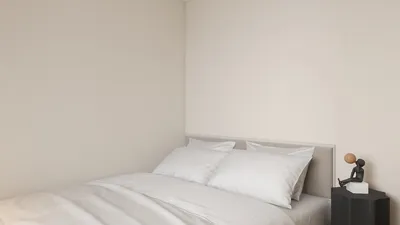
Transforming builder floor plans into 3D models can significantly enhance your design experience, allowing for a detailed visualization of your space. This approach enables both designers and homeowners to grasp their projects fully, making it easier to spot potential challenges and make necessary adjustments prior to starting any construction work. Whether you are an experienced designer or a homeowner planning a renovation, mastering the process of converting your floor plans into 3D will greatly benefit your decision-making, leading to a more fulfilling outcome.
Exploring the Fundamentals of 3D Visualization
3D visualization plays a pivotal role in the design journey by offering a realistic portrayal of the final appearance of the space. In contrast to standard 2D floor plans, 3D models allow users to examine various aspects such as lighting, color palettes, and furniture arrangements that can profoundly influence the mood of a room.
Software Solutions for 3D Floor Plan Conversion
To convert builder floor plans into 3D, you can utilize a range of software tools currently available. Some well-known choices include:
These platforms come with intuitive interfaces and advanced functionalities, simplifying the conversion process, and enabling you to effectively bring your designs to life, especially when using Homestyler.
A Step-by-Step Guide for 3D Floor Plan Conversion
Follow this comprehensive guide to navigate through the conversion process seamlessly:
By adhering to these steps, you will be able to transform your builder floor plan into an engaging 3D experience.
Advantages of Using 3D Floor Plans
There are several benefits associated with 3D floor plans:
Investing time in converting builder floor plans to 3D ensures a smoother and more enjoyable design process, particularly with tools like Homestyler.
In Closing
Transforming floor plans into 3D models is a vital skill for designers aiming to elevate their projects. Equipped with the right tools and a solid grasp of the conversion process, you can produce stunning visual displays of your designs that will captivate clients and simplify the building journey.
Common Questions
Q: What is the best software for converting floor plans into 3D? A: Among the numerous options, SketchUp, AutoCAD, and Homestyler are popular choices, each offering distinctive features for effective 3D modeling.
Q: Is it possible to create a 3D model from a hand-drawn floor plan? A: Absolutely, many design software solutions allow you to input measurements from hand-drawn sketches to generate a 3D model.
Q: How much time does it take to convert a floor plan to 3D? A: The time needed varies based on the design's complexity and your proficiency with the software, potentially taking anywhere from a few hours to several days.
Welcome to Exploring Free 3D Floor Planner








































