Why Every Homeowner Should Consider an Exterior Design App
A recent report from the American Institute of Architects (AIA) in 2023 highlights that 67% of homeowners focus on enhancing their home's exterior during renovations. Furthermore, the Harvard Joint Center for Housing Studies (JCHS) confirms that exterior enhancements consistently tops the list of home improvement expenditures across the United States.
However, many homeowners encounter significant challenges:
Top 10 Challenges Homeowners Encounter in Exterior Design
1. Planner 5D – User-Friendly and Straightforward
If you're planning to create front elevations or basic layouts, Planner 5D is an excellent option. Its ability to switch between 2D and 3D views simplifies the process of brainstorming ideas.
✅ Advantages: Intuitive drag-and-drop interface, ideal for quick facade designs
❌ Disadvantages: Limited texture realism, more suited for drafts than final presentations
2. Homestyler – Ideal for AI-Powered, Realistic Exterior Designs
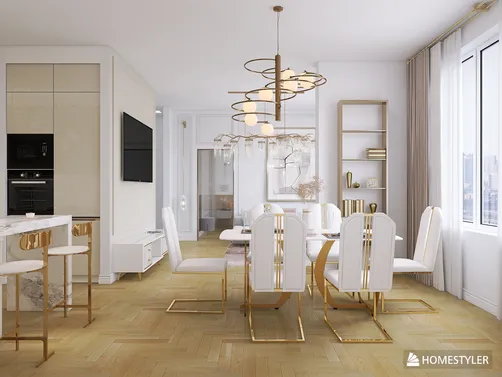
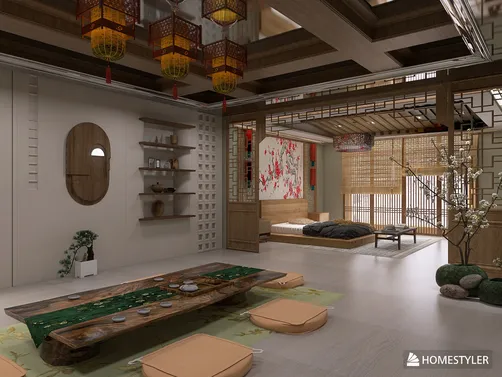
For those seeking lifelike renderings and speedy AI recommendations, Homestyler shines. It offers a variety of exterior templates, smart material insights, and 4K-quality visuals—all accessible through a web browser.
✅ Advantages: Highly realistic renderings, AI-supported templates, rapid export options
❌ Disadvantages: A minor learning curve is required initially, lasting between 5 to 10 minutes
3. Roomstyler – A Drag-and-Drop Solution for Custom Builds
Whether you're realizing your dream home or experimenting with building layouts, Roomstyler’s user-centric interface is a favorite among innovative homeowners.
✅ Advantages: User-friendly design, perfect for conceptual projects
❌ Disadvantages: Limited material choices compared to some other tools
4. HomeByMe – Transform Your House Photo with AI Redesigns
Looking to update your home's paint or siding without any physical effort? Simply upload a photo, and let AI handle the simulations for lighting, landscaping, and material changes.
✅ Advantages: Realistic image simulations, excellent for envisioning renovations
5. Home Depot VisualizeColor – Effortless Paint Tests with Real Brands
Want to see how Sherwin-Williams or Behr paint colors would look on your home digitally? Upload an image to instantly visualize how various shades can transform your space.
✅ Advantages: Extremely lightweight and straightforward for color trials
❌ Disadvantages: Lacks structural editing and 3D viewing functionalities
Color Choices Made in Just 7 Days
Jane, a resident of Austin, Texas, desired to freshen the look of her Craftsman-style home. By uploading a photograph to HomeByMe, she explored 7 different color schemes and ultimately selected a soft white with sage green accents, finalizing her decision with her contractor in just a week.
Expert Evaluation: Which Tool Suits Your Needs?
What Features to Seek in an Exterior Home Design Application
A quality tool should encompass:
Frequently Asked Questions
Q: What is the top free app for designing an exterior home?
A: Homestyler, Planner 5D, and HomeByMe are highly recommended by users and design professionals alike.
Q: Is it possible to upload a photo of my house for redesign?
A: Absolutely! Give HomeByMe or Home Depot VisualizeColor a try.
Q: Can I find a tool to create a house design from the ground up?
A: Yes, Roomstyler and Homestyler allow you to craft comprehensive exterior layouts.
Q: Which free tools incorporate AI for exterior design?
A: Homestyler, Planner 5D, and HomeByMe all feature AI-assisted design capabilities.
Q: Are these applications compatible with mobile devices?
A: Yes, both Planner 5D and HomeByMe offer strong mobile user experiences.
(Source: JCHS Remodeling Futures Program)
(Source: AIA Home Design Trends Survey)