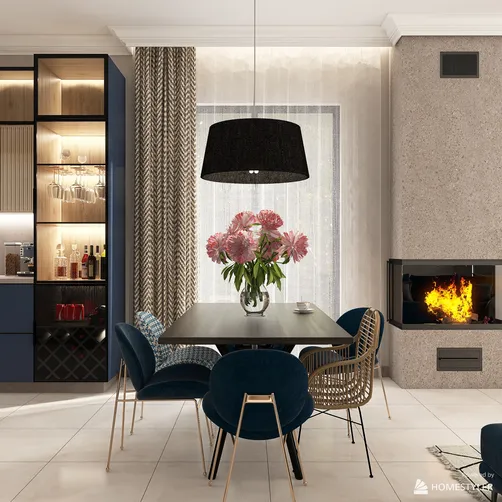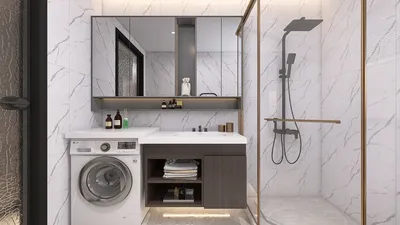
Designing a villa often benefits immensely from the use of advanced rendering tools, and one such invaluable asset for both architects and interior designers is Homestyler. By leveraging Homestyler, designers can produce stunning visualizations that not only highlight a villa's aesthetic charm but also facilitate efficient space planning. Whether you're a veteran in the field or just beginning your journey in interior design, becoming proficient with Homestyler can greatly improve your design workflow.
Advantages of Utilizing Homestyler for Villa Designs
1. **Lifelike Visualizations**: With Homestyler, you can produce highly realistic representations of your design concepts, enabling clients to grasp the end result effectively.
2. **Improved Communication of Ideas**: The realistic renders created with Homestyler simplify the process of sharing design visions, minimizing the risk of miscommunication with clients.
3. **Swift Design Adjustments**: Making design changes becomes a breeze with Homestyler, allowing quick exploration of different styles and options without starting from scratch.
Getting Started Using Homestyler for Villa Design
To embark on your villa design journey with Homestyler, follow these straightforward steps:
1. **Understand the Homestyler Interface**: Begin by familiarizing yourself with the user interface and the essential tools for rendering and modeling.
2. **Draft a Comprehensive Floor Plan**: Start with a well-defined floor plan that illustrates your villa layout, which will serve as a strong foundation for your 3D model.
3. **Model Your Villa Structure**: Utilize modeling features within Homestyler to construct the villa, including walls, windows, and door placements.
4. **Incorporate Textures and Materials**: Select the right textures and materials to enhance the realism of your design, paying close attention to aspects like flooring, walls, and furnishings.
5. **Establish the Lighting**: The ambiance of your rendering largely hinges on lighting. Explore both natural and artificial light options to create the desired atmosphere.
6. **Render Your Project**: Once satisfied with the model and textures, use Homestyler to render the scene and produce your final images.
Best Practices for Exceptional Villa Rendering
Elevate the quality of your villa renders with these expert tips:
- **Opt for High-Quality Textures**: Utilizing high-resolution textures will elevate the realism and visual appeal of your designs.
- **Integrate Natural Elements**: Including landscaping features like gardens and trees can add context and depth to your visualizations, making them more inviting.
- **Vary Your Camera Angles**: Experimenting with different camera angles can highlight the villa's finest features, so try out multiple perspectives to achieve the optimal view.
Frequently Asked Questions
Q: What is Homestyler?
A: Homestyler is an intuitive home design software that helps users create 3D animations, models, and realistic images and is widely used for interior design projects.
Q: How can I learn to use Homestyler?
A: There are many online courses, instructional videos, and community forums available to help you learn how to effectively use Homestyler at your own pace.
Q: Is it possible to design realistic interiors with Homestyler?
A: Absolutely! Homestyler is ideally suited for crafting realistic interior environments with intricate textures and lighting effects that bring designs to life.
Welcome to the Leading Home Design Software, Homestyler!