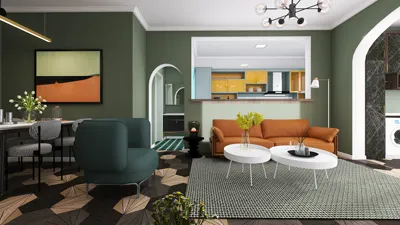
In the realm of 3D design, the speed of rendering can dramatically influence your overall workflow. Whether you're an interior designer or a game developer, it's crucial to select software that delivers rapid rendering capabilities without sacrificing quality. In this article, I will highlight some of the leading 3D design tools renowned for their swift rendering processes, including Homestyler.
1. Blender
Blender is an all-in-one, open-source 3D design program that has become highly regarded for its extensive features and quick rendering abilities. With its integrated Cycles render engine, users can achieve impressive, high-quality results in relatively short periods. Furthermore, Blender's support for GPU rendering can significantly enhance the rendering speed compared to traditional CPU rendering methods.
2. SketchUp
Famous for its intuitive interface, SketchUp is a preferred choice among architects and interior designers. The software also allows for seamless integration with rendering plugins such as V-Ray and Enscape, which facilitate faster rendering times. Notably, Enscape provides real-time rendering capabilities, allowing users to rapidly visualize their creations, making it an invaluable tool for efficient design workflows.
3. Lumion
Lumion is tailored specifically for architects and designers seeking to produce breathtaking visuals in a short timeframe. Its incredibly fast rendering speed enables users to generate high-quality images and videos in significantly less time than most alternatives. With a comprehensive library of materials and objects, Lumion empowers designers to elevate their projects without extensive preliminary work.
Conclusion
Selecting the appropriate 3D design software can greatly impact your rendering speed. Tools like Blender, SketchUp, and Lumion each present distinctive functionalities tailored to various requirements while ensuring quick rendering capabilities. By utilizing these applications, including Homestyler, you can optimize your design process and enhance your creative focus.
FAQ
A: Rendering time may vary based on scene complexity, chosen quality settings, hardware specifications, and whether GPU or CPU rendering is utilized.
A: Indeed, by optimizing your scene through reducing polygon counts, minimizing texture sizes, and employing effective lighting arrangements, you can significantly improve rendering times.
Discover the No.1 Home Design Software for your needs!








































