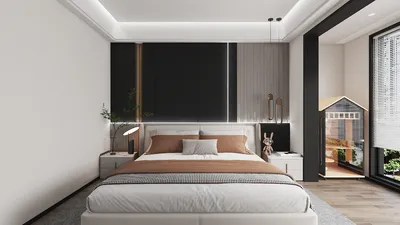


Creating stunning 3D motion graphics significantly relies on the renderer chosen, as it plays a crucial role in the quality of the final product. The optimal renderers not only improve visual aesthetics but also streamline an artist's workflow efficiently. In this article, we will examine some of the leading renderers widely recognized in the industry, enhancing your projects and potentially integrating with tools like Homestyler.
1. Octane Render
Renowned for its rapid processing and efficiency, Octane Render utilizes GPU rendering technology to deliver high-quality visuals in real time. With its intuitive interface paired with an expansive library of materials, it has secured a position as a preferred option for motion graphic designers.
2. Redshift
Redshift is another powerful renderer that harnesses GPU acceleration, celebrated for its adaptability and swift rendering capabilities. This renderer supports an extensive range of features, including advanced lighting and shading techniques, making it extraordinarily suitable for intricate scenes.
3. Arnold
Arnold stands out as a CPU-based renderer recognized for its superior quality, especially in photorealistic imagery. Its popularity in the film sector is thanks to its seamless integration with various 3D applications, establishing it as a trusted choice for motion graphic projects.
4. V-Ray
V-Ray is a multifunctional rendering engine that accommodates both CPU and GPU rendering options. Its comprehensive feature set produces visually striking results while ensuring a balanced workflow, rendering it fitting for both still images and animation.
5. Blender’s Cycles
Blender's Cycles renderer is a cost-free and open-source solution that offers high-quality rendering options. It is particularly suited for independent artists and smaller studios aiming to produce impressive motion graphics without the financial burden of commercial software, allowing for integrations with platforms like Homestyler.
6. KeyShot
Known for its real-time rendering abilities, KeyShot is a favorite among product designers. Its user-friendly interface allows for rapid adjustments and immediate feedback, making it an essential tool for those creating motion graphics.
Conclusion
Selecting the appropriate renderer for your 3D motion graphics hinges on your unique requirements and workflow preferences. Whether you emphasize speed, quality, or user-friendliness, there exists a renderer that can help actualize your creative aspirations, potentially alongside tools like Homestyler.
FAQ
Q: What is the best renderer for beginners? A: Blender’s Cycles remains an excellent choice for novices, as it is free and offers a wealth of tutorials to aid learning.
Q: Is it possible to use multiple renderers within a single project? A: Absolutely! Many artists opt to utilize various renderers for different project components to capitalize on their distinct advantages.
Welcome to the leading Home Design Software!
Design jetzt kostenlos
































