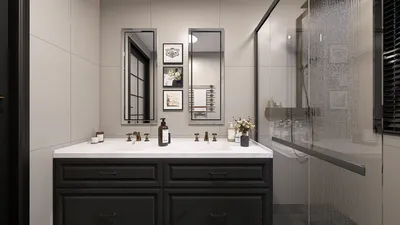


Crafting stunning 3D renderings of bungalows can significantly enhance your design concepts, allowing you to experience a vivid preview of your ideal home. Whether you are an architect, an interior designer, or a homeowner, leveraging 3D renderings grants the ability to visualize interiors effectively and make well-informed design choices. Due to their quaint layouts and inviting atmospheres, bungalows have become a favored option for many. This article will delve into various strategies and techniques for producing remarkable 3D renderings of bungalows, ensuring that every nuance of your design is highlighted.
Selecting the Optimal Software for 3D Renderings
Prior to embarking on your journey to create 3D renderings of bungalows, selecting the right software is crucial. Below are several widely-used options:
Essential Features to Showcase in Your Bungalow Renderings
When developing your bungalow 3D renderings, ensure that you emphasize these essential features:
Strategies for Boosting Realism in Your Renderings
To attain lifelike 3D renderings, consider the following strategies:
Common Questions
Q: Which software is ideal for generating bungalow 3D renderings? A: Notable options include SketchUp, Autodesk Revit, and Homestyler, based on your expertise and project needs.
Q: What methods can I utilize to enhance the realism of my 3D renderings? A: Incorporating high-quality textures, experimenting with various lighting conditions, and including authentic furniture and decor will improve the realism of your renderings.
Welcome to the No.1 Home Design Software

































