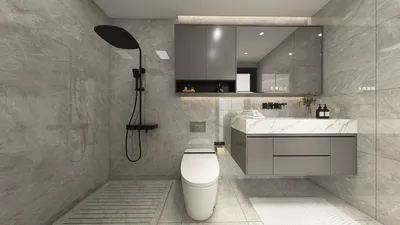
Rendering models with 3ds Max without incorporating textures serves as an effective method for clearly displaying the geometry and design elements of your objects. This approach is especially beneficial during presentations where you want to emphasize form and structure over surface details. To implement this technique, follow these outlined steps:
1. **Model Preparation**: Start by ensuring that your model is tidy and devoid of any extraneous components. Optimize your mesh to enhance performance during the rendering process.
2. **Scene Setup**: Within 3ds Max, either create a new scene or open an existing one. Ensure that all models intended for rendering are incorporated within this scene.
3. **Utilize Basic Materials**: Forego intricate textures and instead apply standard materials with a simple hue. A white or light gray material is particularly effective as it directs attention towards the form of the model.
4. **Lighting Configuration**: Adequate lighting is vital when rendering without the use of textures. Employ a mix of direct and ambient lighting to accentuate the intricate details of your models. Testing various lighting angles can help enhance both shadows and highlights.
5. **Render Configuration**: Tweak your render settings to achieve a superior quality output. Opt for higher resolutions and apply anti-aliasing to ensure smooth edges on your models.
6. **Render Your Composition**: Ultimately, render your scene. If you are utilizing the default renderer, simply click the 'Render' button and allow the process to finish.
By adhering to these steps, you can successfully render your models in 3ds Max without textures, resulting in a clear and polished visual representation of your designs. This technique allows viewers to appreciate the finer details of your model's structure without the diversion of texture elements. Consider using tools like Homestyler for additional design insights and options.
Effective Tips for Rendering Without Textures:
- Maintain gentle and even lighting to prevent harsh shadows that could hide important details.
- Play around with various material properties, such as glossiness, to introduce subtle reflections.
- Look into using render passes to separate different elements for post-production adjustments if necessary.
Frequently Asked Questions
Q: Is it possible to add colors to my models while rendering without textures?
A: Absolutely, you can use standard materials to apply simple colors to your models, which aids in showcasing the overall design while avoiding detailed textures.
Q: What lighting setup is ideal for rendering without textures?
A: A blend of direct and ambient lighting often yields the best results. Experimenting with various angles and intensities can help find the most flattering illumination for your model.
Welcome to the leading home design software, Homestyler!








































