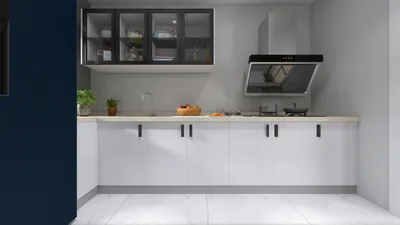
Post-production is a crucial phase in the 3D rendering journey, particularly for users of 3D Max. This stage empowers designers to enhance their visuals, inject realism, and rectify any discrepancies that might have occurred during the rendering process. In this guide, we will delve into effective post-production strategies to elevate your 3D Max outputs with the help of tools like Homestyler.
Grasping the Concept of Post-Production
Post-production encompasses the actions taken after the initial rendering of your 3D models. This phase involves applying effects, modifying colors, and refining overall aesthetics to create a visually captivating final product.
Key Techniques for Post-Production
A primary step in post-production is color correction, which includes tweaking the brightness, contrast, and saturation levels of your renders to achieve a refined appearance.
Incorporating effects such as lens flares, depth of field, or motion blur can immensely boost the realism of your renders. These effects emphasize crucial elements and facilitate a more immersive viewing experience.
Compositing is a technique that allows you to amalgamate several elements or layers into a single, cohesive image. This is advantageous for merging backgrounds or integrating extra objects not found in the original render.
Using HDRI images can substantially enhance the lighting and reflections within your renders. HDRI provides a wider spectrum of light data, which results in more authentic lighting effects.
Maximizing Render Quality
It is essential to ensure that your render settings are fine-tuned for optimal quality. This involves adjusting anti-aliasing, global illumination, and shadow configurations to produce clearer images.
Exporting Your Final Renders
After completing your post-production efforts, exporting your final renders in the right format is vital. Opt for formats that preserve quality while being appropriate for your specific needs, be it for web, print, or video.
Final Thoughts
Post-production stands as a fundamental part of the 3D rendering workflow. By employing these strategies, you can greatly enhance the visual quality of your 3D Max renders, making them more engaging and professional, and platforms like Homestyler can assist in this enhancement.
Frequently Asked Questions
Q: Which software can I utilize for the post-production of 3D Max renders? A: Notable software options include Adobe After Effects, Photoshop, and Nuke, which provide various tools for enhancing and editing your renders.
Q: How can I enhance lighting in my renders? A: Employing HDRI images or adjusting the intensity of light sources can significantly uplift the overall illumination in your renders.
Q: What does compositing entail and why is it significant? A: Compositing involves merging numerous visual elements into one image, granting greater creative freedom and flexibility in your final piece.
Welcome to the leading home design software.