Moving into a student hostel involves more than just securing a bed and desk; it requires crafting a compact, healthy, and efficient living space. The transition from a chaotic room to a serene, productive environment hinges on several thoughtful decisions: the quality of lighting, ergonomic arrangements, strategic storage, and sound management. Research from Steelcase indicates that students and young professionals perceive up to a 23% boost in productivity when their seating and posture are optimized in study areas; these studies also underline the significance of visual and acoustic disturbances on concentration. Moreover, the WELL Building Standard emphasizes the necessity of light exposure and air quality to maximize cognitive function, recommending sufficient illumination for tasks along with as much natural daylight as feasible.
Lighting quality is often overlooked in hostel accommodations. The Illuminating Engineering Society (IES) recommends maintaining a light level of 300–500 lux for reading and task-oriented work, with warmer color temperatures (ranging from 2700–3500K) for relaxation and neutral-cool (3500–5000K) for study purposes. This diverse lighting strategy aids the brain in transitioning between different activities. Additionally, color psychology plays a role—Verywell Mind highlights that colors like blue and green promote calmness and focus, whereas overly vibrant reds might increase anxiety and stress if used excessively in areas designated for studying. For students juggling late-night studies with the need for rest, a dual lighting setup—one for tasking and a warm ambient light for comfort—ensures eye comfort and steadier body rhythms.
The next critical element is effective space planning. In a typical 90–120 sq ft room shared by twins, ensuring at least 24–30 inches of clearance around the bed and desk streamlines movement and enhances daily functionality. It’s advisable to separate the 'focus triangle' (which includes the desk, task light, and power sources) from the 'rest triangle' (composed of the bed, soft lighting, and personal storage). Before moving in, utilizing a lightweight layout tool can aid in visualizing desk placement in relation to windows and roommates, reducing glare and face-to-face distractions.
Organizing Your Layout for Concentration and Seclusion
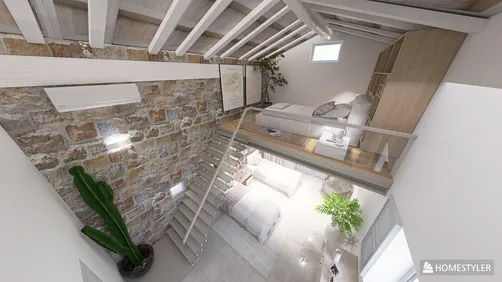
To optimize every hostel setup, I position the desk perpendicular to the window to minimize glare while still allowing the view to remain in peripheral vision, thus stabilizing screen brightness. Keeping the bed on a quieter wall away from the entrance helps in reducing corridor noise. For twin rooms, staggering desks on opposite walls prevents direct eye contact; incorporating low-height storage solutions or a curtain panel can act as a visual screen. Ensure a minimum 36-inch drop zone near the entry for shoes and bags to keep study areas uncluttered. If your room permits lofting the bed, consider raising it and using the space underneath for a compact study area to maximize floor space. A compact interior planning tool can be invaluable in testing out zoning before settling in permanently.
Achieving Proper Illumination: Effective Layering Techniques
Incorporate three types of lighting: ambient (like a ceiling lamp or LED strip at 2700–3000K), task (desk lamp providing 400–600 lumens at 3500–4500K), and accent (such as wall wash or clamp light for evening relaxation). Position your task light on the opposite side of your dominant hand to minimize shadows. If the desk faces a wall, consider mounting a low-glare sconce to reflect light off matte surfaces, resulting in a softer contrast that alleviates eye strain. Blackout curtains can enhance sleep quality, paired with a sheer layer to regulate glare and maintain brightness suitable for reading. If your roommate prefers dim lighting, a clip-on lamp with a focused beam allows you both to work without disturbances.
Ergonomics Within Budget for Students
You don’t need an expensive chair to ensure ergonomic comfort. Focus on three key factors: chair height that enables your feet to rest flat on the ground, back support that aligns with your lumbar curve, and screen height that keeps the monitor's top third at eye level. For non-adjustable chairs, incorporate a small lumbar cushion or rolled towel; a footrest made from stacked books is also effective; and elevate your laptop using a stand alongside an external keyboard. Research from Herman Miller indicates that maintaining a consistent neutral posture along with micro-movements can reduce strain on muscles and promote sustained focus during extended study sessions.
Staying Organized: Storage Solutions That Work
In smaller spaces, vertical storage is the optimal choice. Utilize shelves above the bed, hooks behind doors, and bins under the bed for efficient storage. Organize storage based on frequency of use: keep daily essentials within arm's reach (such as desk drawers or pegboards), store weekly items higher up, and place seasonal items beneath the bed. Clear bins with labels help maintain order amongst roommates, while a shared caddy for cleaning supplies can prevent unnecessary duplicate purchases. For open wardrobes, incorporate fabric cubes to prevent clothes from spilling into study areas. Maintain a slender hamper near the door for easy laundry access.
Sound Management, Acoustics, and Roommate Cohesion
Fabrics are your best allies for acoustic treatment—use area rugs, curtains, fabric headboards, and a pinboard to absorb mid-high frequencies and create a softer sound environment. Establish quiet hours and use visual signals: a desk lamp shining in cool white denotes 'focus mode', while warm amber indicates it's time for socializing or relaxation. If schedules conflict, invest in comfortable earbuds and agree on maximum volume for speakers. For calls, adhere to a method of facing the wall and maintaining a distance of 2–3 feet to minimize audio distortion on microphones.
Color Schemes and Materials That Foster Concentration and Rest
Adopt a soothing base color palette—think soft neutrals, muted blues, or desaturated greens—before adding subtle accents through desk items or artwork. Stay away from highly reflective surfaces as they can create glare; instead, opt for matte or eggshell paints that are gentler on the eyes. Choose breathable linens and a medium pillow to support spinal health. In areas where it's allowed, consider removable fabric panels or peel-and-stick decals to add character without risking damage deposits. Keep vibrant reds limited to small accent pieces as, while energizing, they may evoke restlessness at night.
Navigating Shared Bathrooms and Hygiene Practices
Establish a routine for storage: use a caddy for daily essentials, a hook for towels, and label designated shelf spaces if possible. Employ fast-drying towels to reduce moisture accumulation. Ensure proper ventilation post-shower—if there's no extractor fan, leave the door open for a few moments. A consistent cleaning schedule each week can help avoid disputes concerning shared responsibilities.
Energy Efficiency, Safety, and Smart Use of Electrical Outlets
Utilize a single surge protector with a master switch positioned near the desk; steer clear of connecting multiple power strips. Avoid leaving chargers on the bed to prevent overheating. Ensure any small appliances, such as kettles or mini-fridges, comply with hostel regulations and are placed on hard, well-ventilated surfaces. Use cable clips along the edge of your desk to maintain an uncluttered look and reduce tripping hazards.
Routine Strategies That Keep You Organized
Design can enhance your habits. Wind down before sleep using warm lighting, reset your desk for 10 minutes each night, and designate a specific location for keys and IDs to save significant time, possibly more than any productivity app. Consider employing a whiteboard or wall planner by the door to help outline deadlines and align schedules with your roommate.
Essential Checklist for Move-In
- Clip-on task lamp (3500–4500K, 400–600 lumens)
- Power strip with surge protection
- Laptop stand, plus external keyboard and mouse
- Under-bed bins labeled for easy organization
- Comfortable earbuds or headphones
- Blackout curtain with a sheer layer (if permitted)
- Laundry hamper alongside a cleaning caddy
- Area rug or runner to enhance acoustics and comfort
- Basic toolkit: tape measure, command hooks, cable clips
Frequently Asked Questions (FAQ)
Q1: What desk setup effectively minimizes eye strain during long study periods?
A: Aim for a brightness of 300–500 lux on the work surface, utilize a neutral-cool task light between 3500–4500K, position the top of the screen at eye level, and ensure surfaces are matte to reduce glare. Introduce a warm ambient layer for evening relaxation.
Q2: How can two students study without causing distractions for each other?
A: Arrange desks on opposite walls, employ a low divider or curtain to manage sightlines, agree on periods of quiet, and rely on focused desk lamps rather than bright overhead lighting at night.
Q3: Are gaming chairs sufficient for ergonomic support?
A: If the chair allows for a neutral posture with adjustable height and adequate lumbar support, it can be satisfactory. Otherwise, supplement with a lumbar pillow, footrest, and raise the laptop using a stand plus an external keyboard.
Q4: What are the safest methods to enhance lighting in a hostel room?
A: Consider utilizing LED clip-on or desk lamps featuring integrated diffusers; refrain from using halogen or bulbs that can become excessively hot. Maintain neat cord arrangements with clips and use a single surge protector equipped with a master switch.
Q5: How do I select colors that aid in concentration?
A: Consider using muted blues and greens on walls or large surfaces to foster calmness and focus, punctuated by small warm accents for energy. Minimize the usage of high-gloss finishes to reduce glare.
Q6: What storage strategies help prevent everyday clutter?
A: Organize based on usage frequency—items for daily use close at hand, weekly-use stored higher up, and seasonal products tucked beneath the bed. Employ clear labeled bins and establish a drop zone near the door to prevent obstructing walkways.
Q7: Any recommendations for improving sleep in a noisy corridor?
A: Position your bed on the far wall from the door, utilize rugs and curtains to absorb sound, include blackout curtains for darkness, and use warm-colored (2700–3000K) lighting in the hour leading up to sleep.
Q8: Are there lighting standards for students to adhere to?
A: The IES suggests aiming for around 300–500 lux for desk reading and task work. Combined with glare control and neutral-cool task lighting, this helps enhance clarity.
Q9: How can I experiment with room layouts before moving in?
A: Measure out the dimensions of the room and furniture, then utilize a simple layout planning tool to test desk orientations in line with windows and doors, aiding in avoidance of glare and traffic flow issues.
Q10: What’s the quickest way to reset daily routines?
A: Shut down all electronics, switch to warm lighting, clear your desk surface, arrange loose papers, coil up cables, and prepare essential items for the following day in a small tray next to the door.
Q11: Which materials enhance acoustics without significant alterations?
A: Incorporating a medium-pile rug, a fabric headboard, thick curtains, and a cork or fabric pinboard can reduce echoes and minimize sharp sounds that are common in smaller spaces.
Q12: How can I avoid disputes over shared possessions?
A: Clearly label shelves and bins, create a shared checklist for consumables, and establish ground rules: replenish what you consume and maintain receipts for shared items in a common location.




Looking to transform your space? Homestyler is the ideal online home design platform for you! With its user-friendly design tool, stunning 3D renderings, and abundant video tutorials, you can easily explore and create beautiful interiors tailored to your style. Start your design journey today!