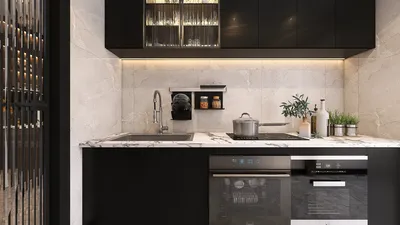
When discussing architectural visualization, achieving optimal render settings using V-Ray is essential for beautifully presenting your building designs. The appropriate configurations can dramatically enhance the quality and realism of your final images. Here, I will walk you through the ideal V-Ray render settings that will empower you to create remarkable building visuals.
Understanding V-Ray Render Settings
Before we explore specific configurations, it's vital to grasp what V-Ray brings to the table. Renowned for its exceptional rendering capabilities, V-Ray facilitates realistic lighting, materials, and textures. The settings you select will directly impact the realism and speed of your renders.
1. Selecting the Ideal Render Engine
V-Ray presents two main rendering options: the standard V-Ray and V-Ray RT (real-time). For architectural visuals, utilizing the standard V-Ray engine often yields the most impressive quality results.
2. Modifying Image Sampler Settings
The Image Sampler plays a pivotal role in determining the quality of your rendering. Here are the suggested configurations:
3. Establishing Global Illumination (GI)
Global Illumination is crucial for achieving realistic lighting. Consider these best practices:
4. Enhancing Lighting Settings
Effective lighting accentuates your building's characteristics. Keep the following in mind:
5. Adjusting Material Settings
Ensure your materials are accurately configured to reflect light in a realistic manner:
6. Configuring Render Output Settings
Lastly, set up your output settings to achieve the best results:
Conclusion
By fine-tuning these V-Ray render settings, you can significantly boost the quality of your architectural visuals. Experimenting with various parameters will help you find the ideal balance between quality and rendering time that fits your project requirements.
FAQ
Q: Which render engine is the best for architectural visualization in V-Ray? A: For the highest quality outcomes in architectural visualization, the standard V-Ray render engine is highly recommended.
Q: How can I minimize render times while maintaining quality? A: Consider utilizing adaptive sampling and optimizing your Global Illumination settings to enhance render efficiency without compromising quality.
Welcome to Homestyler, your go-to platform for home design software.








































