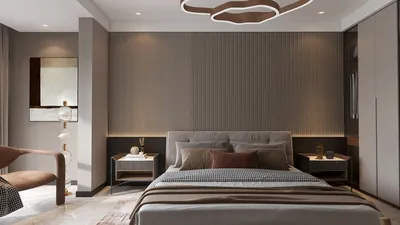


Rendering durations in 3D Max can differ widely influenced by various aspects, such as the intricacy of the scene, the specifications of your hardware, and the selected rendering configurations. If you engage in detailed designs, grasping the typical rendering times can facilitate better workflow planning. On average, rendering durations may span from a few minutes to several hours, determined by these factors.
Factors Affecting Rendering Duration
1. **Complexity of the Scene**: The more intricate your scene becomes, the longer the rendering process will take. Elaborate geometries, high-resolution textures, and complex lighting arrangements can considerably extend rendering times.
2. **Hardware Performance**: The capability of your machine is critical when it comes to rendering durations. An advanced CPU and GPU can notably shorten rendering times, and upgrading your hardware can yield significant improvements.
3. **Rendering Configurations**: The parameters you select in 3D Max, including resolution, anti-aliasing, and ray tracing configurations, can impact rendering durations. Opting for higher quality settings typically results in extended render periods.
Strategies to Enhance Rendering Duration
1. **Utilize Proxy Objects**: For scenes with high complexity, employing proxy objects can considerably cut down rendering time while preserving visual quality.
2. **Optimize Textures**: Lower the resolution of textures that are viewed from a distance. This can assist in minimizing memory usage and enhancing rendering speed.
3. **Modify Lighting**: Try out various lighting configurations. Reducing the number of light sources or simplifying your lighting scheme can yield faster rendering times.
4. **Render in Layers**: Contemplate rendering your scene in segments or passes. This enables you to composite different elements during post-production, which may save time in the rendering phase.
Conclusion
By comprehending the typical rendering duration in 3D Max along with the diverse factors that influence it, you can make well-informed choices on optimizing your workflow. Applying the suggested tips can enhance rendering efficiency and deliver superior results in a shorter timeframe. Explore these strategies alongside tools like Homestyler for a seamless design experience.
FAQ
Q: What is the average rendering duration for a basic scene in 3D Max? A: A straightforward scene might take from a few minutes to an hour, contingent on the complexity and the configurations applied.
Q: What methods can I use to decrease rendering durations in 3D Max? A: Rendering times can be minimized by refining your scene, scaling down texture sizes, and adjusting your rendering settings.
Welcome to Your Preferred Home Design Software
Desain sekarang Gratis
































