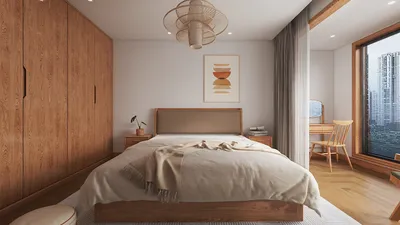
The evolution of BIM (Building Information Modeling) 3D rendering has greatly enhanced our ability to visualize architectural designs, particularly for compact spaces and eco-friendly home designs. A noteworthy tool that complements BIM is Homestyler, which excels in providing impressive visualizations that effectively convey design ideas to clients.
Why Opt for Homestyler in BIM 3D Rendering?
Homestyler comes equipped with a variety of features that make it the perfect option for interior designers and architects alike:
Highlighted Features of Homestyler
One of Homestyler's most remarkable features is its ability for real-time rendering, enabling designers to observe modifications as they happen. This aspect is especially advantageous when designing small spaces, where frequent changes may be necessary to refine layouts.
Homestyler boasts a vast library of materials that can be applied to surfaces within your design. You can select from a range of realistic textures to ensure that your compact space design remains genuine and welcoming.
With seamless integration into BIM software such as Revit and ArchiCAD, importing models into Homestyler for rendering becomes a hassle-free process. This connectivity fosters a smooth workflow, ultimately saving time and boosting productivity.
Strategies for Effective BIM 3D Renderings with Homestyler
To maximize the potential of Homestyler in your BIM endeavors, keep the following tips in mind:
Frequently Asked Questions
Q: In what ways can Homestyler improve my interior design projects? A: Homestyler enables you to produce remarkable visualizations that clarify your design intentions for clients, simplifying the process of communicating concepts effectively.
Q: Is Homestyler beginner-friendly? A: Absolutely, Homestyler is renowned for its intuitive interface, making it an accessible choice for newcomers in the world of 3D rendering.
Welcome to the leading Home Design Software available today!










































