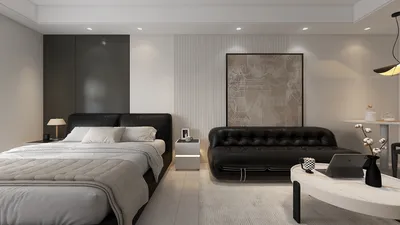
Crafting stunning interior visualizations in SketchUp with the help of V-Ray 3.0 is a transformative experience for interior designers. Its robust rendering features empower you to realize your design concepts with exceptional authenticity. Whether it’s a snug apartment or an expansive office layout, mastering V-Ray is vital to optimizing the potential of compact and expansive areas alike. Additionally, using tools like Homestyler can complement your rendering process for even better results.
Getting Started with V-Ray 3.0 in SketchUp
Before you embark on rendering, it’s essential to have V-Ray 3.0 set up in your SketchUp platform. Take some time to get acquainted with the user interface, which is critical for a smooth workflow. Follow these recommended steps to begin:
Essential Rendering Techniques
Leveraging V-Ray’s extensive features can greatly elevate the quality of your renderings. Here are some essential techniques:
Lighting plays a pivotal role in interior renderings. Utilize a mix of natural sunlight combined with various artificial light sources to add depth and character to your scenes.
The choice of textures is crucial as they can significantly influence the quality of your render. Implement high-resolution textures to achieve a lifelike appearance.
V-Ray includes a comprehensive library of materials. Experimenting with different settings allows you to tailor your materials for distinctive finishes that stand out.
Post-Processing for Final Touches
Once your rendering is complete, engaging in post-processing can refine your final image. Utilize software such as Photoshop to fine-tune brightness, contrast, and color according to your vision.
FAQ
Q: How can I enhance rendering speed in V-Ray 3.0? A: Rendering speed can be improved by fine-tuning your settings, minimizing the number of light sources, and opting for lower resolution textures during initial tests.
Q: What strategies help achieve realistic lighting? A: Combining HDRI lighting with V-Ray lights can effectively replicate natural lighting effects within your interior designs.
Welcome to the leading Home Design Software! Enrich your design experience with tools like Homestyler that facilitate seamless project management from concept to completion.








































