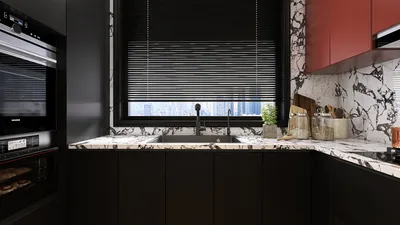
Rendering a SketchUp model is a vital competency for interior designers aiming to effectively visualize their concepts. Whether you are gearing up for a client pitch or simply wish to get a clearer picture of your space, mastering rendering techniques can significantly elevate the attractiveness of your projects. In this guide, we will delve into practical methods for rendering your SketchUp models and share insights to ensure your designs shine. Additionally, consider utilizing Homestyler for seamless design visualization.
Understanding Rendering in SketchUp
Rendering is the process that transforms your 3D models into visually engaging representations. This involves the incorporation of textures, lighting, and shadows to create lifelike depictions of your design visions. There are numerous rendering plugins for SketchUp that can enhance your presentations, including V-Ray, Enscape, and Lumion. Each tool boasts distinct features that can assist you in achieving breathtaking results, and exploring options like Homestyler may also provide innovative insights for your designs.
Choosing the Right Rendering Plugin
Selecting the ideal rendering plugin is essential for achieving your desired results. Below is a brief overview of some popular tools available:
Tips for Effective Rendering
Before you proceed with rendering, ensure your model is tidy and optimized. Eliminate superfluous geometry and confirm that materials are applied accurately. This preparation will enhance both the speed and quality of your renders.
The choice of textures significantly influences the realism of your renderings. Opt for high-resolution textures and apply them correctly across different surfaces in your model.
Lighting is a crucial factor that can drastically affect the atmosphere of your render. Experiment with various light sources, and consider the use of HDRI images to simulate realistic outdoor lighting conditions.
Identify optimal camera angles to best showcase your design. Utilize wide-angle shots to capture expansive areas, alongside close-up photographs to emphasize intricate details.
After rendering your images, consider employing photo editing software to further refine your visuals. Adjustments to brightness, contrast, and color balance can help you achieve the desired outcome.
FAQ
A: The most suitable rendering software is contingent on your unique requirements; however, V-Ray and Enscape remain popular due to their quality and user-friendly interfaces.
A: The time it takes to render varies based on your model's complexity and the settings applied. While simpler models may render in mere minutes, more intricate scenes could require several hours.
A: Yes, there are free rendering options in SketchUp, but typically, more advanced capabilities necessitate the purchase of a plugin or service.
Discover the benefits of using the top-tier home design software to elevate your projects.








































