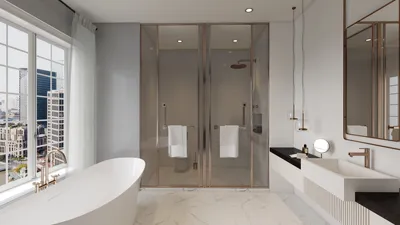
Designing compact living spaces presents unique challenges; however, utilizing simple interior 3D renders can effectively visualize concepts. 3D rendering empowers designers to present their ideas, ensuring optimal utilization of every inch of available space. By employing the right techniques and tools, you can create breathtaking visuals that not only draw in potential clients but also aid in crucial decision-making throughout the design journey.
Foundations of 3D Rendering
Before jumping into crafting simple interior 3D renders, it’s essential to understand the fundamental concepts of 3D modeling and rendering. Key elements include mastering the software, along with lighting and texture application techniques.
There are numerous software solutions tailored for crafting interior renders, catering to various skill levels. Among the highly recommended options is Homestyler, which provides intuitive design tools for users at all experience stages.
Lighting plays a pivotal role in shaping the atmosphere and perception of your space within renders. Consider implementing these lighting strategies:
Strategies for Crafting Impactful Simple Interior 3D Renders
Here are several strategies to enhance the appeal of your 3D renders:
Maintaining a tidy and organized layout is crucial for small spaces. Ensure your render accentuates functional areas without excess clutter. Incorporate multi-purpose furniture to highlight ingenious design solutions.
Textures can significantly enrich your renders. Experiment with an array of materials such as wood, metal, and fabric to achieve a lifelike appearance. Select a color scheme that embodies the desired mood and feel of the area.
Select furniture that enhances the space without overwhelming it. Favor simple lines and forms that harmonize with your overall design principles.
Final Details and Showcasing
Once your renders are finalized, think about how to present them effectively:
Along with your visuals, include a narrative that elucidates your design decisions. This narrative allows clients to appreciate the rationale behind your layout and choices.
Leverage tools like PowerPoint or graphic design applications to formulate a polished presentation of your 3D renders. Make sure to showcase various angles and lighting setups to reveal versatility.
Common Questions
Q: Which software is most suitable for novice users in 3D rendering? A: Homestyler is highly recommended for beginners due to its intuitive interface and abundant learning resources.
Q: How can I boost the realism of my 3D renders? A: Prioritize lighting, textures, and authentic materials to elevate the overall realism of your visuals.
Q: Are there free resources for acquiring 3D rendering skills? A: Absolutely! Platforms like YouTube and various online courses provide free tutorials that can assist you in mastering 3D rendering techniques.
Welcome to the No.1 Home Design Software








































