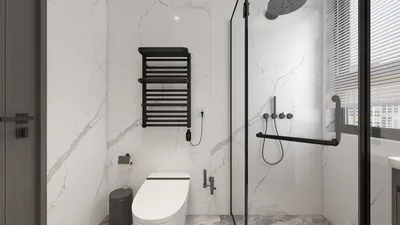
Crafting an enchanting night view render of your residence with Homestyler can significantly elevate your design presentation. The captivating blend of light and shadows, along with the vibrant hues of artificial illumination, can vividly animate your architectural ideas. Here’s how to achieve breathtaking night renders that are sure to impress.
Grasping the Fundamentals of Night Rendering
The initial step in producing a night view render involves grasping fundamental lighting principles. Night scenes predominantly depend on artificial light sources, including lamps, streetlights, and window glows. Careful planning of these elements is crucial to foster a believable ambiance.
When preparing your scene, keep the following considerations in mind:
Strategies for Integrating Homestyler with Rendering Software
While modeling excels in Homestyler, rendering often shines in other tools like Lumion. Here's how to utilize both platforms efficiently:
Ensure your model is well-organized and tidy. Remove any extraneous edges, group elements coherently, and select materials that will interact favorably with light.
Effortlessly transfer your Homestyler model to your chosen rendering platform. Take advantage of real-time rendering features to modify materials and lighting instantly, allowing for immediate feedback and modifications.
Augmenting Your Render with Advanced Features
Once your model is rendered, explore the extensive library of lighting and environmental effects available. Incorporating realistic trees and dynamic weather can significantly enhance your night scene.
After completing your render, consider applying post-processing methods to refine your final image. Tweaking brightness, contrast, and color saturation can result in a more striking visual effect.
The Importance of Practice
Don’t shy away from experimenting with various lighting arrangements and materials. Each project offers a unique opportunity to learn more about night rendering techniques.
Frequently Asked Questions
Q: What are the optimal lighting settings for a night render? A: A blend of point and area lights can create dimensionality; adjust the brightness to prevent overly luminous spots.
Q: How can I expedite rendering time in my projects? A: Optimize your model to reduce complexity and use lower quality settings for draft versions, enhancing quality only for final renders.
Welcome to the Premier Home Design Software, Homestyler.










































