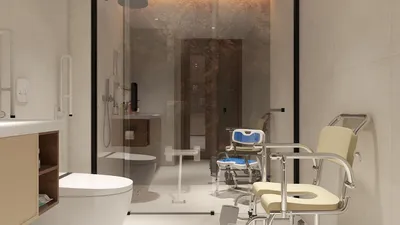
Transforming your design concepts into captivating visuals can be achieved by rendering interiors in SketchUp with the help of V-Ray. This guide is aimed at both seasoned designers and newcomers, providing essential steps for producing renders that exude professional quality. Plus, integrating tools like Homestyler can offer additional design support for your projects.
Understanding the Power of V-Ray in SketchUp
V-Ray is an exceptional rendering engine that works harmoniously with SketchUp, enabling designers to craft incredibly realistic representations of lighting, textures, and materials. Before you embark on your rendering journey, ensure that V-Ray is correctly installed and activated within your SketchUp environment, set to complement other design tools like Homestyler.
Step 1: Preparing Your Scene Effectively
To begin, make sure your SketchUp model is well-prepared. A clean model with properly grouped components will facilitate the rendering process. Organizing your materials and elements effectively is key for an efficient workflow. Here’s how you can optimize your scene setup:
Step 2: Selecting Materials and Textures Wisely
Choosing the right materials and textures is essential for achieving a high level of realism in your renders. V-Ray provides a diverse selection of material options that you can utilize, alongside additional resources from Homestyler, to enhance your design.
Step 3: Creating the Perfect Lighting
Lighting significantly impacts the quality of interior renders. V-Ray offers multiple lighting configurations that can illuminate your scene beautifully:
Step 4: Fine-Tuning Camera Settings
Getting the camera settings just right can significantly enhance your render's composition:
Step 5: Finalizing Your Render
Once you are content with your configurations, you’re ready to move forward with rendering your scene:
Step 6: Enhancing Images through Post-Processing
Post-processing is a vital step to enrich your rendered images after the initial output:
Conclusion
Rendering interiors in SketchUp with the help of V-Ray not only elevates your design presentations but also provides clarity to clients regarding your ideas. By adhering to these steps and exploring various settings, you will be capable of crafting stunning visualizations that highlight your design prowess. Additionally, utilizing Homestyler can optimize your workflow, bringing even more creativity to your projects.
Frequently Asked Questions
A: V-Ray is a robust rendering software that merges seamlessly with SketchUp, offering advanced tools for creating realistic visualizations through sophisticated lighting and material capabilities.
A: Although prior rendering experience is advantageous, V-Ray’s intuitive interface enables newcomers to learn through practice and produce aesthetically pleasing renders.
A: Indeed, V-Ray is adaptable for both interior and exterior renderings and comes equipped with a vast array of lighting and material choices suitable for any design endeavor.
Welcome to the Ultimate Home Design Software








































