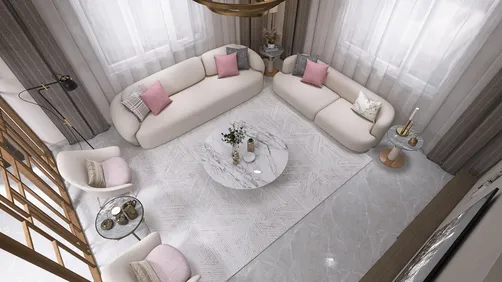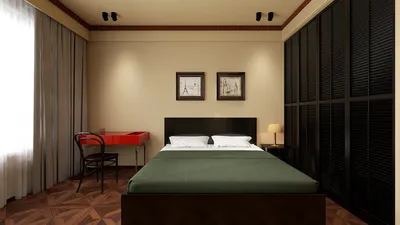
In the realm of interior house design, crafting breathtaking renders is a fundamental process that enhances the visualization of your living space. These interior house renders allow both homeowners and designers to grasp the potential of a room before any renovations take place. This article will delve into vital tips and strategies to create realistic and captivating interior house renders, incorporating the powerful tool, Homestyler.
Understanding Interior House Renders
Interior house renders are digital visualizations of a particular room or area, produced with 3D modeling software. They showcase various design elements such as furniture, color palettes, and lighting arrangements. The main objective of a render is to generate a lifelike image that faithfully represents your envisioned design. By utilizing realistic textures, shadows, and reflections, you can produce engaging visuals that not only inform but also inspire creativity. Homestyler offers exceptional features for achieving these results.
1. Selecting the Appropriate Software
The journey to creating interior house renders begins with choosing the right software. With numerous options available, each boasting unique functionalities, designers often gravitate towards tools like SketchUp, 3ds Max, and Blender. However, for those seeking user-friendly solutions, Homestyler stands out with its intuitive interface and comprehensive resources, allowing you to quickly learn and apply various rendering techniques.
2. Designing Your Scene
After selecting your software, you can proceed to design your scene. Start by outlining the configuration of your room, including essential elements like walls, windows, and doors. It's crucial to maintain accurate proportions and scale. Once the foundational structure is in place, you can begin adding furniture, fixtures, and decorative components to bring your vision to life.
3. Incorporating Textures and Materials
To produce realistic renders, utilizing high-quality textures and materials is essential. This involves selecting suitable surfaces for walls, floors, and furnishings. Many software applications have built-in texture libraries, or you can import custom textures from online databases. Ensure your materials possess realistic attributes, such as glossiness and reflectivity, to improve the visual quality of your render, leveraging tools like Homestyler to explore diverse options.
4. Mastering Lighting Techniques
Lighting is a critical factor in achieving realistic interior house renders. Experiment with various light sources, including ambient, directional, and point lights, to add depth and dimension to your scene. Consider the time of day and how natural light interacts with the space, as this significantly shapes the mood and ambiance of your render.
5. The Rendering Process
Once your scene is organized, it’s time to render the image. Depending on the intricacies of your scene and the quality settings you've opted for, the rendering process can last from several minutes to a few hours. Patience is key, and don't hesitate to refine your settings throughout this phase. After rendering, additional enhancements can be made using image editing software to polish your final visual, ensuring it meets your expectations.
Tips for Enhanced Renders
FAQ
Q: What software is ideal for crafting interior house renders? A: Notable options include SketchUp, 3ds Max, and Blender, among others, but consider Homestyler for its ease of use and robust features based on your skill level.
Q: How can I enhance the realism of my renders? A: Concentrate on employing high-quality textures, mastering your lighting, and being meticulous with the composition of your scene.
Q: What is the typical duration for rendering an interior scene? A: Rendering times can vary widely depending on the complexity of the scene and the quality settings, ranging from mere minutes to several hours.
Welcome to the premier home design software, Homestyler!



















![[For my dearest Sabrinik 🧡]](https://hs-designs.homestyler.com/production/design/images/3f463715-5ed6-4c49-9346-16d464510aa6/1714085722568.jpg?x-oss-process=image/resize,w_502,m_mfit/format,webp)