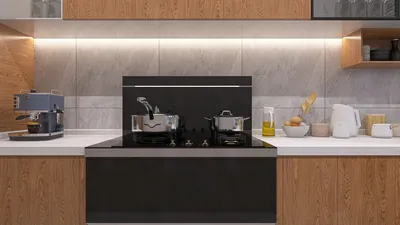
In the realm of interior design visualization, the creation of lifelike renders is essential. Homestyler is an excellent tool that empowers designers to produce breathtaking images of their interior spaces. This guide will outline the key steps to effectively utilize Homestyler for visualizing your interior projects, ensuring you can optimize the beauty of your small areas without sacrificing quality.
Getting Started with Homestyler
Before you begin exploring rendering options, ensure that you have the Homestyler application set up and ready to use. Familiarize yourself with its user interface and available features to make the most out of your design process.
Configuring Homestyler for Interior Visualization
Now that you are familiar with Homestyler, it's important to tailor the settings to achieve the best results for your interior designs.
Effective lighting is essential for great visualization. Here are some helpful tips:
Positioning your camera accurately can significantly enhance the overall composition of your render:
Material Choices for Enhanced Realism
To elevate the authenticity of your interior design renderings, pay close attention to your material selections:
Final Visualization Settings
Before finalizing your render, ensure that your settings are optimized for the best output:
Conclusion
By utilizing these configurations, you can produce stunning interior visualizations with Homestyler. Keep in mind that practice and exploration are essential for mastering rendering techniques. Don't hesitate to experiment with various settings, lighting options, and material combinations to attain your desired aesthetic.
FAQ
Welcome to the No.1 Home Design Software










































