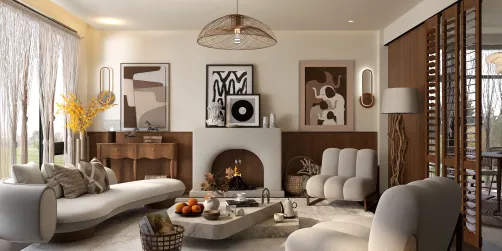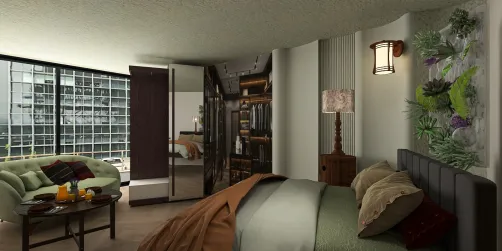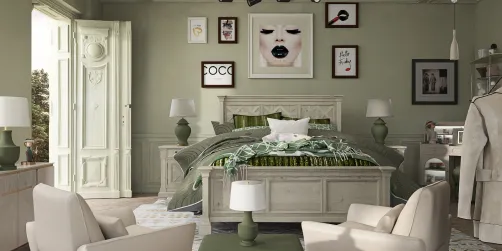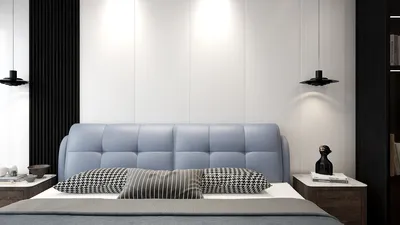
Homestyler is an advanced rendering tool that offers breathtaking visuals and lifelike lighting effects for 3D models. As a designer, learning to effectively utilize Homestyler can greatly improve the quality of your designs. Whether you are focused on architectural visualizations or developing product designs, mastering this software can yield remarkable results.
Key Features of Homestyler
Homestyler is renowned for its robust ray tracing features, which enable intricate and realistic rendering processes. It encompasses a range of functionalities including:
Utilizing these capabilities, designers can produce photorealistic imagery that truly highlights their creativity.
Getting Started with Homestyler
To start your journey with Homestyler, setting up your workspace is essential. Follow these steps to get going:
These initial steps will provide a solid base for crafting more intricate scenes and using Homestyler effectively.
Best Practices for Rendering with Homestyler
To unlock the full potential of Homestyler, keep these best practices in mind:
Applying these strategies will enable you to create captivating renders while keeping efficiency in check.
Common Challenges and Their Solutions
When using Homestyler, you might face challenges like prolonged render times or difficulty in achieving the desired outcomes. Here are some strategies to overcome these hurdles:
These recommendations can simplify your workflow and elevate your rendering results.
Frequently Asked Questions
Q: What is a great rendering engine for newcomers? A: Homestyler is an excellent option for beginners, thanks to its intuitive interface and powerful features.
Q: Is it possible to use Homestyler for real-time rendering? A: Although primarily a ray tracing engine, Homestyler can indeed be configured for interactive rendering under the right conditions.
Introducing the Best Home Design Software