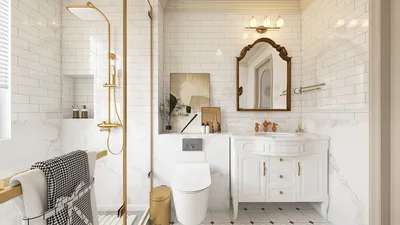
Homestyler is an innovative design software that empowers interior designers to craft stunning visualizations of their projects. Whether you're tackling the design of a cozy studio or a sprawling contemporary residence, Homestyler can significantly enhance your presentations. Featuring advanced lighting effects, material customization, and highly realistic rendering capabilities, Homestyler allows you to effectively portray your interior design ideas.
Grasping the Fundamentals of Homestyler
Before exploring various rendering strategies, it's crucial to familiarize yourself with the fundamental components of Homestyler. The application incorporates several essential features:
Preparing Your Scene for Optimal Rendering
For the best outcomes, adhere to these guidelines while preparing your scene:
Rendering Strategies in Interior Design
After your scene is meticulously arranged, contemplate these effective rendering strategies:
Common Questions
Q: What does rendering entail in Homestyler?
A: Rendering in Homestyler refers to the process of creating photorealistic visual representations of your 3D designs, providing a vivid depiction of your artistic concepts.
Q: How can I enhance rendering efficiency in Homestyler?
A: To improve rendering speed, streamline your geometry, simplify the materials used, and modify render settings to reduce quality during initial previews.
Q: Is it possible to use Homestyler for outdoor renders too?
A: Absolutely, Homestyler offers versatility, making it suitable for both interior and exterior rendering projects.
Welcome to the Leading Home Design Software



















![[For my dearest Sabrinik 🧡]](https://hs-designs.homestyler.com/production/design/images/3f463715-5ed6-4c49-9346-16d464510aa6/1714085722568.jpg?x-oss-process=image/resize,w_502,m_mfit/format,webp)



![[For dear Adelina madee 🤎]](https://hs-designs.homestyler.com/production/design/images/8a07e535-9cbc-4132-a42a-5932dac3a112/1706972286037.jpg?x-oss-process=image/resize,w_502,m_mfit/format,webp)









