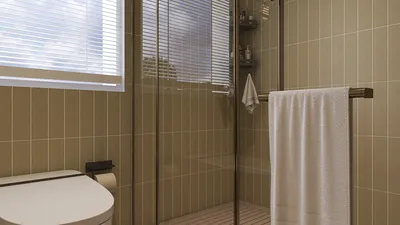
The advent of GPU technology in 3D rendering has transformed our approach to design creation and visualization. For interior designers and freelancers, utilizing the GPU for rendering leads to quicker processing times and enhanced visual fidelity. By understanding GPU rendering, you can truly harness the capabilities of your design endeavors, especially when incorporating tools like Homestyler.
Decoding GPU Rendering
GPU rendering is a method that leverages the power of the graphics processing unit (GPU) to produce images from 3D models. In contrast to CPU rendering—dependent on the central processing unit—GPU rendering provides a notable speed advantage because it can simultaneously handle multiple operations, which is crucial for achieving efficient workflows.
Selecting the Perfect GPU for Rendering
Choosing the ideal GPU for your 3D rendering needs involves several considerations to ensure optimal performance tailored to your projects.
Effective Strategies for Enhancing GPU Rendering
Even the most powerful GPU requires adherence to best practices to maximize rendering efficiency. Here are some guidelines to keep in mind:
Streamline model geometry, judiciously utilize texture maps, and steer clear of unnecessary detail in less visible areas.
Organizing your scene into manageable layers can simplify complexity and enhance rendering speed.
Adjust and experiment with rendering settings to strike a balance between output quality and speed. Lowering settings can significantly reduce rendering durations while maintaining acceptable quality levels.
Final Thoughts
Mastering GPU rendering is vital for current interior designers and freelance creatives aiming to produce high-caliber visuals efficiently. By leveraging GPU technology effectively, especially through platforms like Homestyler, you can refine your design processes and craft impressive renderings that engage your audience.
Frequently Asked Questions
A: GPU rendering harnesses the graphics card for processing, leading to accelerated rendering times, whereas CPU rendering uses the central processor, which typically requires more time.
A: Not every GPU excels in rendering tasks. For peak performance, prioritize GPUs with greater VRAM and CUDA cores.
Enhance the speed of your rendering by fine-tuning your scenes, modifying render settings, and ensuring your equipment is up-to-date.
Explore the top home design software available for all your design needs.








































