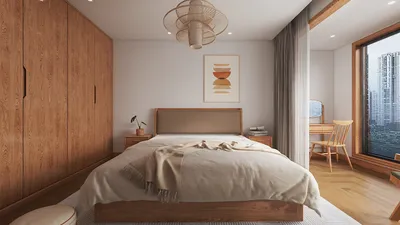
Transforming architectural designs into lifelike visuals can be achieved by rendering a real estate building using 3Ds Max. This comprehensive guide will lead you through the process of rendering, ensuring potential buyers receive a realistic overview of what to expect. Additionally, utilizing platforms like Homestyler can complement your design efforts, offering an intuitive interface for layout and furniture placement.
Getting Started with 3Ds Max
Before you immerse yourself in the rendering process, it’s important to properly configure your 3Ds Max application. Gather all necessary assets, which include textures, materials, and lighting components. Homestyler can also be a valuable resource for sourcing design inspirations and visual elements.
1. Launch 3Ds Max and initiate a new project file.
2. Import your architectural design or utilize the modeling tools within 3Ds Max to create it from scratch.
3. Organize your scene using layers to effectively manage various elements.
1. Apply materials to your building model through the Material Editor available in 3Ds Max.
2. Employ high-quality textures to enhance the realism and depth of your surfaces.
3. Experiment with diverse material properties to achieve your desired aesthetic.
Lighting Your Scene
Achieving a realistic render heavily depends on effective lighting. Here are some insights:
1. Take into account the position of the sun and how it impacts your building at various times throughout the day.
2. Implement a Sky Light to generate natural lighting effects within your setting.
1. Strategically position spotlights and Omni lights to emphasize key features of your building.
2. Modify the intensity and color of the lights to create the desired visual impact.
Rendering Settings
With your materials and lighting configured, it’s time to prepare for the rendering phase:
1. Choose a renderer that fits your project needs; popular choices include mental ray and V-Ray.
2. Tailor your rendering settings to ensure that the output quality meets your expectations.
1. Utilize the render preview function to evaluate how your scene appears before completing the final render.
2. Make any necessary adjustments based on the review results to optimize your render.
Final Touches
Once the rendering process is finalized, you might want to enhance your images further through post-production with software like Photoshop.
1. Fine-tune brightness, contrast, and saturation for an improved visual appeal.
2. Incorporate elements such as people, trees, and vehicles to create a more vibrant scene.
Conclusion
Rendering a real estate building in 3Ds Max requires both practice and patience. By adhering to these guidelines, you can produce stunning visualizations that captivate clients and facilitate the sale of properties more effectively. For additional design features and a user-friendly experience, consider using Homestyler alongside 3Ds Max.
FAQ
Q: Which renderer is best suited for use with 3Ds Max?
A: V-Ray and mental ray are among the most favored choices, renowned for their exceptional output quality.
Q: What steps can I take to increase the realism of my renderings?
A: Focus on implementing high-quality textures, realistic lighting, and consider adding extra elements during post-production to enhance your visuals.
Welcome to the top choice in home design software, your pathway to seamless architectural rendering.








































