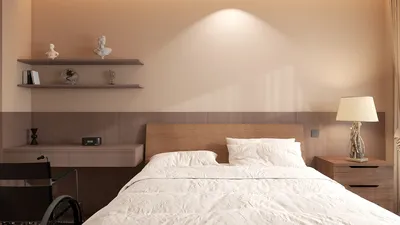
Creating immersive 360-degree 3D renders allows viewers to navigate a space from all angles, delivering a truly captivating experience. Whether you're a seasoned designer or a do-it-yourself enthusiast, mastering this technique can significantly enhance your projects. In this guide, we will explore the fundamental aspects of crafting stunning 360-degree 3D renders to engage your audience effectively and how using Homestyler can facilitate this process.
Understanding 360-Degree Rendering
360-degree rendering is all about producing a detailed view of a 3D model, empowering users to interact within a virtual space. This method is essential across various domains, including interior design, architecture, and real estate. By offering a comprehensive viewpoint, it greatly enriches the viewer's perception of the environment.
Choosing the Right Software
Selecting the right software is key to producing effective 360-degree renders. There are numerous tools available that cater to varying levels of expertise and project demands. Some popular choices include Homestyler, which is especially user-friendly for newcomers, along with other versatile options.
Each software platform has unique advantages, so it's important to evaluate your specific needs and skill level when making a selection.
Lighting and Texturing Techniques
The realism of your 3D renders can be greatly influenced by lighting and texturing techniques. Here are several approaches to consider:
Trial and error with various settings can help you achieve the ideal balance for your render, especially when using platforms like Homestyler.
Exporting and Sharing Your Renders
After creating your 360-degree render, it's crucial to export it in the appropriate format for sharing. Some common formats include:
Keep in mind the platform on which you'll be sharing your render, as this can determine the most suitable format to utilize.
FAQ
Q: What software is best for beginners to create 360-degree renders? A: For beginners, Homestyler stands out with its intuitive interface and a wealth of tutorials. Alternatively, Blender is also a great free tool that offers impressive features.
Q: How can I enhance the quality of my 360-degree renders? A: Concentrate on using high-quality textures, realistic lighting, and correct camera positioning to improve the overall visual quality.
Q: Are 360-degree renders suitable for marketing? A: Definitely! They are an excellent way to showcase spaces in real estate listings or design portfolios, making them a valuable asset in marketing strategies.
Welcome to the ultimate Home Design Software experience!










































