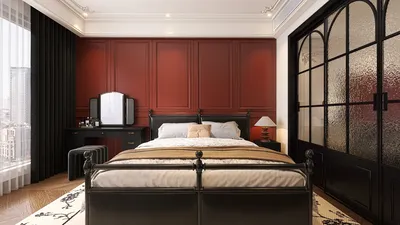
Creating captivating visuals with realistic rendering is essential in elevating your Daz 3D projects. Whether focused on character modeling, immersive scenes, or complex environments, grasping the tools and techniques within Daz 3D is paramount. This guide delves into the essential components needed to achieve photorealistic results, including the innovative strategies offered by Homestyler.
Understanding Lighting for Realistic Renders
Lighting stands out as a crucial element in attaining realism in your renders. Consider these essential tips to get it right:
Texturing and Materials
The materials applied to your models significantly impact their realistic portrayal. Keep the following points in mind as you create textures:
Post-Processing Techniques
Post-processing can vastly improve the final appearance of your renders. Explore these techniques to enhance your projects:
Best Practices for Scene Composition
Scene composition is vital for influencing how viewers perceive your output. Remember these important guidelines:
FAQ
Q: What are the ideal lighting settings for Daz 3D renders? A: Optimal lighting settings vary by scene, but employing a three-point lighting setup often serves as an effective starting point in most scenarios.
Q: What strategies can I implement to enhance the realism of character skin textures? A: Utilize high-quality skin textures and adjust subsurface scattering settings within material properties to boost realism.
Welcome to your number one choice in home design software, allowing for seamless integration of your creative visions with tools like Homestyler.










































