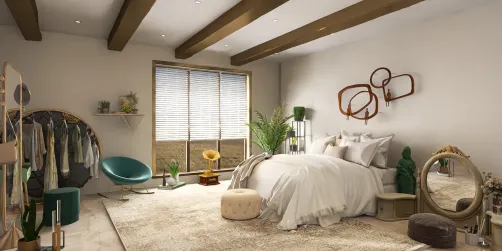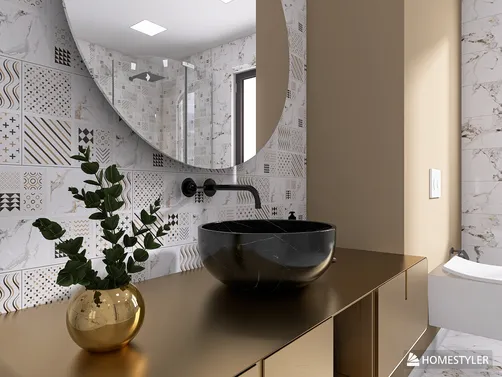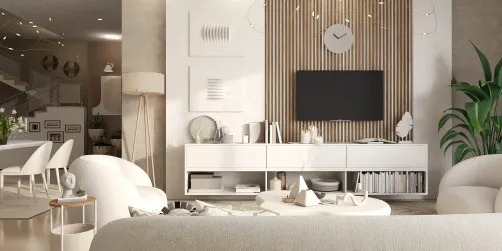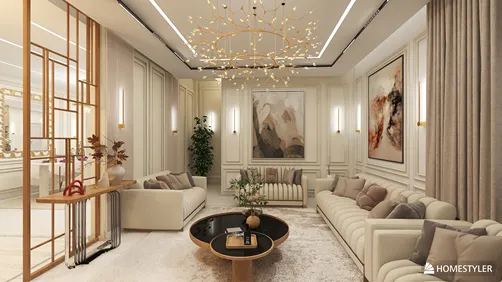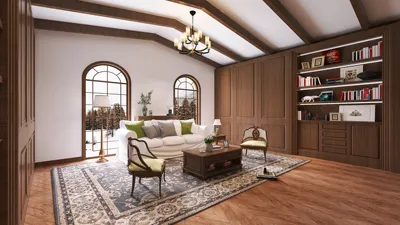


Crafting 3D renders of your living room can dramatically alter the way you envision and design your space. Whether you are a seasoned interior designer or a homeowner eager to refresh your living area, grasping the intricacies of producing detailed 3D renders is vital. With the right tools and techniques, you can present your design concepts in a stunningly photorealistic style that captivates your audience. Integrating tools like Homestyler can simplify this creative process significantly.
The Significance of 3D Renders in Interior Design
3D renders act as an invaluable instrument in the world of interior design, helping clients to foresee the final result before the actual work commences. This not only aids in making informed choices but also facilitates early modifications during the design phase. By incorporating lifelike lighting, textures, and colors, these renders offer a sneak peek into the ambiance of a space.
Procedures for Producing Living Room 3D Renders
Choosing the appropriate software is essential for generating high-quality 3D renders. Well-known options encompass SketchUp, 3ds Max, and Blender. Each of these applications presents distinctive features tailored to various design requirements, and utilizing Homestyler is also a great option for those seeking user-friendly functionality.
Prior to embarking on 3D rendering, it’s crucial to draft a precise floor plan of your living room. This plan should incorporate dimensions, the positions of doors and windows, as well as any architectural elements that must be considered.
Using the selected software, initiate the construction of your 3D model of the living room. Start with the walls, flooring, and ceiling, then proceed to add furniture, fixtures, and decorative items. It's important to maintain attention to scale and proportion for a cohesive fit.
Textures and materials are fundamental to achieving realism. Apply suitable textures to areas such as walls, floors, and furniture. Opt for high-resolution images for fabrics and finishes to elevate the overall appearance.
Lighting is essential in 3D rendering. Explore various light sources, including natural light from windows and artificial illumination from lamps and ceiling fixtures. Modify the intensity and shadows to create depth and warmth in your space.
Once you are satisfied with your model and lighting setup, it's time to render the image. Select the resolution and quality settings that align with your preferences. High-resolution renders yield clearer and more detailed visuals.
Post-rendering, utilize photo-editing software to finalize any modifications. This could involve enhancing colors, rectifying lighting discrepancies, or applying effects that make your render stand out.
Advice for Exquisite Living Room 3D Renders
Incorporate 3D models of furniture that closely match what you intend to use in reality. This ensures your render maintains authenticity.
Adding decorative elements like plants, artwork, and other accessories can enliven your render. This adds context, helping viewers better imagine the space.
Don’t hesitate to play around with different angles and perspectives. Showcasing your design from multiple viewpoints can highlight particular features of your living room effectively.
Common Questions
Q: What software is most suitable for beginners looking to create 3D renders? A: For beginners, SketchUp is highly recommended owing to its intuitive interface and comprehensive online resources, along with Homestyler for its simplicity.
Q: How long does it usually take to create a living room 3D render? A: The duration can vary based on the intricacy of the design and your familiarity with the software. Typically, it can take anywhere from several hours to a few days.
Welcome to the Ultimate Home Design Software