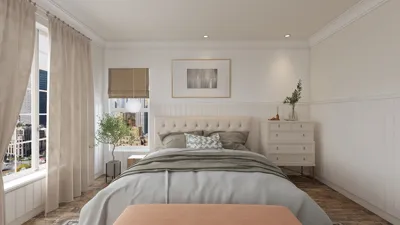
Crafting an engaging 3D visualization of your bungalow is vital for effectively translating your design concepts and ensuring every detail is brought to life. By adopting the right strategies, you can clearly articulate your vision and make well-informed decisions regarding your space. This article will delve into valuable tips and techniques to optimize your 3D rendering approach for bungalows, utilizing tools like Homestyler.
Grasping the Fundamentals of 3D Rendering
Before we dive into the particulars, it's essential to comprehend the essence of 3D rendering. This technique involves generating a digital image from a 3D model, enabling you to visualize the end product prior to construction. For bungalows, which often emphasize open floor plans and abundant natural light, proficient rendering can exquisitely showcase these attributes.
Selecting the Ideal Software for Bungalow Renderings
Choosing the right software is pivotal for achieving exceptional renderings. Look for programs that offer intuitive interfaces alongside robust rendering capabilities. Some widely recommended options include Homestyler, known for its user-friendly design, and other prevalent software solutions.
Strategies for Outstanding 3D Renderings of Bungalows
Here are several strategies to ensure your bungalow renderings truly shine:
Lighting is a key factor in producing lifelike renderings. Utilize natural light strategically by placing windows thoughtfully and selecting optimal times of day for your visualizations.
Applying authentic textures to surfaces—such as wood, stone, or brick—can dramatically enhance the visual appeal of your bungalow. Don't hesitate to experiment with various materials to achieve the aesthetic you desire.
The environment surrounding your bungalow significantly impacts its overall charm. Integrate landscaping features like trees, shrubs, and walkways to add context and depth to your renderings.
Including furniture in your renderings can provide an accurate scale for the space. Opt for versatile pieces that align with your design ethos.
Frequently Asked Questions
A: Some popular software options are SketchUp, Autodesk Revit, and Lumion, which cater to different skill levels and project needs.
A: To enhance the realism of your renderings, concentrate on aspects like lighting, textures, landscaping, and furniture integration for scale.
Welcome to the premier home design software at your service!








































