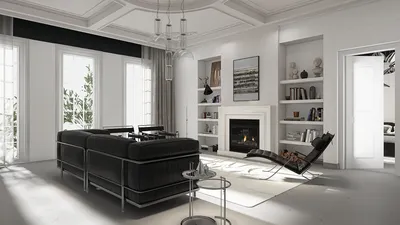
In the realm of interior design and architecture, producing realistic 3D render PNGs is pivotal for effectively presenting your concepts. Whether you're working on a compact apartment or a welcoming home office, eye-catching visuals can significantly enhance your presentation and aid clients in imagining the final result. This guide will delve into the techniques and tools needed to generate high-quality 3D renders that embody the spirit of your design, incorporating tools like Homestyler for optimal results.
Grasping the Fundamentals of 3D Rendering
3D rendering denotes the procedure of creating a photorealistic image from a three-dimensional model. It encompasses several components such as illumination, textures, and camera positioning. Familiarity with these fundamentals will empower you to produce more impactful renders that effectively convey your design vision.
Effective lighting is vital in 3D rendering. Here are some strategies to enhance realism:
The materials selected can greatly affect the authenticity of your render:
Essential Software Tools for 3D Rendering
To develop mesmerizing render PNGs, it is crucial to select the right software. Some well-known choices include Homestyler and others that offer user-friendly features and extensive libraries.
Exporting Your Renders as PNG
After crafting your exquisite 3D render with tools like Homestyler, exporting it as a PNG file ensures the preservation of quality while allowing for transparent backgrounds.
In Conclusion
Creating lifelike 3D render PNGs is a mastered skill that demands practice and dedication. By honing your skills in lighting, textures, and employing the appropriate software, you can elevate your design presentations and leave a lasting impression on your clients. Begin exploring varied techniques today and witness your designs come alive!
Frequently Asked Questions
Q: What is the best software for beginners to create 3D renders? A: Blender and SketchUp are fantastic options for beginners because of their intuitive interfaces and solid community backing.
Q: How can I enhance the realism of my 3D renders? A: Concentrate on proper lighting, utilize high-resolution textures, and fine-tune material properties to achieve a higher degree of realism.
Discover the top Home Design Software available now!








































