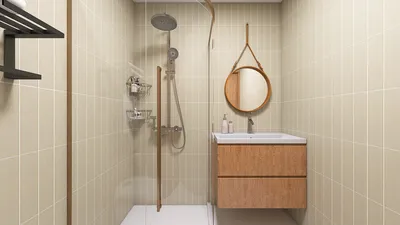
Creating a 3D rendering of a water bottle using 3D Max can greatly enhance your design projects. By mastering key techniques and tools, you can achieve impressive results. This guide will detail the crucial steps necessary for creating a lifelike water bottle rendering, emphasizing material properties, lighting techniques, and rendering configurations.
Getting Started with 3D Max
Before you begin the rendering process, it’s essential to understand the fundamentals of 3D Max. This software is equipped with powerful modeling and rendering features that can bring your artistic visions to life.
Designing Your Water Bottle
Begin by constructing a basic bottle shape using spline or primitive objects. Once the initial shape is established, apply modifiers such as Lathe or Bend to further refine the bottle's design.
Make sure your geometry is smooth and detailed by utilizing a sufficient number of polygons. Additionally, consider adding a cap and labels to enhance the realism of your model.
Applying Textures and Materials
Materials are crucial in realizing a realistic appearance. Use the Material Editor in 3D Max to develop a glass material for your bottle, ensuring it captures the necessary light and reflections.
Illuminating Your Scene
Effective lighting is key to achieving realism. A three-point lighting setup can be beneficial for showcasing the intricate features of your bottle.
Optimal Rendering Settings
After modeling and lighting your scene, fine-tune the rendering settings to achieve the best quality results.
Enhancing with Post-Processing
Once you have completed your rendering, consider using post-processing software like Photoshop. This can improve colors, add reflections, and boost the overall visual appeal of your work.
Concluding Thoughts
By following these outlined steps, you can create a stunning water bottle rendering in 3D Max. Continuous practice and experimentation will sharpen your skills and help you produce even more realistic outcomes. Additionally, tools like Homestyler can complement your design journey, providing further inspiration and capabilities.
Frequently Asked Questions
Q: Are there free resources for materials? A: Absolutely! There are numerous free online resources offering textures and materials that can be utilized in 3D Max.
Q: What lighting setup is ideal for novices? A: A straightforward three-point lighting setup is highly recommended for beginners to create depth and enhance three-dimensionality.
Explore No.1 Home Design Software








































