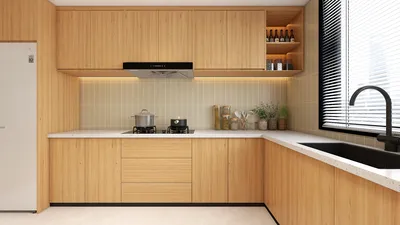


With over a decade of experience in crafting living room designs, I've realized the immense value of utilizing a high-quality 3D model like those offered by Homestyler. These tools dramatically cut down the time spent on adjusting finishes, evaluating seating arrangements, and checking sightlines. While free 3D assets abound, their quality and usability can vary greatly. The aim is to guide you in sourcing reliable models, assessing them professionally, and smoothly incorporating them into your workflow without sacrificing either design integrity or performance.
Efficiency is key. Research by Gensler has shown a strong correlation between visualization fidelity and quicker decision-making, particularly in project alignment. Their 2023 study emphasizes that effective visualization minimizes the risk of rework by allowing stakeholders to grasp options sooner in their processes. Additionally, choices surrounding colors and materials in your models play a significant role in perceived comfort. According to Verywell Mind, studies link warm neutrals to relaxation and shades of blue and green to tranquility and focus. This highlights why thoughtful color palette testing can greatly benefit even the most basic renders, confirming that superior 3D content leads to faster and better decisions.
File formatting is crucial for precision and lighting accuracy. The Illuminating Engineering Society (IES) advises using proper photometric data and glare reduction techniques for simulating indoor lighting. Therefore, incorporating physically based materials and using the right lighting units in your living room scenes are vital, especially when leveraging models from Homestyler. If you're analyzing furniture ergonomics, insights from Herman Miller reveal that factors like seat height and back support critically influence posture and comfort, which should be taken into account during model selection and scaling.
Understanding the Meaning of “Free 3D Living Room Model”
The term “Free” can encompass a variety of options, from public-domain furniture to community-contributed assets available under Creative Commons. Always verify the licensing type prior to downloading: CC0 (no attribution needed), CC BY (attribution required), or restrictions for non-commercial use only. Prioritize original creator notes, polygon counts, texture sources, and whether the model includes PBR maps for elements like albedo, roughness, and normals. I tend to steer clear of models lacking UVs or using only procedural shaders unless the project is confined to a specific application.
Key File Formats and Their Uses
- FBX: Ideal for cross-platform usage, it supports animation and generally maintains hierarchy and smoothing groups.
- OBJ: A universal yet basic format; it carries a single object with MTL material references—suitable for static furniture and decor.
- GLB/GLTF: Lightweight and great for web applications; excellent for quick sharing and AR demonstrations.
- SKP: Tailored for SketchUp use; pay attention to clean, faceted curves and nested component cleanup.
- BLEND/MAX: These are native formats; ensure that textures are properly packed and version compatibility is noted.
Choose the format that aligns with your rendering needs and the level of realism you desire. To ensure accurate photometric testing, set units correctly and use PBR-compliant materials to avoid unrealistic highlights or flat appearances.
Where to Discover Premium Free Living Room Models
- Manufacturer libraries: Numerous brands provide free 3D models of items like sofas, tables, lighting, and rugs which often come with accurate dimensions and materials. Double-check the licensing terms beforehand.
- Design communities: A plethora of crowdsourced assets is available; sort these by rating, polygon count, and recency.
- Open-source repositories: They're perfect for foundational architecture (walls, doors, windows) and generic furnishings to help establish massing quickly.
As you search, give preference to creators who offer wireframe previews, advise on texture resolution (ideally 2K to 4K for major elements), and provide scaling references.
Quality Assessment Before Downloading
- Scale: Verify the unit system (metric or imperial); common seat depth for sofas typically ranges from 820 to 950 mm and seat height from 430 to 480 mm, following ergonomic standards such as those from Herman Miller.
- Topology: Quads are preferred for subdivision; be wary of n-gons on curved components.
- UVs: Ensure UVs do not overlap on visible surfaces; trim sheets are acceptable for repeating details.
- Materials: Include PBR maps that are consistently labeled. Wood textures should display clear grain direction, and metallic surfaces need varied roughness levels.
- Poly count: Aim for optimal Level of Details (LOD)—low polygons for planning and higher for detailed views. Keep significant living room assets well-managed to avoid rendering slowdowns.
Crafting a Reusable Living Room Kit
Assemble a collection of foundational elements such as sofa modules, lounge chairs, coffee tables, media consoles, sconces, pendant lights, rugs, plants, and wall systems. Include various styles like modern, transitional, and Scandinavian with cohesive finishes. Apply systematic naming conventions (e.g., Room_LR_Sofa_ModA_2S_Leather_Tan) and store them with preview thumbnails. This tactic minimizes search time and enhances consistency across your projects.
Designing Layouts Without Uncertainty
Proper spatial ratios can significantly influence a living room's functionality. Aim for a primary circulation path between 900 mm and 1050 mm, with secondary paths from 750 mm to 900 mm. Create conversational clusters by spacing sofas or sofa-chair pairings 1800 mm to 2400 mm apart to facilitate natural eye contact and acoustic comfort. When experimenting with layouts, I often create three scenarios: media-centric, conversation-oriented, and hybrid, then assess lighting placements and cable management pathways. For swift layout evaluations, tools like Homestyler offer visualization of seating arrangements, sightlines, and rug dimensions within minutes.
Illuminating Your 3D Setting Like a Real Living Room
Begin with a multi-layered lighting strategy: ambient (ceiling or cove lighting), task (reading lamps located near seating), and accent (wall washers or art-related lighting). For reading areas, aim for 300 to 500 lux at the seating level; general living spaces can comfortably hold 100 to 300 lux, aligning with IES guidelines for residential settings. A color temperature of 2700K to 3000K yields warmth, supplemented by light sources with a Color Rendering Index (CRI) of 90 or higher to accurately depict material tones. Manage glare by using shaded fixtures and avoid placing bright lights directly within the primary viewer's line of sight when watching TV.
Choosing Materials in 3D That Mimic Reality
Select materials based on precise roughness and specular values. Leather should exhibit micro-surface variances and exhibit grazing reflections, while wool rugs require fiber-normal detailing paired with a subtle sheen. For woods like oak and walnut, effectively directed normal maps and slightly anisotropic highlights should be applied to finish coats. Sustainability principles also matter; I identify materials representing responsibly sourced wood or recycled fabrics, enhancing visual intent's connection to practical procurement choices.
Understanding Acoustics and Behavior in Your Living Room
Sound comfort is a crucial aspect of design. Soft seating, heavy curtains, and textured rugs can help dampen reverberation, particularly in open-plan areas with hard flooring. Position bookshelves or textile panels near reflective walls for best results. Avoid placing speakers in hard corner spots to minimize excessive bass, and simulate soft surfaces in your 3D model to forecast sound absorption distribution. A serene audio environment is essential for enhancing conversations and media enjoyment without overflowing sound.
Ergonomics, Sightlines, and Media Arrangement
Allow for 950 to 1200 mm of space between the coffee table and the front of the sofa to ensure legroom and accessibility. The seated eye level averages between 1050 and 1150 mm; altering screen angles so that the center sits slightly below these heights helps reduce neck strain. For side tables, a height of 500 to 600 mm aligns well with standard sofa arms for ease of reach. In 3D testing, I frequently place a scaled human figure to validate sightlines from various seating positions.
Performance Strategies for Clear Viewports and Quick Renders
- Utilize proxy or instance systems for elements like plants and books.
- Render textures at 2K resolution for general use; reserve 4K for critical visuals.
- Condense material types to lessen draw calls—wood_variation_01 can be applied to multiple furniture items with color tuning.
- Maintain control over HDRIs; adjust intensity levels and introduce portal lights for indoor scenarios.
- In real-time engines, establish LODs and use occlusion culling; shadows on smaller decor items can be disabled wherever feasible.
Managing Licensing and Attribution Smoothly
Keep records of the source, type of license, and creator information in a simplified spreadsheet or asset management software. If a model requires attribution, embed a credit line within your project documentation. When working for clients, opt for CC0 or brand-supplied assets to circumvent usage complications. Maintain a folder marked "ready for commercial use" distinct from experimental community discoveries.
Rapid Prototyping with Layout Variants
To cater to stakeholders' comparison needs, package layout variants (LR_A_Conversation, LR_B_Media, LR_C_Hybrid) while keeping camera locations consistent for true-to-life comparisons. Combine neutral daylight settings with a warm evening light pass to illustrate mood transitions. For quick rearrangements or size testing, an interior layout planner with drag-and-drop functionality for seating, rugs, and lighting optimizes the process available through tools like Homestyler.
Download, Clean, Test: My Workflow Standards
1) Download and analyze the mesh; 2) Adjust the scale to match project units; 3) Repair UVs or address overlapping islands as necessary; 4) Re-link or pack textures appropriately; 5) Convert materials for compatibility with your rendering engine; 6) Tag metadata (style, finishes, polygon count); 7) Evaluate using a neutral lighting setup; 8) Include it in your living room kit with a thumbnail rendering.
Frequently Asked Questions (FAQs)
Q1: How can I confirm if a free living room model is correctly scaled?
A1: Review the creator's unit specifications and measure essential dimensions (sofa width, seat height). Compare with common dimensions—seat height is generally 430 to 480 mm, while three-seater sofas typically span 1800 to 2400 mm. If discrepancies arise, scale the asset uniformly and save it again.
Q2: What lighting levels should I aim for to achieve realistic living room renders?
A2: For overall ambient lighting, target 100 to 300 lux; for task areas like reading zones, aim for 300 to 500 lux while using warm sources in the 2700 to 3000K range. This aligns perfectly with IES recommendations for residential comfort and visual clarity.
Q3: Which file format retains material fidelity across applications?
A3: FBX is typically the most reliable for carrying comprehensive material and smoothing information, whereas GLB/GLTF shines in terms of compact sharing and AR compatibility. If portability is a focus, test and convert one key asset before transitioning a larger batch.
Q4: How can I maintain quick performance with numerous decorative items?
A4: Substitute duplicates with instances, reduce texture resolutions to 2K for background elements, and create LODs for items like plants and books. Merge smaller meshes and share materials to cut down on draw calls.
Q5: Which color palettes work best for tests regarding living room comfort?
A5: Warm neutrals (such as beige, taupe, and camel) promote relaxation. Additionally, desaturated blues and sage greens foster calmness and focus. The findings from Verywell Mind regarding color psychology reflect these associations, which are sometimes echoed in client feedback within residential projects.
Q6: How do I manage models with poor UVs or missing textures?
A6: Re-unwrap visible surfaces, ensuring a uniform texel density, create or re-link PBR maps, and save a corrected version in your library. If the underlying model quality is subpar, replacing it is often more efficient.
Q7: What is an appropriate spacing guideline for seating around a coffee table?
A7: Keep a distance of 950 to 1200 mm from the sofa edge to the coffee table for unhindered passage and ease of reach. In tighter spaces, this can be reduced to 600 to 750 mm, though it may limit circulation comfort.
Q8: Are manufacturer 3D models superior to those from community sources?
A8: Generally, yes. Assets provided by brands are often accurate in dimensions and come equipped with correct finishes. Community models can also be high quality but typically require more vetting with regard to scale, topology, and licensing issues.
Q9: How can I quickly demonstrate various layout options?
A9: Duplicate the scene, lock camera positions, and adjust seating and rug dimensions as needed. Export consistent view pairs (day/night) to facilitate clear comparisons. Utilizing layout simulation tools with drag-and-drop capabilities significantly enhances client interactions.
Q10: What techniques are best for rendering realistic fabric?
A10: Employ fabric normals with subtle roughness variations and a sheen layer; integrate micro-wrinkles and shift textures on cushions to prevent repetitiveness. For close-ups, consider low-density fuzz/hair shaders.
Q11: How do I integrate acoustic considerations into the 3D scene?
A11: Include rugs, curtains, and upholstered furniture; evaluate bookcases as potential sound diffusers on large, empty walls. Visually showcasing these surfaces assists clients in grasping the implications for room acoustics.
Q12: What is a reliable approach to licensing for commercial endeavors?
A12: Aim for assets under CC0 or those from branded libraries, meticulously document sources and licenses, and retain proof. For models requiring attribution (CC BY), ensure credits are included in deliverables and avoid using assets with non-commercial restrictions for paid projects.

Looking to transform your space? Homestyler is your go-to online home design platform! With its user-friendly design tool, stunning 3D renderings, and a wealth of DIY video tutorials, you can effortlessly create and visualize your dream home projects. Bring your ideas to life today!
Projete agora para LIVRE
































