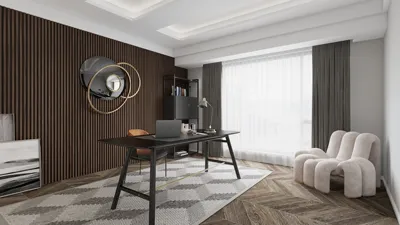


Mastering 3D box rendering is crucial for interior designers and digital creators eager to produce lifelike visualizations of their projects. This skill helps clients to better understand and envision the final outcome of design concepts. Throughout this article, we will delve into various methodologies and insights for crafting impressive 3D box renders using tools like Homestyler.
Grasping the Core of 3D Box Rendering
3D box rendering entails the creation of a three-dimensional depiction of boxes or other geometric figures through specialized software. This method is vital for presenting designs in an attractive and informative manner. The rendering process encompasses stages such as modeling, texturing, lighting, and finalizing the output for presentation.
Essential Techniques for Successful 3D Box Rendering
To achieve stunning 3D box renders, familiarity with several key techniques is essential:
Choose software that aligns with your requirements. Popular choices include Blender, SketchUp, and Autodesk 3ds Max, each offering distinctive features that streamline the rendering experience. Additionally, platforms like Homestyler are excellent for simpler, user-friendly design implementations.
The importance of lighting cannot be overstated in achieving a realistic render. Try different light sources such as ambient and directional lighting to establish the desired atmosphere and accentuate specific details.
Applying textures effectively is vital to enhance the realism of your 3D box models. Utilize high-resolution texture maps and pay careful attention to scaling and orientation for a credible appearance.
Advanced Techniques for Exceptional Outcomes
After mastering fundamental skills, consider adopting advanced methods:
Experimenting with materials and shaders can introduce depth and realism to your 3D box renderings. Modify various material settings to create effects such as glossiness, transparency, and reflective qualities.
Post-processing is a great way to further refine your render. Utilize image editing software to enhance your images by adjusting parameters like brightness, contrast, and saturation for an elevated final look.
The key to advancing your 3D rendering abilities lies in regular practice. Play with various shapes, lighting configurations, and textures to identify what resonates best with your personal style and project requirements.
Guidelines for Newbies
Here are several useful tips for those just starting with 3D box rendering:
FAQ
Q: What rendering software is the most effective for 3D box designs?
A: Software such as Blender, SketchUp, and Autodesk 3ds Max is commonly used, each providing a range of features tailored to different user needs. Homestyler, notably, is a great option for beginners.
Q: How can I achieve a more lifelike rendering?
A: Concentrate on optimizing your lighting, texturing, and materials to enhance the realistic quality of your render.
Q: Is post-processing an essential step for 3D renders?
A: While it isn’t mandatory, incorporating post-processing can substantially elevate the quality of your final images.
Explore the leading home design software to bring your creative visions to life with ease and professionalism.
Дизайн сейчас бесплатно
































