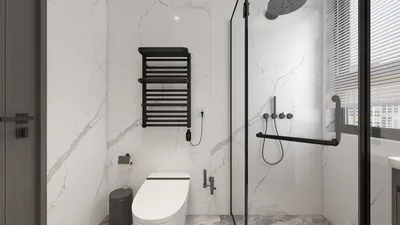
Crafting a remarkable Blender 3D render can transform your projects from mundane to magnificent. By employing effective techniques, you can bring your creative visions to fruition, even within limited areas. Regardless of whether you are a novice or a seasoned designer, mastering the nuances of Blender is vital for enhancing your rendering capabilities. Additionally, consider using tools like Homestyler to further enrich your design process.
Getting to Know the Fundamentals of Blender
Before exploring advanced rendering methods, it's vital to understand the foundational aspects of Blender. Get acquainted with the software’s interface, tools, and features. Start by designing simple shapes before progressing to intricate models, ensuring a solid grasp of the basics.
The Importance of Lighting in Your Renders
Lighting is essential for establishing atmosphere and elevating realism in your render. Implement various lighting strategies, such as three-point lighting, HDRI lighting, and area lights, to add depth and character. Play around with different intensities and hues to create compelling visual effects.
Achieving Realistic Textures and Materials
To create lifelike renders, the application of realistic textures and materials is crucial. Blender's node editor provides the capability to develop intricate materials. Investigate PBR (Physically Based Rendering) techniques to ensure your materials interact accurately with light. Utilizing high-resolution textures can also significantly augment detail in your projects.
1. Select high-grade textures. 2. Layer various textures for intricacy. 3. Employ UV mapping for exact application.
Enhancing Your Renders with Post-Processing
After finalizing your render, post-processing can infuse the final polish needed. Leverage Blender’s compositor to modify colors, apply effects, and boost the overall composition. This step allows for correcting exposure discrepancies or implementing effects such as bloom to achieve a captivating appearance.
Finalizing and Exporting Your Renders
When your render is perfected, the next step is exporting it. Choose the most suitable file format based on your project needs; PNG works well for images, while formats like MP4 are better for animations. Ensure you set the ideal resolution to maintain high quality.
Regular Practice Tips for Improvement
1. Dedicate regular time for practicing Blender skills. 2. Engage with tutorials to acquire new techniques. 3. Participate in Blender communities to receive constructive feedback and support.
Frequently Asked Questions
Q: What’s the most effective method to enhance my Blender rendering skills? A: Regular practice, tutorial engagement, and community feedback can significantly boost your abilities.
Q: How can I achieve realistic lighting in my renders? A: Experiment with various lighting configurations, and consider utilizing HDRI images for enhanced lighting realism.
Welcome to the leading home design software.








































