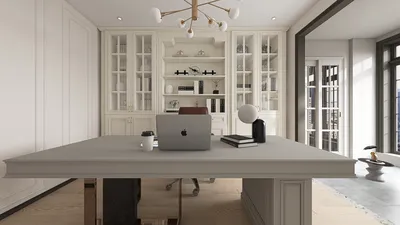
If you're aiming to produce breathtaking interior renders, becoming proficient with Homestyler is key. This robust design tool empowers you to achieve genuinely realistic lighting, materials, and textures that can elevate your designs to a new level. Whether you're a seasoned designer or a novice, incorporating Homestyler into your creative process can significantly enhance your visual presentations.
Grasping the Fundamentals of Homestyler
Homestyler functions as a comprehensive design software that integrates effortlessly with a variety of 3D modeling platforms. It is renowned for its advanced capabilities, including global illumination, realistic materials, and customizable light sources. To start, get acquainted with the intuitive interface and basic configurations of Homestyler.
Achieving Realistic Lighting Effects
Lighting plays a pivotal role in rendering beautiful interiors. Homestyler provides various techniques for effective lighting integration, such as:
Utilizing Materials and Textures Effectively
The choice of high-quality materials and textures is crucial for the realism of your renderings. Homestyler offers a diverse library of materials, and you can also develop unique shaders tailored to your design objectives.
Optimizing Your Rendering Settings
To obtain optimal results, it’s vital to fine-tune your rendering settings within Homestyler. This process includes adjusting quality parameters, activating features like anti-aliasing, and finding the right balance between rendering time and the quality of the final image.
Enhancing Your Renders with Post-Processing
Once your render is complete, think about employing post-processing techniques to further improve your images. Applications like Photoshop enable you to modify colors, enhance contrast, and refine other components, resulting in a more polished presentation.
Final Thoughts on Homestyler
Becoming adept with Homestyler for interior rendering can notably elevate your design presentations. By learning its features and applying best practices, you can generate amazing visuals that captivate clients and stakeholders alike.
Frequently Asked Questions
Q: What is Homestyler? A: Homestyler is a powerful design software that offers advanced tools for creating lifelike 3D visuals.
Q: How can I create realistic lighting in my renders? A: Employ techniques such as global illumination and photometric lighting to mimic natural lighting conditions.
Q: Is it possible to develop custom materials in Homestyler? A: Absolutely, Homestyler allows you to create bespoke shaders and materials tailored to your design preferences.
Welcome to the Ultimate Home Design Software



















![[For my dearest Sabrinik 🧡]](https://hs-designs.homestyler.com/production/design/images/3f463715-5ed6-4c49-9346-16d464510aa6/1714085722568.jpg?x-oss-process=image/resize,w_502,m_mfit/format,webp)



![[For dear Adelina madee 🤎]](https://hs-designs.homestyler.com/production/design/images/8a07e535-9cbc-4132-a42a-5932dac3a112/1706972286037.jpg?x-oss-process=image/resize,w_502,m_mfit/format,webp)









