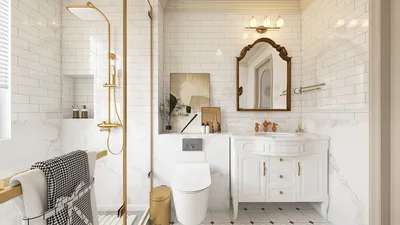
Are you eager to craft an impressive interior design utilizing Homestyler’s 2D tools? Uploading your floor plan is the essential first step in making your design dreams a reality. Whether you are a homeowner or a seasoned designer, knowing how to efficiently upload your floor plan can greatly enhance your experience. This guide will lead you through the uploading process, provide tips for optimizing your design, and offer insights into maximizing the features of Homestyler.
How to Upload Your Floor Plan to Homestyler 2D
To get started, you’ll need to create an account on Homestyler. After logging in, head over to the floor planner section where you’ll find an option to upload your floor plan. Ensure that your floor plan is saved in a compatible format, such as JPEG or PNG, to facilitate a seamless upload process. Following the upload, you can begin personalizing your space with furniture, colors, and textures.
Tips for Optimizing Your Floor Plan Design
When uploading your floor plan, pay close attention to scale and dimensions. Precise measurements are crucial for accurately positioning furniture and decor. Opt for a soft, neutral color scheme for a classic appearance, and introduce vibrant hues to establish focal points. Additionally, remember that lighting significantly impacts the aesthetic of a space; so try out different lighting fixtures to find the perfect ambiance.
FAQ
What formats can I use to upload my floor plan? You can upload your floor plan images in either JPEG or PNG formats.
Can I edit my uploaded floor plan? Yes, once your floor plan is uploaded, you can modify it within Homestyler’s user-friendly interface.
Welcome to the Leading 2D Floor Planner

Homestyler is your go-to online home design platform that transforms your ideas into reality. With its user-friendly design tool, stunning 3D renderings, and a wealth of design projects and video tutorials, you’ll easily create the perfect space—whether you're a beginner or a pro!