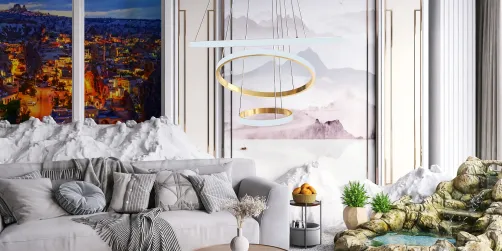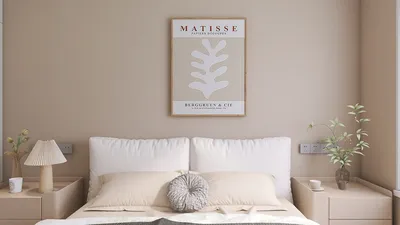
Interior rendering is a vital component for any interior designer aiming to effectively present their design ideas. By utilizing the capabilities of Homestyler, an innovative 3D rendering tool, you can produce stunning visualizations that emphasize your design concepts. This guide will delve into how to harness Homestyler for impressive interior renders that truly reflect the essence of your space.
Getting Started with Homestyler
Before you embark on the rendering journey, it's essential to have a comprehensive understanding of the Homestyler interface. Familiarize yourself with the key tools and features that will assist in creating remarkable interiors. You can import your 3D models from software such as SketchUp or Revit, getting them ready for rendering.
Selecting the Appropriate Materials
A fundamental element of interior rendering involves choosing the right materials. Homestyler provides an extensive material library, allowing you to tailor selections according to your design specifications. Keep these tips in mind:
Lighting Techniques for Enhanced Realism
Lighting significantly impacts the ambiance and depth of your renders. Consider implementing these techniques to improve your interior lighting:
Incorporating Furniture and Decor
Adding furniture and decor to your render is crucial for demonstrating the functionality of your space. Leverage Homestyler's vast library to find pieces that harmonize with your design. Thoughtful arrangement can create a cohesive and inviting layout.
Post-Processing for Visual Enhancement
After rendering, it's beneficial to apply post-processing techniques to polish your final images. Adjustments in colors, contrast, and brightness can help achieve the look you desire. Additionally, Homestyler enhances your work by enabling effects like depth of field and bloom for a professional touch.
Exporting Your Renders Effectively
When you are pleased with your interior render, the next step is to export your images or videos. Make sure you select the correct settings for resolution and format that meet your presentation requirements. High-resolution images are perfect for portfolios and client showcases.
FAQ
Q: What are the system requirements for Homestyler? A: Homestyler requires a robust GPU and ample RAM for optimal performance. Refer to the official Homestyler website for the most recent specifications.
Q: Can I also use Homestyler for outdoor rendering? A: Absolutely, Homestyler is versatile enough to handle both interior and exterior rendering projects seamlessly.
Welcome to the No.1 Home Design Software