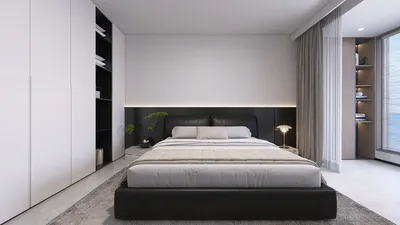


Crafting eye-catching interior design videos for YouTube not only demands a great deal of creativity but also necessitates precise render configurations. To captivate your viewers, optimizing your render settings for exceptional clarity and intricate details is paramount. Below are key recommendations to help you attain outstanding results.
1. Importance of Resolution
Begin with a resolution aligned with YouTube’s best practices. For superior quality, aim for a resolution of 1920 x 1080 (1080p) or more, such as 4K. This will guarantee that your visuals are crystal clear and appear professional.
2. Selecting the Right Frame Rate
To achieve fluid motion in your videos, pick a frame rate of either 30 fps (frames per second) or 60 fps. Higher frame rates greatly enhance the viewing experience, particularly in energetic scenes.
3. Employ Anti-Aliasing Techniques
Implementing anti-aliasing can smooth out jagged edges, offering a neater appearance to your renders. Consider utilizing settings such as MSAA or FXAA to elevate the overall quality of your videos.
4. Optimizing Lighting Settings
Appropriate lighting is a vital component in interior design. Utilize realistic lighting settings to design natural shadows and highlights. Experimenting with global illumination and ambient occlusion can add more depth to your scenes.
5. Render Quality Adjustments
Enhance the render quality settings to a higher specification, such as 'High' or 'Ultra,' based on the capabilities of your software. This adjustment will amplify the detail present in textures and materials.
6. Best Practices for Compression Settings
When finalizing your video, opt for a compression format like H.264 that strikes a balance between quality and file size. Ensure the bitrate is appropriately adjusted to preserve quality while keeping the file size manageable.
7. Incorporating Post-Processing Effects
Add post-processing effects judiciously to enhance your visuals without overwhelming them. Effects such as bloom, depth of field, and color correction can provide a polished, professional feel to your videos.
8. Testing Render Settings
Ultimately, it’s crucial to test your render settings with a brief clip before settling on a final version. Gathering feedback from peers or viewers can also highlight if any modifications are necessary.
Conclusion
By adhering to these essential render settings tips, you can produce captivating and high-caliber interior design videos that will resonate with YouTube audiences. Employ tools like Homestyler to effectively showcase and realize your design vision while engaging your viewers.
FAQ
Q: What resolution is optimal for YouTube videos? A: The ideal resolution for YouTube videos is 1920 x 1080 (1080p) or 4K to ensure high-quality output.
Q: How significant is the frame rate in video rendering? A: Frame rate is key for smooth playback; opting for 30 fps or 60 fps is best for videos with a professional demeanor.
Welcome to the leading home design software experience for all your creative needs!
Design Now for FREE
































