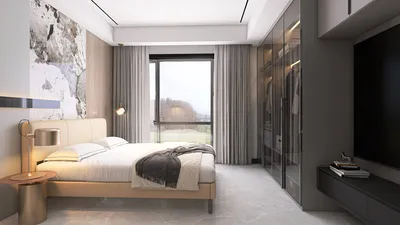
Creating elevations from 2D floor plans plays a vital role in both architectural and interior design. Whether it's for a quaint residence or a sleek office environment, elevations effectively illustrate your design concepts by showing how various elements merge in a three-dimensional space. Here’s a guide on how to proficiently create these elevations online using your 2D floor plans and Homestyler.
Understanding Elevations
Before you get started, it's essential to grasp what elevations entail. Essentially, elevations are two-dimensional representations that illustrate both the exterior and interior aspects of a building. They allow designers to envision how a structure will appear from different viewpoints, making them crucial for showcasing a design idea to customers or stakeholders.
Steps to Create Elevations from 2D Floor Plans
Choose a design platform that accommodates both 2D floor plans and elevation generation. Tools like Homestyler not only simplify the transition between 2D and 3D views, but also enhance the convenience for designers.
Upload your current 2D floor plan to the software. Ensure the clarity and accuracy of the scaling, as these factors significantly influence the quality of your final elevations.
Decide on the specific elevations you wish to create. Designers often concentrate on the front, rear, and side elevations. Utilize the design tool to outline these views according to your floor plans.
Incorporate essential architectural features like windows, doors, and rooflines. Many design software programs, including Homestyler, offer a collection of pre-designed elements that can be easily inserted into your elevation views.
Enhance your elevation by integrating a variety of materials and textures. This step is crucial in portraying how the final design will appear in reality. Experiment with different colors, finishes, and textures until you reach your ideal look.
Once your elevations are finalized, switch to the 3D view to observe how all design elements unite. This perspective aids in visualizing the space effectively and allows for any last-minute modifications before you complete your design.
After achieving satisfaction with your elevations, you can export them as images or PDFs, making it simple to share your designs with clients, contractors, or colleagues.
Benefits of Creating Elevations Online
There are numerous benefits to creating elevations through online tools:
Conclusion
Transforming your 2D floor plans into elevations online is an uncomplicated process that streamlines your design workflow. By adhering to the aforementioned steps and leveraging user-friendly design tools like Homestyler, you can produce impressive elevations that truly bring your architectural ideas to life.
FAQ
A: Popular options include Homestyler, SketchUp, and AutoCAD, each providing distinct features for elevation creation.
A: Absolutely! Many online resources are designed to be intuitive and include tutorials that help newcomers begin their journey.
welcome to Use No.1 2D Floor Planner








































