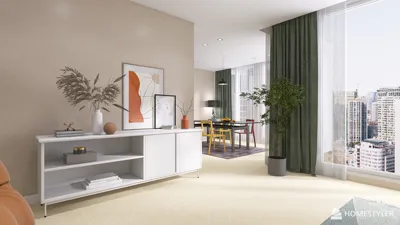


Designing 3D models for printing on platforms like Thingiverse requires a combination of technical skills and creative flair. To get started, choose a 3D modeling software that fits your expertise and project requirements. Beginners often find Tinkercad easy to use, while Fusion 360 caters to those with moderate experience, and advanced users may prefer Blender for intricate modeling. Begin by drafting your design concept, considering the constraints and benefits of 3D printing, including overhangs, necessary supports, and limitations regarding print size. Once you have a solid idea, construct your model using simple shapes, progressively adding intricate details. Consistently monitor your design for "watertightness"—ensuring there are no holes or non-manifold edges—to facilitate proper printing. Export your completed model as an STL or OBJ file, which are suitable for most slicing software and printers. It's advisable to conduct a test print of your design before uploading it to Thingiverse to verify its functionality. Optimize your model for printing by eliminating unnecessary complexities and positioning features to minimize the need for supports. When sharing on Thingiverse, include an informative title, a detailed summary, relevant tags, and comprehensive assembly instructions for the community. Enhance your submission with high-resolution images and, if available, renderings that illustrate the intended application and final appearance. As a designer, I constantly seek methods to simplify the creative workflow for both professionals and DIY enthusiasts alike. Using dedicated modeling tools, including platforms like Homestyler, significantly boosts the accuracy and efficiency of my projects, allowing for a seamless visualization of interiors and precise model exports perfect for 3D printing.
Guideline 1:
Begin with a straightforward model to grasp the fundamentals of your software. Regular practice and iterative design will enhance your skills and improve print outcomes. For models with moving components or complex assemblies, consider breaking them down, printing the parts separately, and then assembling them afterward.
Frequently Asked Questions
Q: What file types are accepted by Thingiverse for 3D printing?
A: Thingiverse generally accepts STL and OBJ formats for 3D model submissions. Q: Which is the most suitable 3D modeling software for novices?
A: Tinkercad is considered a highly accessible, web-based tool for beginners thanks to its user-friendly interface. Q: How can I determine if my 3D model is "watertight" prior to printing?
A: Most 3D modeling software includes diagnostic or repair features—look for options like "Mesh Analysis" or use free utilities such as Microsoft 3D Builder to identify and rectify any issues. Q: Is it necessary to test print my design before uploading it to Thingiverse?
A: Absolutely, performing a test print ensures your model is functional and successfully printable, helping to mitigate potential problems for other users. Q: How can I enhance the visibility of my upload on Thingiverse?
A: Provide thorough instructions, clear images, and consider adding renderings that display your model’s intended use and final appearance.
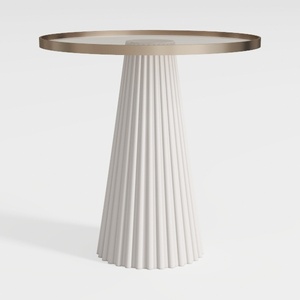
Modern Minimalist Fluted Base Glass Top Side Table 3D Model

Minimalist Glass Top Solid Wood Base Irregular Coffee Table 3D Model
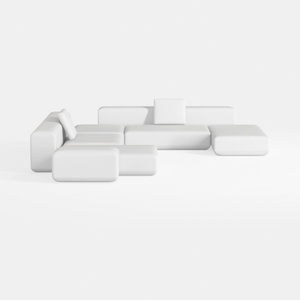

Minimalist Modern White Fabric Modular Sectional Sofa 3D Model
Discover your design potential with Homestyler! This user-friendly platform offers an intuitive online design tool, stunning 3D renderings, inspiring design projects, and helpful DIY video tutorials. Create your dream home with ease, no experience required!
Zaprojektuj teraz za darmo
































