In this update, we optimized the Team Version interface, as well as asset management and permission control, to ensure a more efficient and streamlined workflow.
1. My Space: Folder management feature added
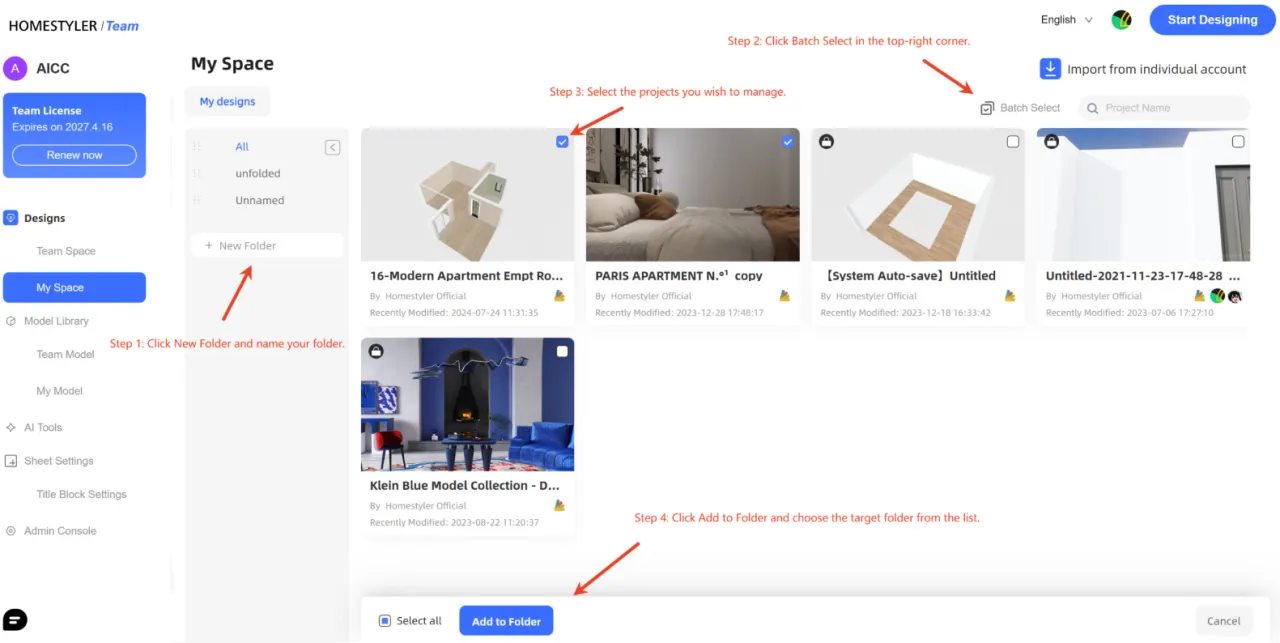
We added the ability to create folders in My Space, making it easier for you to categorize and manage design projects.
Folder creation and organization:
- Click New Folder to create a folder. After naming it, you can drag it to reorder.
- Click Batch Select in the upper-right corner.
- Select the projects you want to manage.
- Click Add to Folder and choose the target folder.
2. Model Library: Model management optimization
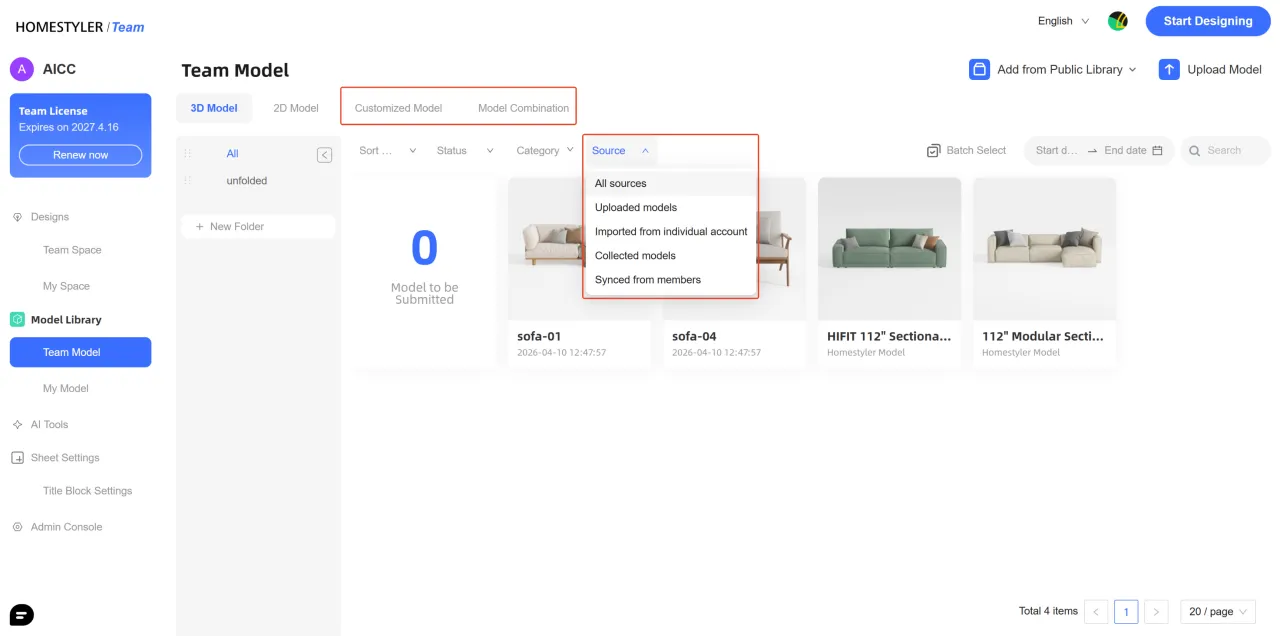
In this update, the Model Library has been divided into Team Model and My Model, with multiple new asset management and filtering capabilities added.
- Added two primary categories: Model Combination and Customized Model.
- Added a Source filter under both 3D Models and 2D Models, including: All Sources, Uploaded Models, Imported from Individual Account, Collected Models, and Synced from Members.
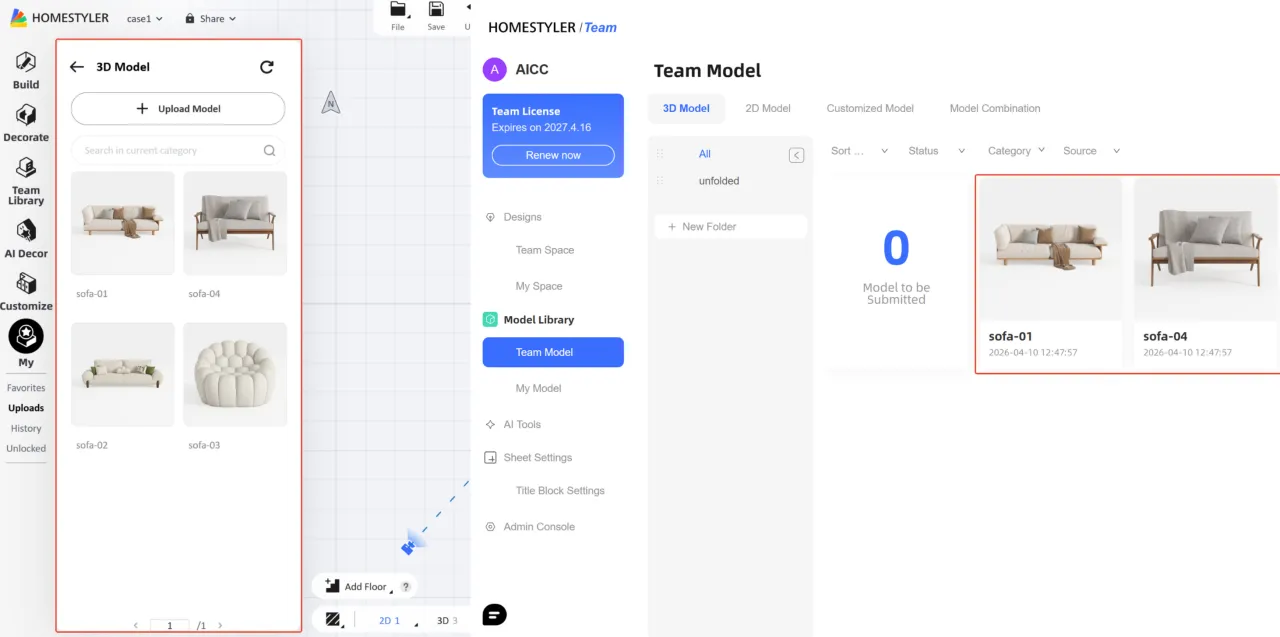
- Supports batch syncing personal models to the Team Library. Synced team models are saved as independent versions and will not be affected by subsequent changes to the personal models.

- My Model is linked to the 3D Tools in the Team Version personal account, and model information remains synchronized with the data in the 3D Tools.
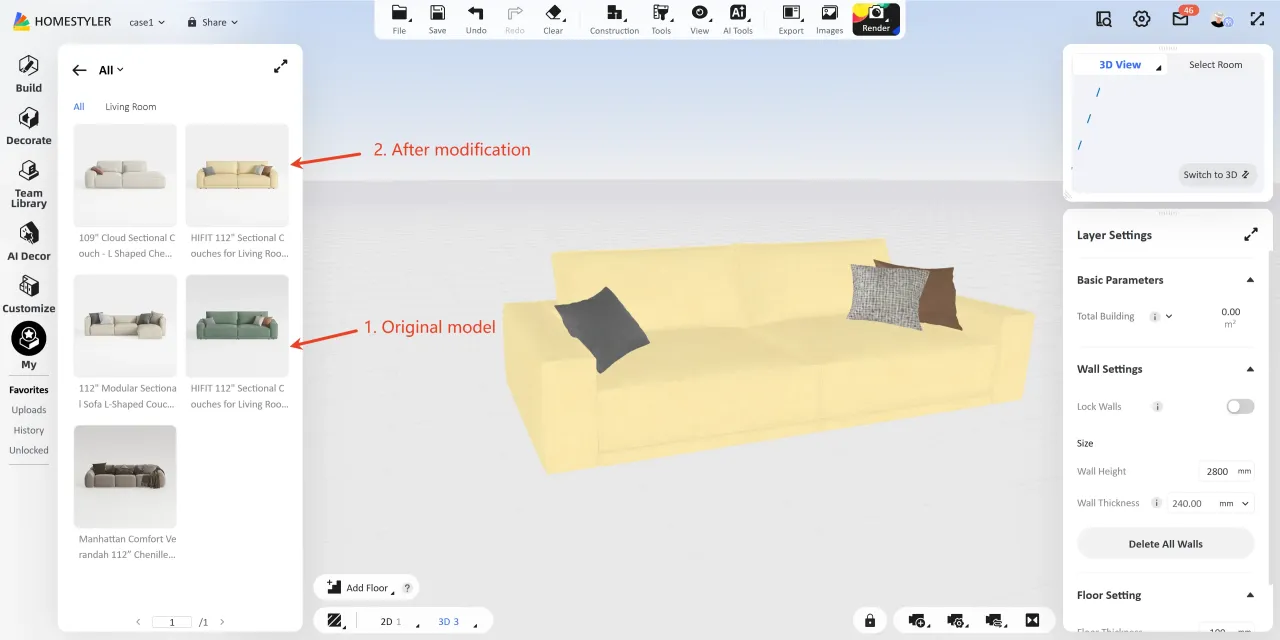
3. Support for favoriting models with modified materials, dimensions, or structure
After modifying a model, select it and click Add to fav, choose a favorites folder, and you can find it under "My > Favorites > All". Once the tool update is complete, it will be available for use (about 1 minute).
4. AI Tools added to the left navigation
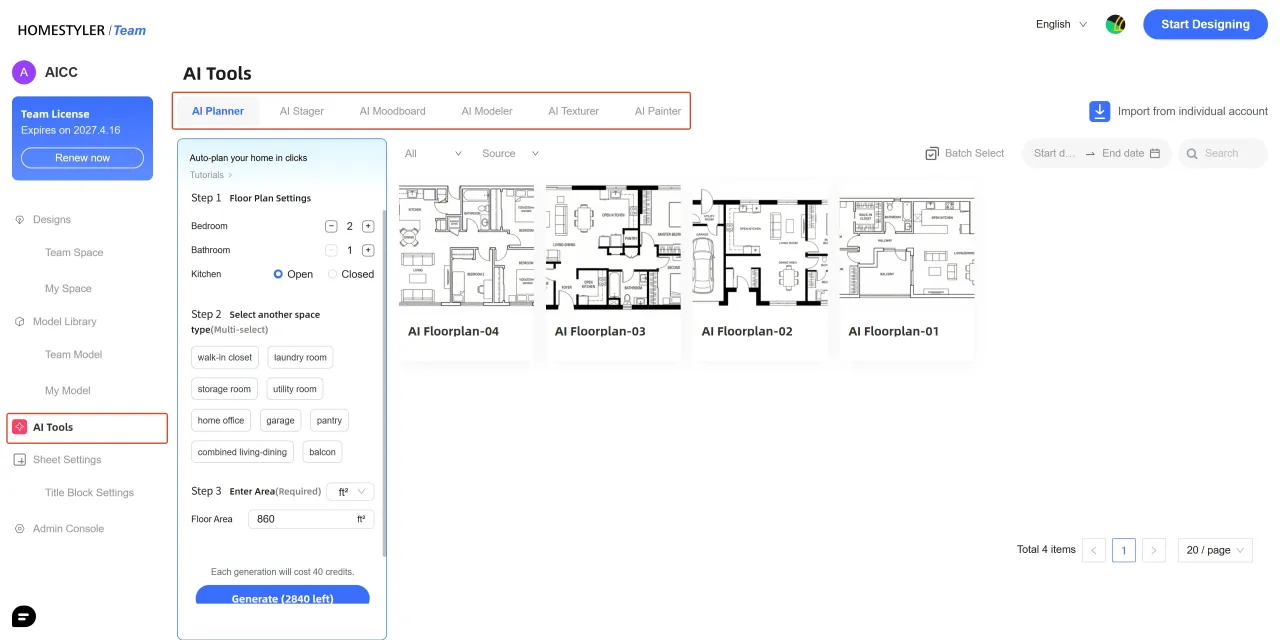
A new AI Tools entry has been added to the left navigation in the Team Version, covering 6 AI-powered design features, such as AI Planner, AI Stager, and AI Moodboard. These tools help you generate floor plans efficiently, explore design ideas quickly, and significantly improve design efficiency.
- Permission Management: Administrators can flexibly assign AI feature permissions through the Admin Console to ensure standardized team usage.
- Click here to learn more about detailed guides for each tool.
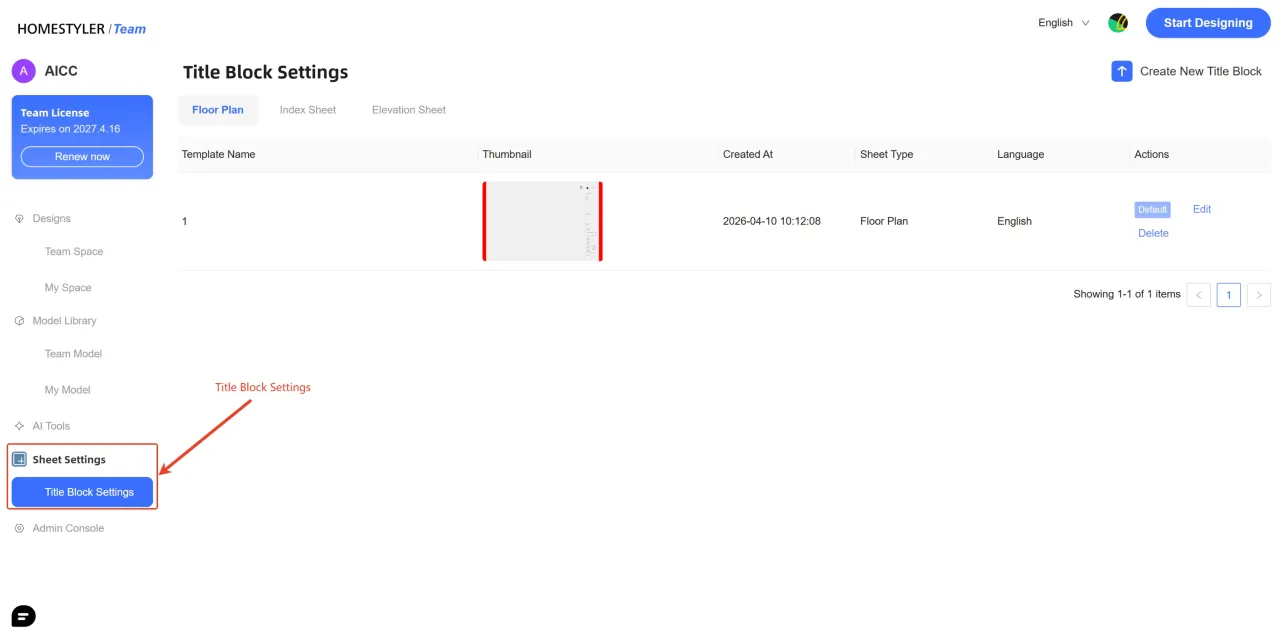
5. Sheet Settings added to the left navigation
A new Sheet Settings entry has been added to the left navigation in the Team Version, making it easier to centrally manage and reuse title block templates.
- For detailed instructions, please refer to: https://www.homestyler.com/forum/view/2042428505388691457?spm=a1zmxy.22532806.0.0.16bade52maSA2M